After so many leaks and speculations Airdrop’s rival Nearby share finally arrived for all Android users. Google has started the roll-out of Airdrop’s rival.
Since last year we are having rumors about such feature naming “ Fast Share “, and finally yesterday Google launched its Nearby Share, According to The Verge , “ It only took Google nine years to catch up to AirDrop “. Whatsoever, now Android users can also share files, images, documents, and other data easily.
Airdrop’s rival Nearby Share Finally Arrives
Don’t want to miss the best from TechLatest ? Set us as a preferred source in Google Search and make sure you never miss our latest.
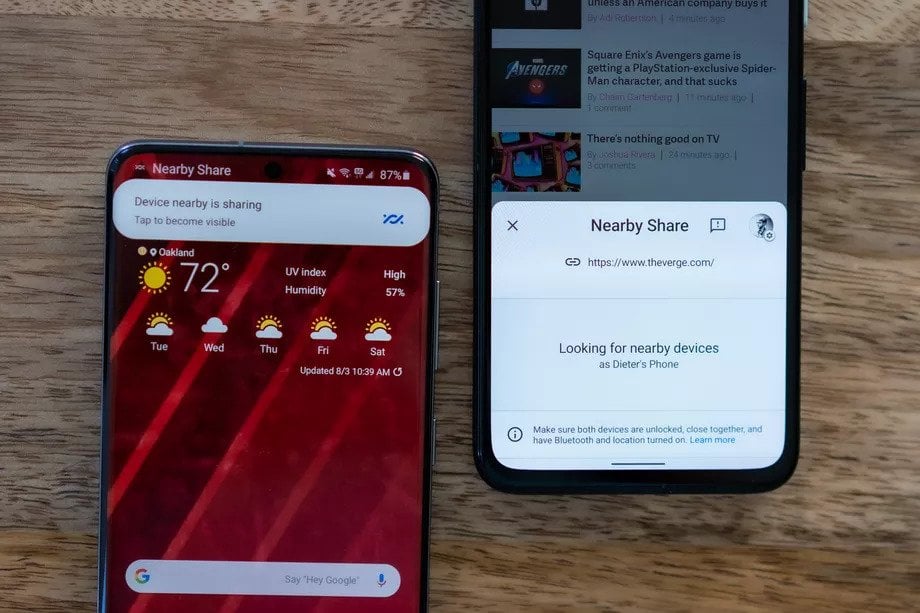
Nearby Share work almost similar to Apple’s Airdrop service, that’s why we were calling it Airdrop’s rival. Now, there is no need to open any app and share file using it, Nearby share finally arrives with solutions of such issues. If you want to share any file from one Android smartphone to another Android smartphone, just tap on the share icon, then select Nearby share. Now no more bulky and malicious file sharing app for Android, share your data conveniently and securely with Google’s Nearby share.
Nearby share can share the files using various modes including Bluetooth, Bluetooth Low Energy, WebRTC, or peer-to-peer Wi-Fi whatever method is fastest for your device, Nearby share will automatically pick up that method to share the file. Google also says that this feature doesn’t require an internet connection and can be used offline.
For now, this feature is working between Android smartphones, but Google is planning to expand the feature for multiple platforms. According to Google’s spokesperson, “Nearby Share works between Android phones and will work with Chromebooks in the coming months , and plan[s] to try to expand the feature to additional platforms in the future.”
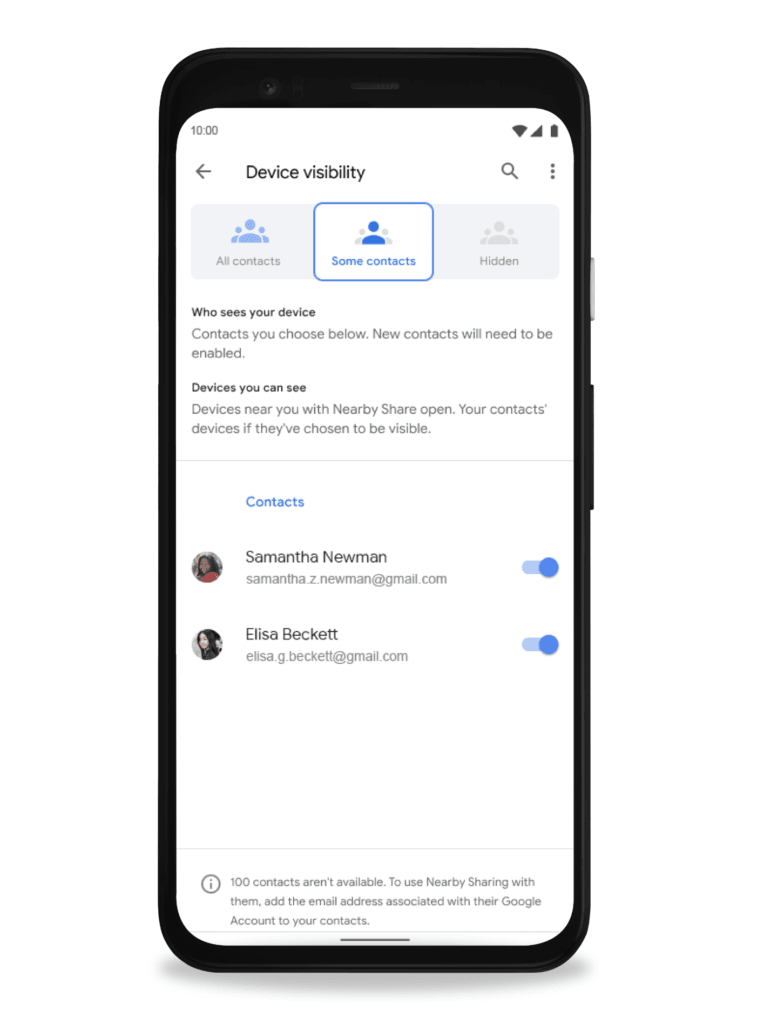
And as similar to Airdrop, there are privacy safeguards in Nearby share too, this prevents strangers to connect with you and avoid unnecessary malicious content from them. You can also hide your device and make it visible for some specific contacts, and quick toggles of Nearby share will let you enable or disable the setting quickly.
- Verify WhatsApp Forwards with Search The Web Feature
- Xiaomi Files Patent for a Smartphone With a Removable Display
- Upcoming WhatsApp Features Will Change Your Messaging Experience
Enjoyed this article?
If TechLatest has helped you, consider supporting us with a one-time tip on Ko-fi. Every contribution keeps our work free and independent.
