
Don’t want to miss the best from TechLatest ? Set us as a preferred source in Google Search and make sure you never miss our latest.
So, let’s get started!
Content Table
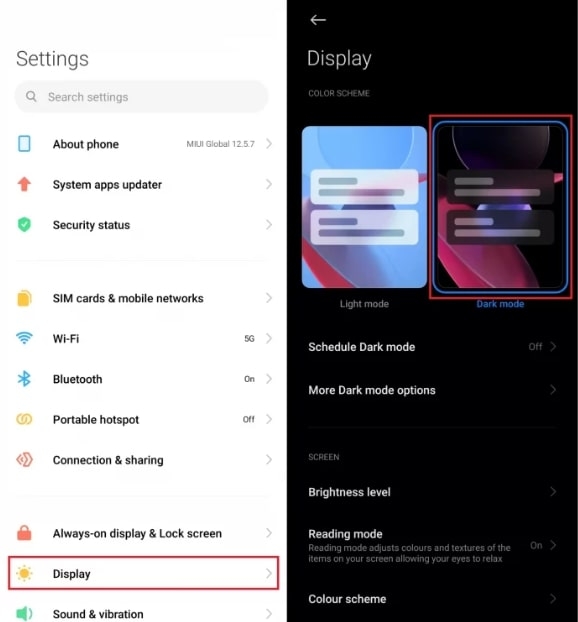
- First, open the Settings menu.
- Click Display and then click Dark Mode .
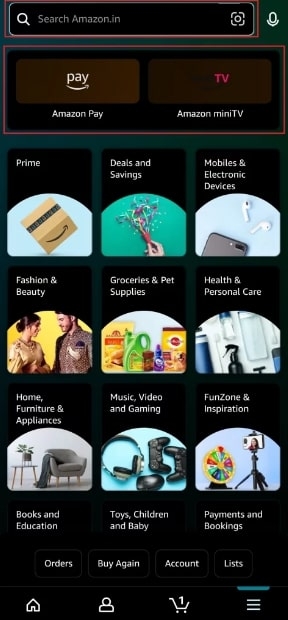
- If you open the Amazon App , you’ll see that the Dark Mode is enabled.
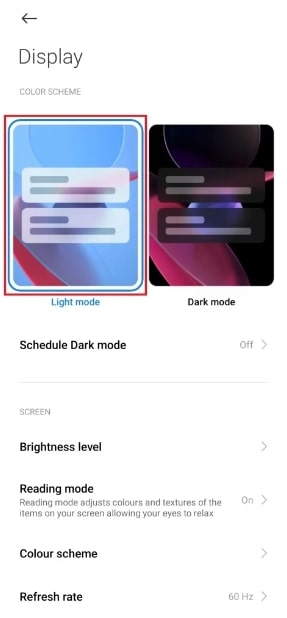
- To disable it, navigate to Settings .
- Then select Light Mode from the Display menu.
You can enable dark mode on your PC by following the steps below.
- First, navigate to Google Chrome on your PC.
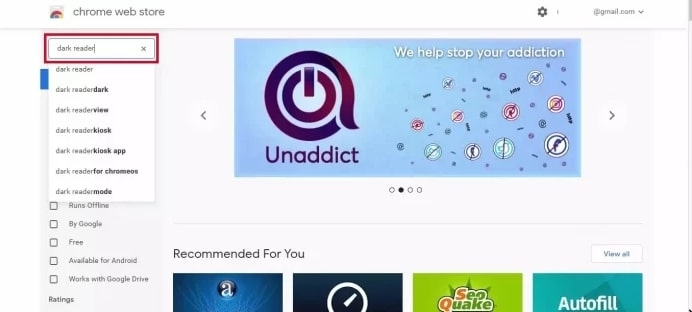
- Search for the Dark Reader extension in the Chrome Web Store .
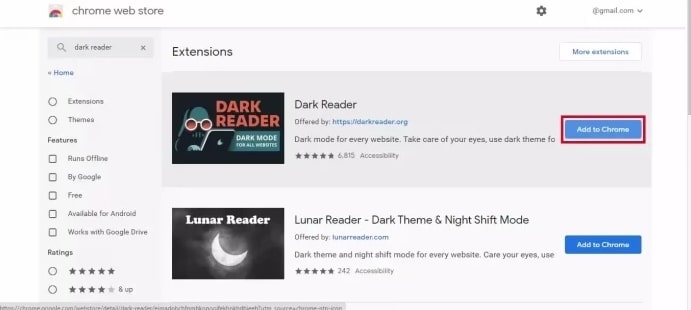
- Then click on Add to Chrome and wait for it to be installed.
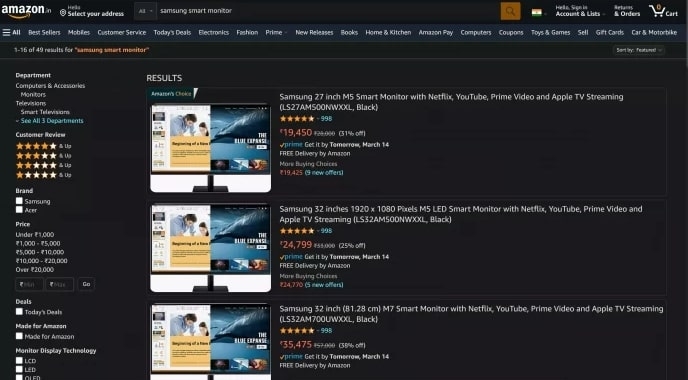
- You’ll be able to see the Amazon website in Dark Mode if you open it.
- You can disable it by selecting Dark Reader Extension and then Clicking the Extension Bar toggle .
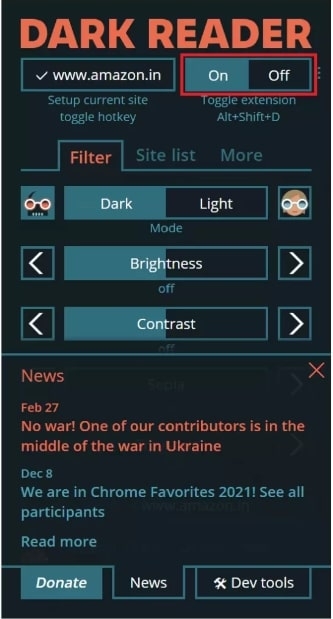
It is also possible to adjust the brightness of the screen in Dark Reader. Almost everything can be adjusted, including brightness, contrast, darkness, grayscale, and sepia.
Additionally, you can choose which websites you want to use in dark mode.
A Firefox add-on is not required to enable Dark Mode in Firefox. You can get Dark Mode on Firefox by following these steps.
- Launch the Firefox browser .
- Navigate to Add-ons & Themes by clicking the three-line icon.
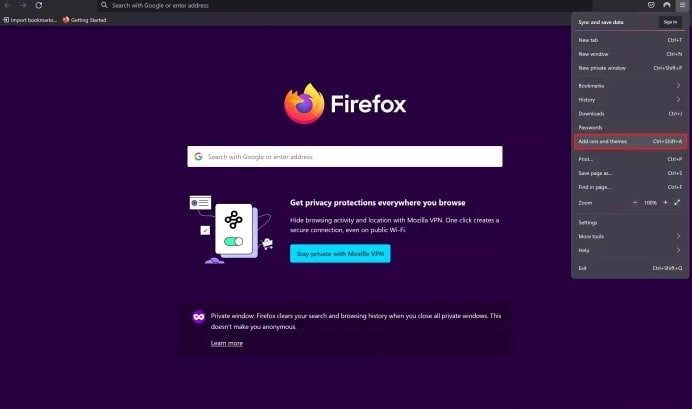
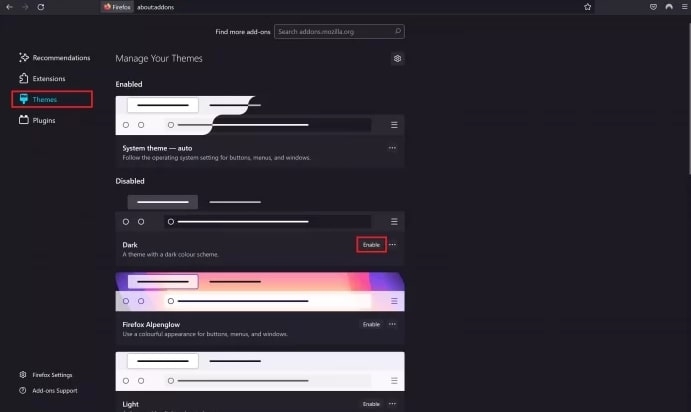
- Click on the Themes and then enable the Dark theme .
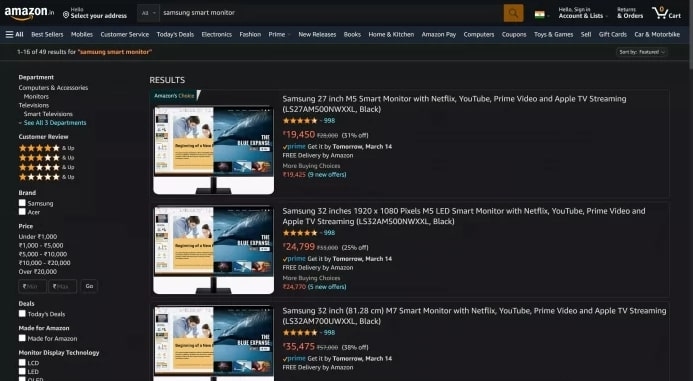
- Dark Mode will appear when you open the Amazon website.
Note: If you aren’t satisfied with the other extensions, you can install the Night Eye extension on Chrome and Firefox .
For other popular browsers, you can also download the extension. You can find more information on the nighteye.app .
You can customize the text, background, and hyperlink colors with the Turn Off the Lights dark mode web browser extension. Users can set Turn Off the Lights to automatically switch to dark mode at night if they only want to use dark mode at night.
Does The Alexa App Have A Dark Mode?
Yes, you can switch between light and dark modes in the Alexa app.
What Is Turn Off The Lights Browser Extension?
The dark mode is available through the free Open-Source extension to Turn Off the Lights. You can set any website to dark mode with the Turn Off the Lights browser extension, including video streaming sites and online shopping platforms.
Conclusion
Thanks for reading!
Further Reading:
- How to Turn Off Dark Mode on Word (Windows and Mac)?
- Google Docs Dark Mode: Full Guide (All Platform)
- How to Enable Dark Mode on Snapchat (Android and iOS)
Enjoyed this article?
If TechLatest has helped you, consider supporting us with a one-time tip on Ko-fi. Every contribution keeps our work free and independent.
