Highlights
- You can adjust Battlefield 6’s crossplay setting anytime from the System menu for more control over your matchmaking experience.
- Turning off crossplay helps console players avoid PC-based imbalances and keep matches fairer.
- Your Battlefield 6 progress stays linked to your EA account, so switching platforms won’t reset your unlocks or stats.

Crossplay has become a regular feature in most online multiplayer games, and Battlefield 6 is no different. By default, the game allows players across PlayStation, Xbox, and PC to join the same matches. This helps fill lobbies faster and keeps matchmaking times short, but not everyone enjoys cross-platform play.
Many console players prefer to stick to their own platform to avoid potential disadvantages against PC users, such as higher frame rates, better precision with a mouse, or even a few hackers.
Don’t want to miss the best from TechLatest ? Set us as a preferred source in Google Search and make sure you never miss our latest.
If you’d rather keep things within your own ecosystem, Battlefield 6 gives you the option to switch crossplay off. In this guide, we will tell you how you can easily manage your crossplay settings, so let’s get started with it.
Content Table
What is Crossplay in Battlefield 6?
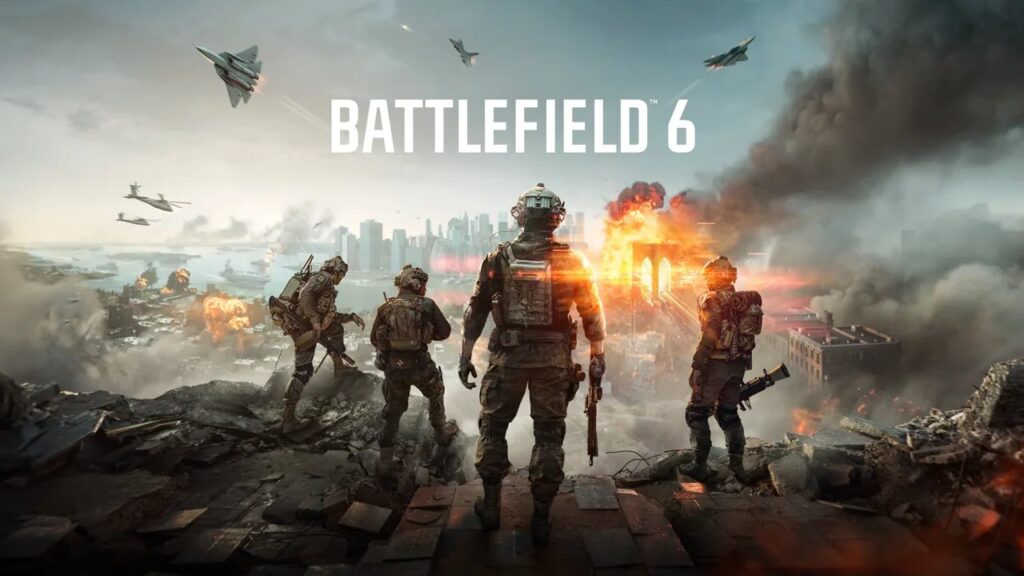
Crossplay allows Battlefield 6 players from different platforms to play together in the same online matches. For example, a PS5 player can end up in the same squad as Xbox Series X|S or PC users.
This system makes matchmaking faster, as it pools players from all platforms instead of limiting them to just one. However, the game prioritizes “ console-preferred crossplay ,” meaning PlayStation and Xbox players are matched with each other first before bringing in PC players if needed.
How to Turn Off Crossplay in Battlefield 6
Follow these simple steps to disable crossplay in Battlefield 6:
- Open the Main Menu: Start from the Battlefield 6 home screen.
- Go to Settings: Look for the gear icon and select it.
- Select System: Scroll through the options on the left until you find System .
- Find the Crossplay Setting: Under the “Setup” section, locate Crossplay .
- Toggle It Off: Switch the option from On to Off .
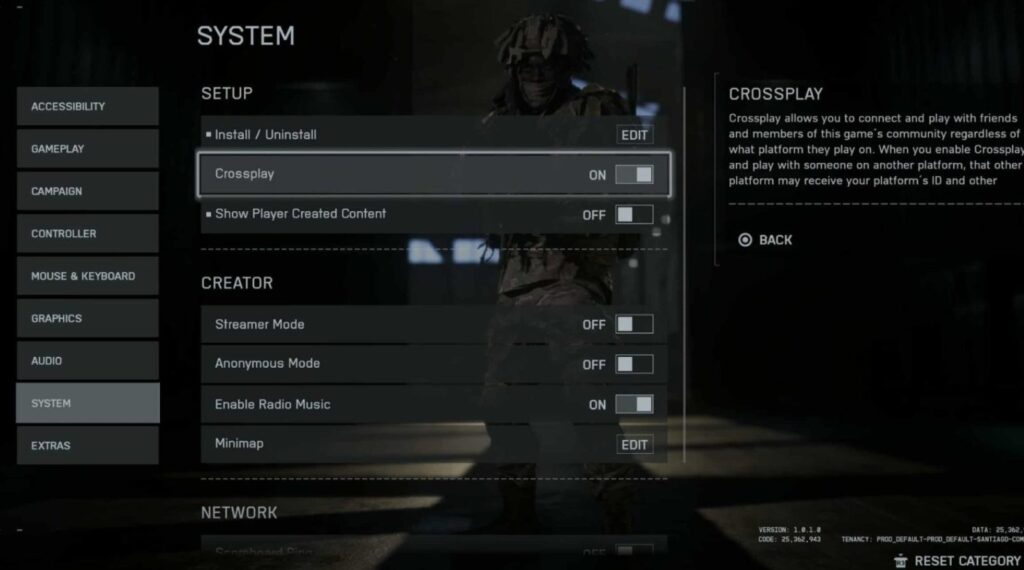
Note: You can’t change this setting while you’re matchmaking, already in a server, or part of a squad. Make sure you back out to the main menu first.
Once you’ve turned it off, Battlefield 6 will only pair you with players on the same platform: PS5 with PS5, Xbox with Xbox, and PC with PC.
How to Turn Crossplay Back On
If you ever want to re-enable crossplay:
- Go back into Settings > System > Crossplay
- Switch it back On
You’ll now be able to matchmake with players from other platforms again, including your friends using different systems.
Why You Might Want to Turn Off Crossplay?
There are a few good reasons to turn off crossplay in Battlefield 6, especially for console players:
- Fair Competition: PC users often have better precision due to mouse-and-keyboard setups, which can make fights feel uneven.
- Cheater Prevention: PC lobbies tend to have a higher risk of hackers or modded clients. Disabling crossplay keeps you in console-only servers, which are usually more secure.
- Consistent Performance: Playing only with people on the same platform reduces performance gaps like frame rate or input delay differences.
Of course, the trade-off is slightly longer matchmaking times, but many players find it worth it for a fairer, smoother experience.
- Battlefield 6 Guide: All Always Forward Collectible Locations
- EA Compensates Battlefield 6 Players After EA App Outage Disrupts Gameplay
- Secure Boot Setup Guide for Battlefield 6 in Windows 10 & 11
- Battlefield 6 Aim Assist Leaves Players Wanting More Control
- Ubisoft Cancels Assassin’s Creed Civil War Game After Political Backlash
How Progress and Purchases Work Across Platforms
Even though you can toggle crossplay freely, Battlefield 6 supports cross-progression . That means your rank, weapon unlocks, and stats stay linked to your EA account , so progress carries over no matter which platform you play on.
However, the game is not cross-purchase; if you want to play on both console and PC, you’ll need to buy separate copies for each platform.
Is crossplay on by default in Battlefield 6?
Yes, Battlefield 6 has crossplay enabled by default across PlayStation, Xbox, and PC.
Can I play with friends on other platforms?
Yes. As long as you have crossplay enabled and are connected to the same EA account, you can invite and play with friends on any supported platform.
Does turning off crossplay affect cross-progression?
No. Your in-game progress and unlocks are tied to your EA account and will carry over regardless of your crossplay setting.
Can I change crossplay settings while in a match?
No, you must exit matchmaking or leave any active servers before changing the setting.
Conclusion
Battlefield 6 gives players full control over how they want to play. If you enjoy fast matchmaking and playing with friends across platforms, keep crossplay on. But if you prefer a level playing field or want to avoid PC cheaters, turning it off is a smart move.
So, that’s all we have for you about how to turn Crossplay On or Off in Battlefield 6. We hope that this guide has helped you. For more info, comment below and let us know.
Enjoyed this article?
If TechLatest has helped you, consider supporting us with a one-time tip on Ko-fi. Every contribution keeps our work free and independent.
