The very first step to getting into Linux Gaming is to choose the best distributions for Linux Gaming. There are literally a huge number of Linux distributions to choose from. Different distributions to different flavors of Linux confuses a lot of people. Well, we have done the hard, we researched and compiled the list of Best Distributions for Linux Gaming.
This is one of our very first articles of the new Gaming in Linux series of articles. In this series, we cover everything that is needed to play games in a Linux system. Linux is a very simple and straight forward OS with a ton of features which is not used by a normal user. But with a little info, you can do great stuff with a Linux System.
Don’t want to miss the best from TechLatest ? Set us as a preferred source in Google Search and make sure you never miss our latest.
Content Table
Best Distributions for Linux Gaming
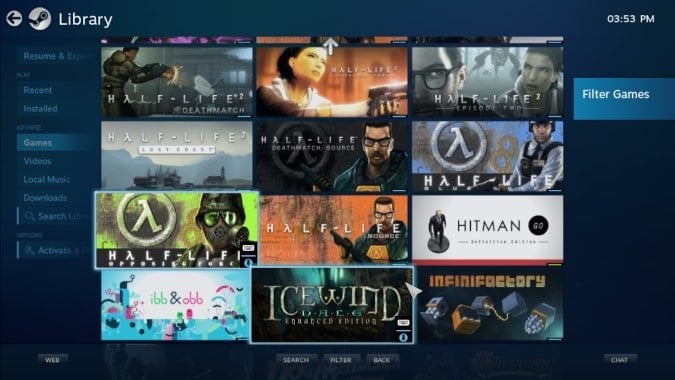
Steam OS
Steam is the source of most of the games on every platform either it is Windows or Linux or Console. If you are looking for a full-fledged PC/Console gaming experience, then Steam OS is your one-stop destination.
Hardware Requirements
Processor: Intel or AMD 64-bit capable processor
Memory: 4GB or more RAM
Hard Drive: 200GB or larger disk
Video Card: NVIDIA graphics card / AMD graphics card (RADEON 8500 and later) / Intel graphics
Additional: USB port for installation, UEFI Firmware (recommended)
Simple User Interface (UI)
Steam Games are supported out-of-the-box
Supported various graphics card
Joysticks/gamepads supported
Not useful for your daily office or schoolwork
Non-steam games are rarely supported
Get it from here .
Pop OS
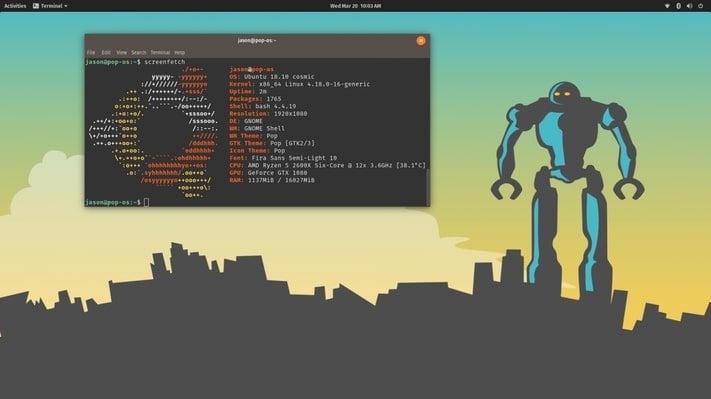
If you need the system for work as well as gaming, then Pop OS is a perfect choice. It is a standard GNOME desktop with some custom additions. The OS is built by System76 which is a hardware seller, they configure machines to ship with Linux pre-installed.
Hardware Requirements
64-bit x86 architecture
Memory: 2GB or more RAM
Hard Drive: 16GB or larger disk
Video Card: NVIDIA graphics card / Intel graphics (integrated)
Additional: USB port for installation, UEFI Firmware (recommended)
Soothing User Interface
Gaming as well as work desktop
A separate NVIDIA version
Joysticks/gamepads supported
Optimized for modern hardware
No dedicated AMD version
Only 64-bit systems
Get it from here .
Lakka
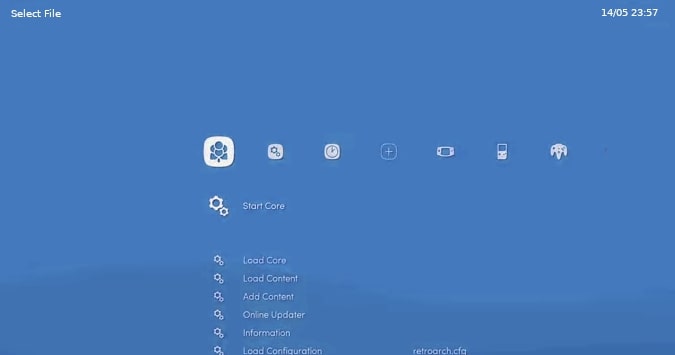
Lakka is another one of the best distributions for Linux gaming. If you are a PlayStation fan, then we are glad to inform you that this is for you as Lakka gives you a proper PlayStation 3 user interface. Lakka OS runs the games more smoothly than the normal emulators due to its top-level optimizations.
Hardware Requirements
Raspberry Pi
Memory: 2GB or more RAM
Hard Drive: 20GB or larger disk
Additional: USB port for installation, UEFI Firmware (recommended)
Full-fledged Console Experience
All-in-one Console Emulator
Automatic joypad recognition
Various useful features for gaming
Only console games supported
Need additional hardware
Get it from here .
Ubuntu GamePack
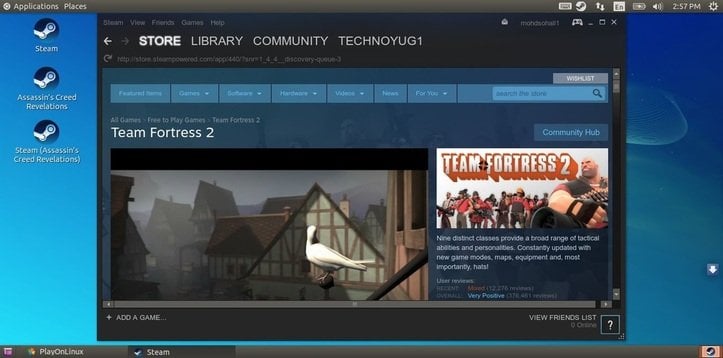
The name itself is self-explanatory. Ubuntu GamePack is basically a pack of the gaming stuff within an Ubuntu system. It is Ubuntu-based and inherits all the Ubuntu functions. It has all the programs preinstalled that will help you to game without any problems like Lutris, Wine, Steam, and PlayOnLinux.
Hardware Requirements
Processor: 2.0GHz Or More Processor (Dual Core And 64bit Recommended)
Memory: 2GB Or More RAM (4GB Recommended)
Hard Drive: 20GB or larger disk
Intel HD Graphics/AMD Radeon 8500 Or Later Graphics Card (Only for Steam)
Intel/Nvidia/AMD Graphics Card (Regular Games)
Additional: 4GB Pendrive or USB Drive or DVD-RW for Installation, UEFI Firmware (recommended)
Pre-installed Lutris
Linux, Steam, Windows, and console games supported
Joystick/Gamepad Compatibility
Various useful features for gaming
None
Get it from here .
Manjaro Gaming
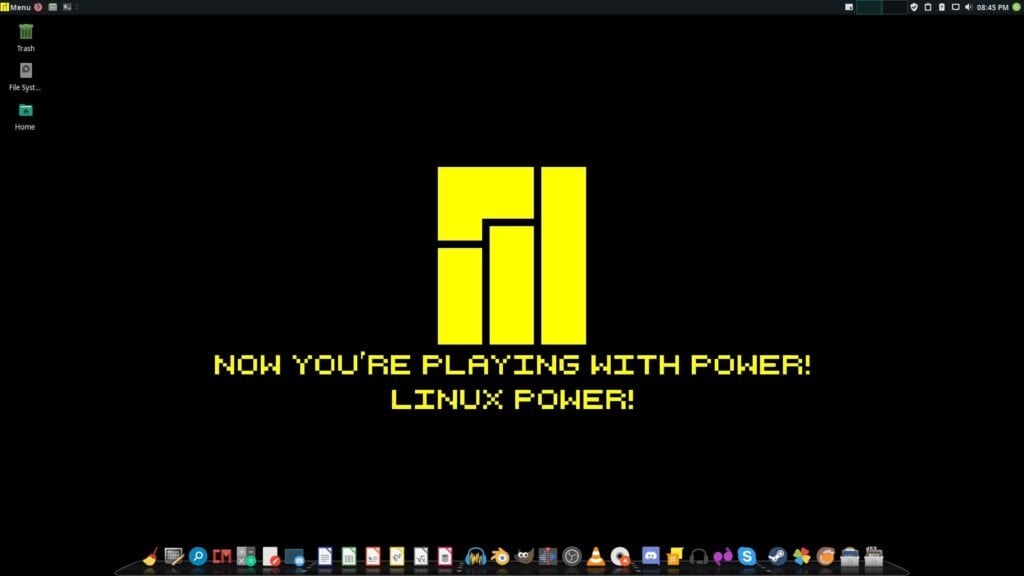
Manjaro is one of the best Linux distributions on the whole internet. It is based on Arch Linux. But here we are talking about Manjaro Gaming which is an unofficial reconstruct of the Manjaro XFCE edition designed for gamers.
Manjaro base with gaming environment is the beast combo. It was designed for Gamers who are new to Linux and have used Windows or MacOS before. Like Ubuntu, it also Includes Steam, Wine, PlayOnLinux, Lutris, Freeware Games, Minecraft (Paid Account Required), and Emulators.
Hardware Requirements
Processor: 1GHz Or More Processor (Dual Core And 64bit Recommended)
Memory: 2GB Or More RAM (4GB Recommended)
Hard Drive: 30GB or larger disk
Graphics : Intel HD Graphics/AMD Radeon 8500 Or Later Graphics Card (Only for Steam), Intel/Nvidia/AMD Graphics Card (Regular Games)
Additional: 4GB Pendrive or USB Drive or DVD-RW for Installation, UEFI Firmware (recommended)
XFCE
Pre-installed Lutris
Linux, Steam, Windows, and console games supported
Xbox 360, Xbox One, and PlayStation 4 Controllers Supported
Steam Controller Supported (Steam Client Required)
Various useful features for gaming
None
Get it from here .
Conclusion
That was it for this topic, the best distributions for Linux Gaming from the Gaming in Linux series of articles. We hope, we would be able to clear the first question before migrating to the Linux environment for gaming.
We hope you liked the article, if so, please share the article with your loved ones. And if you have any further doubts regarding this then feel free to comment down below.
Peace 😉
- 7+ Windows Software Alternatives for Linux
- 23 Best GIMP Plugins and Filters You Need to Try (2020)
- Why I Switched from Windows 10 to Manjaro Linux?
- Windows 10 to get Linux GUI Apps with the latest WSL Update
- Microsoft Edge vs Google Chrome vs Mozilla Firefox: Advantages & Disadvantages
Enjoyed this article?
If TechLatest has helped you, consider supporting us with a one-time tip on Ko-fi. Every contribution keeps our work free and independent.
