Highlights
- Google TV Homescreen Redesign introduces a simpler navigation bar with Home, Live, and Apps tabs.
- Profile menu updated with direct shortcuts to Watchlist, Library, and content settings.
- The redesign is in testing, while third-party launchers like Projectivity offer ad-free alternatives.
Google is known for bringing updates to Android and its design language, but one of its major products has been left behind for years, which is Google TV .
The platform has only got small updates here and there, and many users felt it was outdated compared to other streaming devices.
Don’t want to miss the best from TechLatest ? Set us as a preferred source in Google Search and make sure you never miss our latest.
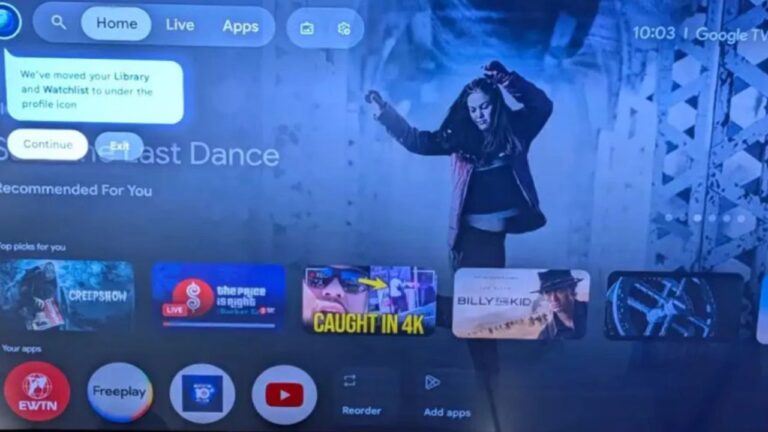
Now, reports confirm that a Google TV homescreen redesign is being tested, which could finally improve the experience.
Google is Testing a New Homescreen Layout for Google TV with a Simpler Design and Faster Access to Key Features
What Changed in the New Design
The redesign is not a full rebuild of the platform but makes small changes that are useful. The biggest update is in the main navigation bar.
Instead of the old layout, users will now see three simple tabs named Home, Live, and Apps . This makes it easier to move around and is more friendly for new users.
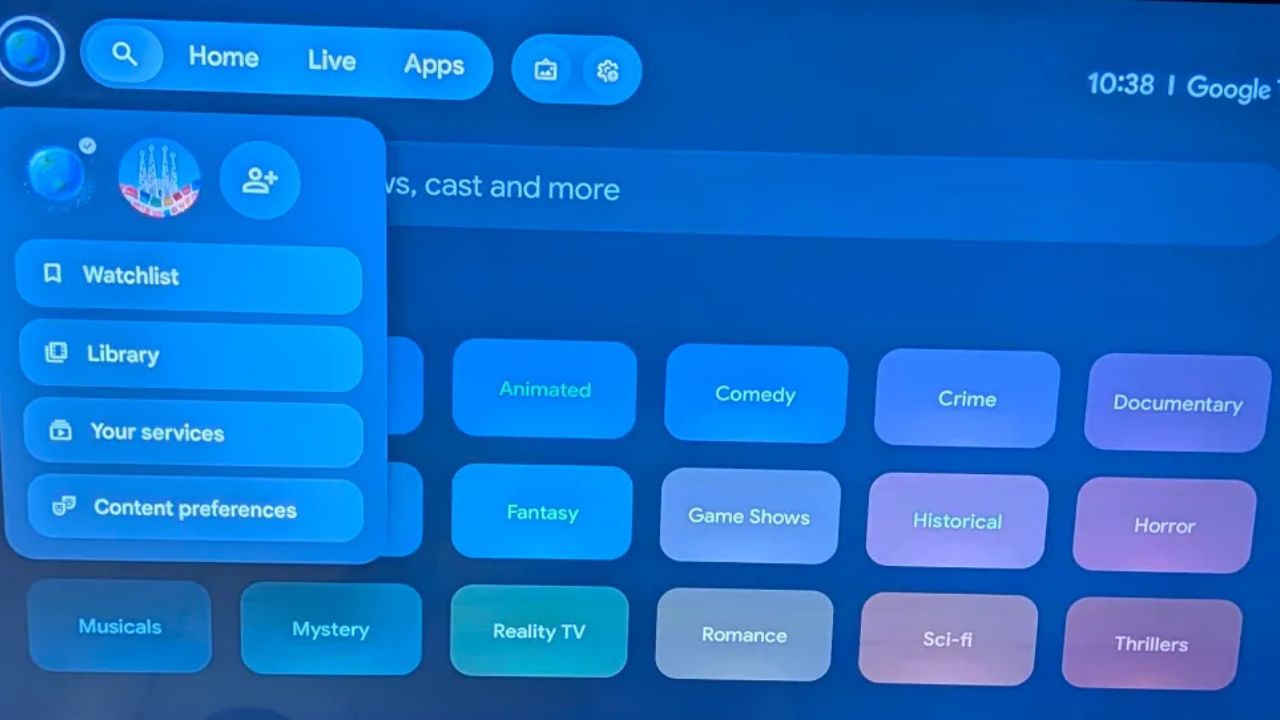
Image Credits: 9to5 Google
The profile menu has also been improved. Earlier, important settings like Watchlist or Library were hidden behind multiple menus.
Now, shortcuts to Watchlist, Library, Your services, and Content preferences are placed directly in the profile menu. This reduces the need to dig through menus and makes the settings quicker to access.
Slow Updates Still a Problem
The redesign is only in a server-side test for now and not rolled out to all devices. Google has a history of moving slow with Google TV, so there is no clear date for when this will be available to everyone.
Users also complain that the current homescreen is full of ads and promotional banners, which still remains a problem.
Alternatives for Users
For people who don’t want to wait or deal with the ads, there are alternatives. One of the most popular options is Projectivity Launcher , a third-party app that replaces the stock homescreen.
It removes ads completely and allows full control over how apps are arranged. Many users find it much faster and cleaner compared to the default Google TV setup.
- 12 Best Android TV Apps to Use in 2025
- How to Sideload Apps on Android TV (2025)
- Best OTT Streaming Devices in 2025: Fire TV, Apple TV, and More
So, overall the Google TV homescreen redesign is a positive move from Google. The new layout and improved profile menu solve some of the most common complaints.
Still, the ads and slow rollouts remain a concern. If you are waiting for the official release, you might need patience. If not, apps like Projectivity Launcher are already offering a better and more customizable experience.
Enjoyed this article?
If TechLatest has helped you, consider supporting us with a one-time tip on Ko-fi. Every contribution keeps our work free and independent.
