Snapchat is positioned as one of America’s most valuable technology companies, with over 293 million daily active users sending and receiving nearly 4 billion snaps per day. It’s immensely successful with younger users, thanks to its differentiating features.
A new poll from Piper Sandler surveyed exactly 10,000 young Americans across 44 different states uncovered certain interesting facts about the app. More than 1 in 3 teens consider Snapchat as their favorite social media app.
Don’t want to miss the best from TechLatest ? Set us as a preferred source in Google Search and make sure you never miss our latest.
Moreover, among the survey participants, 87% of the teenagers own an iPhone, and over 88% of respondents prefer purchasing one when they select their next smartphone. That being said, iOS and Snapchat are what define the social media habits of teens nowadays.
But the Snapchat experience isn’t just limited to iPhones, however. A quick workaround allows users to get Snapchat on Apple Watch Series 6 and 7 to access certain in-app features, of course, with some limitations imposed on the functionality.
Content Table
Is Snapchat Available Officially for Apple Watches?
In a nutshell, Snapchat isn’t officially available on Apple Smartwatches. While the app works fine on iOS devices, there’s no ported version ever made for the Watch OS since Apple updated their policy terms to support only native apps on the Apple Watch interface.
The most you can do is receive Snapchat notifications on your watch when you have enabled them on your iOS device. Talking about the workaround, it’s just about using the web version of Snapchat, which is also limited to Apple watches with WebKit enabled.
Another apparent reason for the unavailability of the app on the wearable, despite its growing popularity, is the lack of a camera, as sending and receiving snaps is one of the major features of the Snapchat app.
How To Use Snapchat on WebKit-Enabled Apple Watch?
Follow the steps mentioned below to use Snapchat on your Apple watch with internet accessibility:
- Firstly, press and hold the ‘ Crown ’ button on sideways of your watch to launch Siri.
- Cite ‘ Google Search ’ and wait for Siri to respond with ‘ What do you want to search for? ’
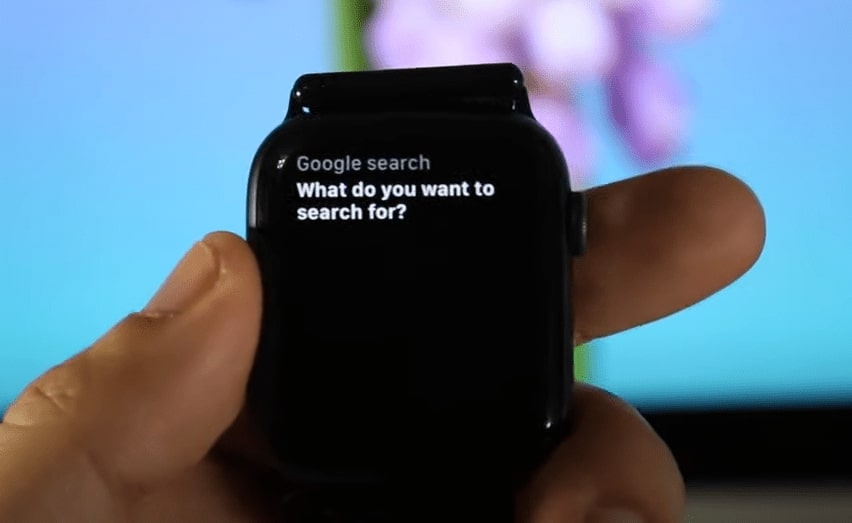
- Respond by saying ‘ Google.com ’ to Siri and scroll down through the results
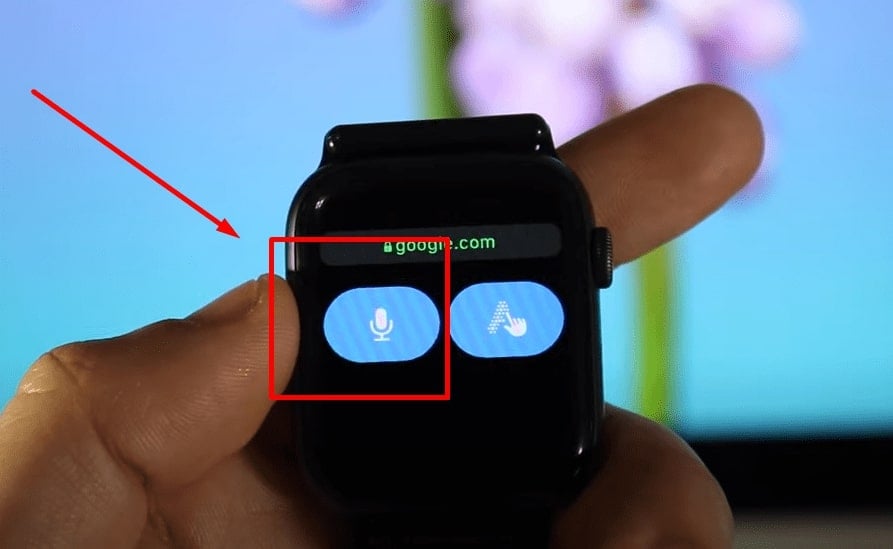
- Locate the ‘ Open Page ’ button and tap on it
- A browser with Google Search will appear where you have to search for ‘ Snapchat Login ’ in the search field
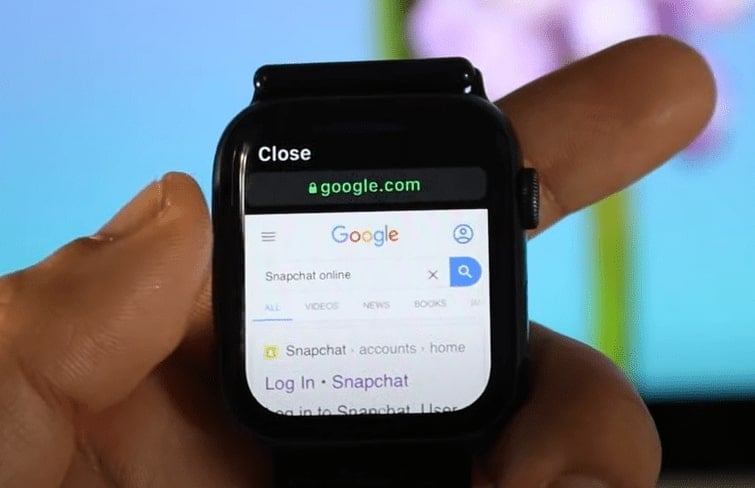
- On the search result page, choose the first result titled ‘ Login. Snapchat ’ by tapping on it
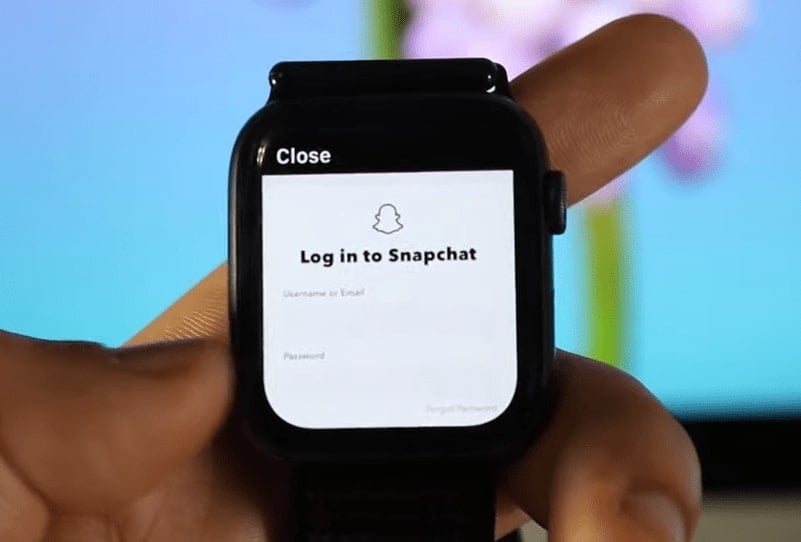
Then, simply log in with your Snapchat account, and you’ll be able to access the platform with ease. If you want to view the stories of your friends, search for ‘Snapchat Stories’ on Google and follow the resultant page with the subdomain story.snapchat.com.
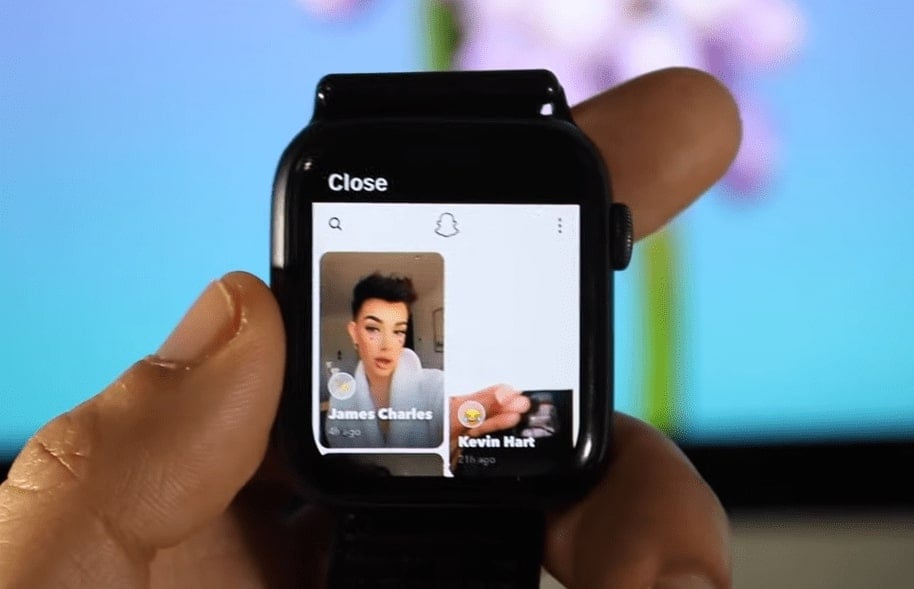
Accessing Snapchat Notifications on Apple Watch
If your iOS smartphone and Apple watch are paired properly, you shouldn’t have any problem getting Snapchat notifications buzzed on your watch. However, in case you aren’t receiving any notifications from Snapchat, follow the steps given below:
- Access the ‘ Settings ’ app on your iPhone and navigate to the ‘ Notifications ’ option
- Locate the ‘ Snapchat ’ app and make sure notifications are enabled
- Also, turn on the ‘ Notification Sound ’ for Snapchat on your iPhone
- Lastly, just head over to the ‘ Watch ’ app and make sure the app notifications are enabled there as well.
This should help you get Snapchat notifications on your Apple Smartwatch.
Bottom Line
Snapchat only works with iPhones because it uses the iOS platform. Moreover, no official word is that Snapchat will ever be developed for Apple Watch. You can easily access the web version of Snapchat on your Apple Watch.
We tried this method on our website, and we found it to work perfectly well. This way, you can use your Apple Watch to read messages and watch stories from just about anywhere.
- Best Smartwatch To Buy Right Now
- How Does Snap Score Work in Snapchat?
- How To Get Snap Streak Back On Snapchat?
- How to Change Snapchat Notification Sound on Android and iOS
Enjoyed this article?
If TechLatest has helped you, consider supporting us with a one-time tip on Ko-fi. Every contribution keeps our work free and independent.
