Highlights
- Check your Balance on iPhone, iPad, Mac, Windows or online, your Apple gift card balance is never more than a few clicks away.
- Once added to your Apple ID, your balance is safely stored and can be used at any time .
- No more surprises at the checkout, where knowing your balance before you go makes everything smooth and stress-free.
Apple gift cards are among the most flexible digital items you can have in your virtual wallet. Whether you got one as a birthday present, picked it up as part of a sale, or bought one as a gift, it’s your way to let you shop from within the Apple ecosystem. You can apply it to apps, music, movies, iCloud storage, hardware from Apple’s store, etc.
But here’s the catch: once you redeem or begin spending on the gift card, you won’t always know exactly how much is remaining on it.
Don’t want to miss the best from TechLatest ? Set us as a preferred source in Google Search and make sure you never miss our latest.
Unlike the couple of hundred bucks sitting in your wallet, the remaining balance doesn’t exactly stare you in the face every time you log into your iPhone. That’s where knowing how to check your Apple gift card balance becomes super important.
In this detailed guide, we’ll go through all of the methods you can use to check your Apple gift card balance online, on your iPhone or iPad, on your Mac, while shopping, and even on iTunes on Windows.
Content Table
Why Check Your Apple Gift Card Balance?
Before we jump into the how-tos, let’s address the most obvious question: why bother checking the balance at all?
- Planning Purchases : Perhaps you have your eye on that new iPhone case or a subscription to Apple TV+. It can help you decide if your gift card will pay for the entire purchase or cover only some of the bill.
- Avoiding Failed Transactions : If you don’t, you may not have the funds to cover a payment. And I ask to check beforehand to avoid last-minute payment problems.
- Tracking Spending : If you frequently use Apple gift cards, checking a balance is also a way to monitor your digital spending.
- Peace of Mind : Sometimes, particularly with physical gift cards, whether the card has been redeemed or not raises concerns. A brief glance quickly dispels all doubts.
5 Easy Ways to Check Your Apple Gift Card Balance
Apple makes it relatively easy to check your balance, although steps can vary depending on the device or platform you are using. Let’s go step by step.
1. Check Balance on Apple’s Official Website
The easiest method for checking your balance is on Apple’s own support page. This process applies to both physical and digital gift cards. Here’s how:
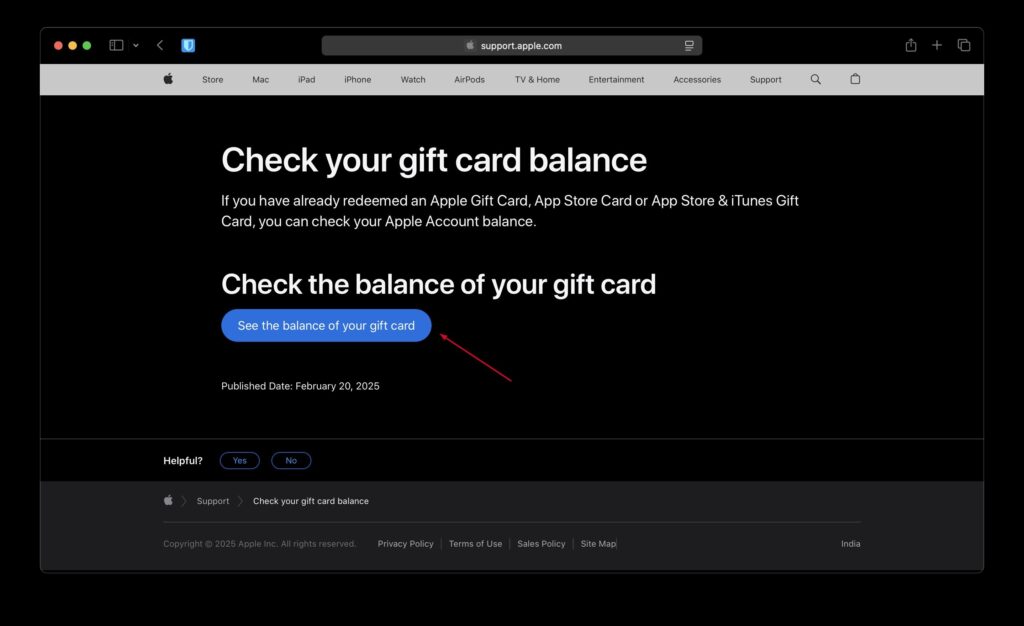
- Open your browser and navigate to Apple’s Gift Card Balance Page .
- Log in with your Apple ID (the one that you use for the App Store or iTunes).
- Enter the PIN code from your gift card. On physical cards, you’ll see this under a scratch-off on the back. In the case of an emailed gift card, the PIN is typically provided in the email itself.
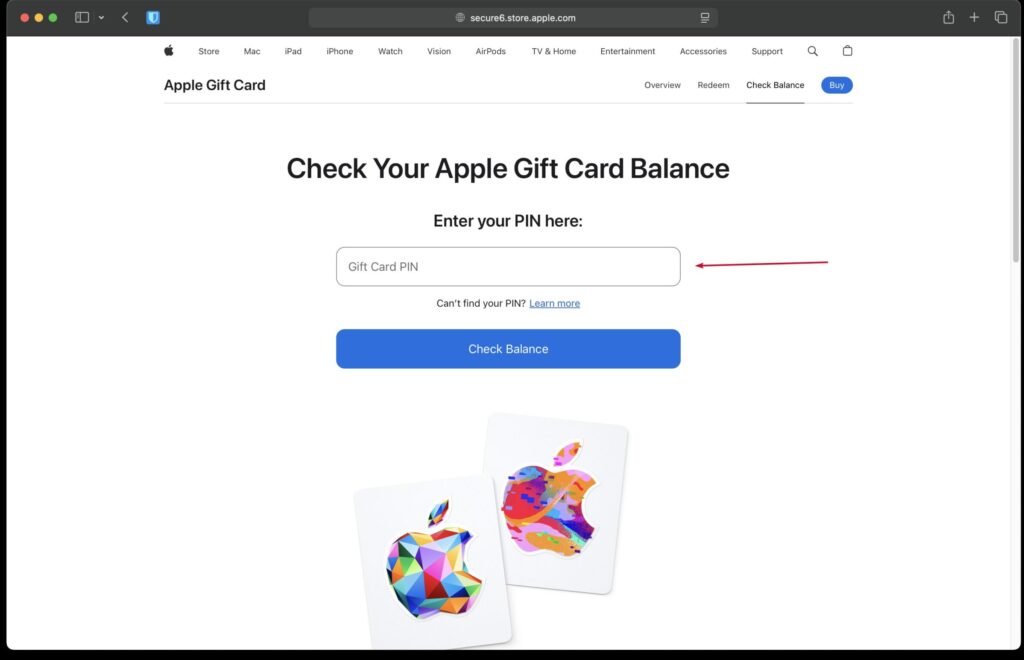
- Once you enter the PIN in, your current balance will be displayed.
Where this works: This method works in many countries where Apple offers gift cards, including the U.S., UK, Canada, Australia, India, Germany, and Japan.
Tips: Always redeem your card to your Apple ID account first. After you cash it in, your balance will be funds securely linked to your account, so you don’t lose your money if you lose the card.
2. Check Balance on iPhone or iPad (App Store)
If you primarily use Apple devices, you’re likely to find this approach the most convenient.
- Open the App Store app.
- Tap your profile icon in the top-right corner.
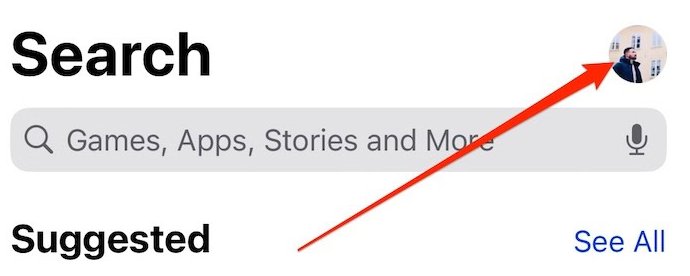
- Now, tap on your name; if there’s a balance, it will show up in the Account Balance section.
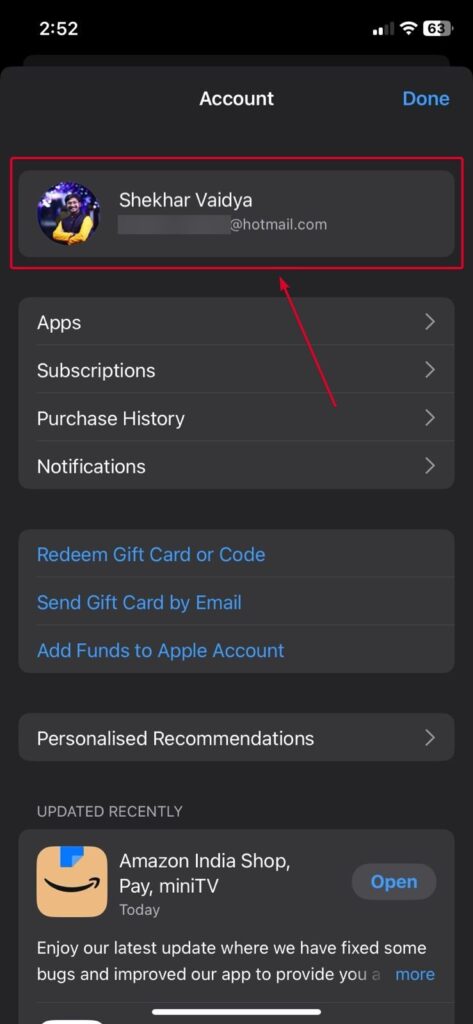
This balance includes not only cards you have been gifted but also a cash balance you’ve added to your account.
Note : If you don’t see a balance, then that could mean a few things:
- You haven’t spent your gift card, or
- You’ve already used up the balance.
3. Check Balance on Mac (Mac App Store)
For Mac users, Apple offers a handy way of checking your account balance through the Mac App Store.
- Open the Mac App Store .
- On the left sidebar, scroll down and click your name at the bottom.
- Your available Apple ID account balance will be listed beneath your email address.
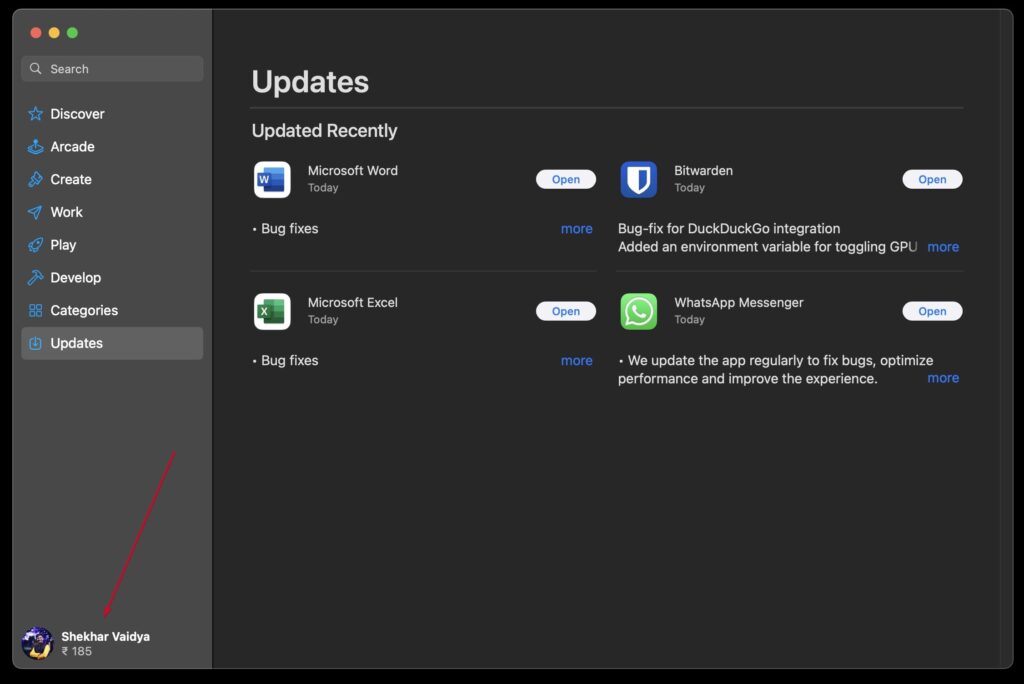
This is a useful method if you’re someone who likes to shop for Mac apps and purchase subscriptions straight from your desktop.
4. Check Balance While Shopping on Apple.com
Another handy way to find out your balance is when you’re already in the process of making a purchase.
- Visit Apple.com and log in with your Apple ID.
- Add something to your shopping cart (such as a pair of AirPods).
- Proceed to checkout.
- Your Apple gift card balance will automatically appear as a payment method if you have one.
Important: Your balance always has priority during checkout. If the total is more than your balance, you will be charged the balance to your credit/debit card.
5. Check Balance on Windows (via iTunes)
Yes, iTunes still exists, at least for Windows users! If you have a PC, this may be how you have to do it.
- Download and open iTunes on your Windows computer.
- Sign in with your Apple ID.
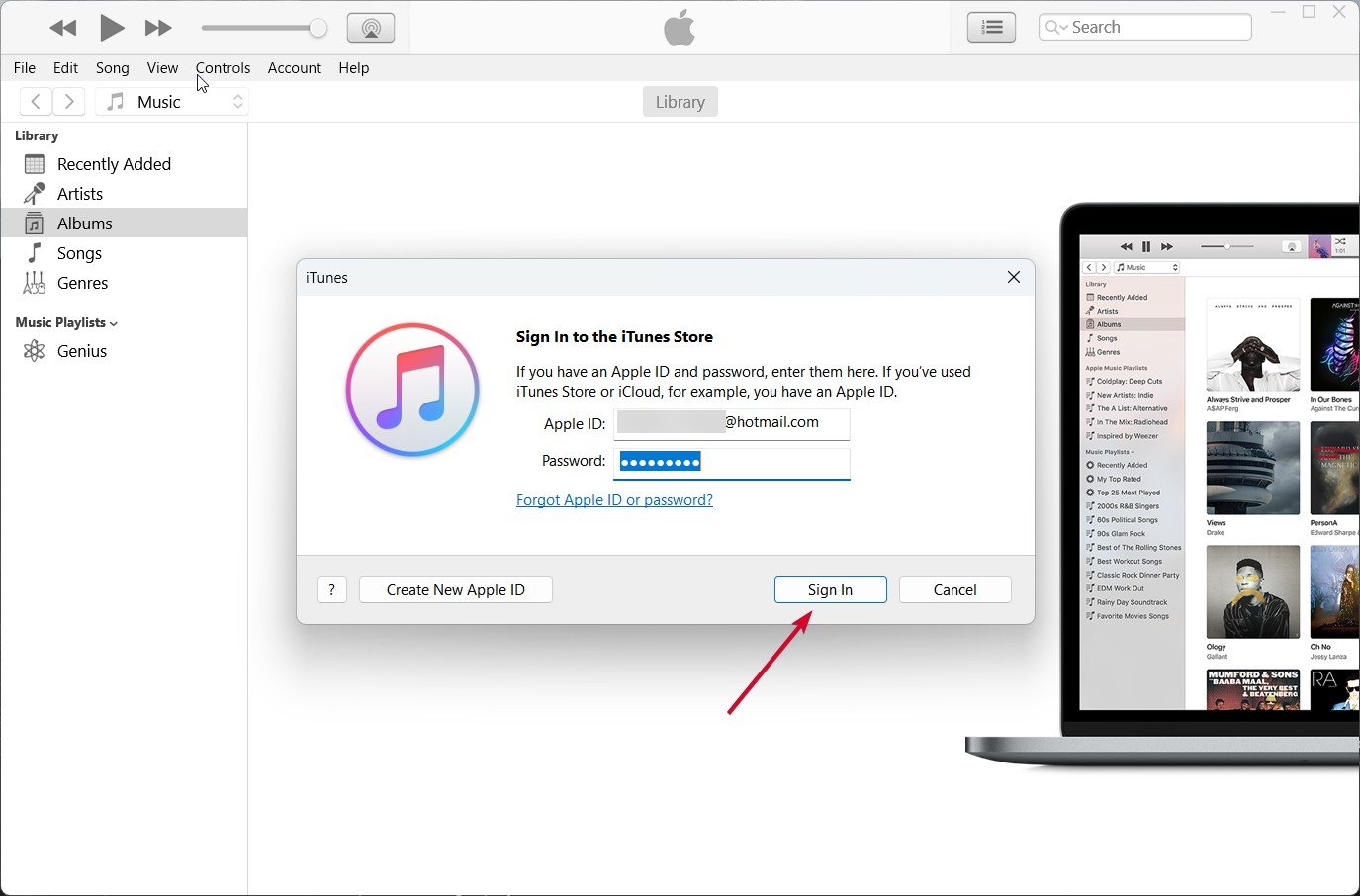
- Click Account from the top menu, and then click View My Account .
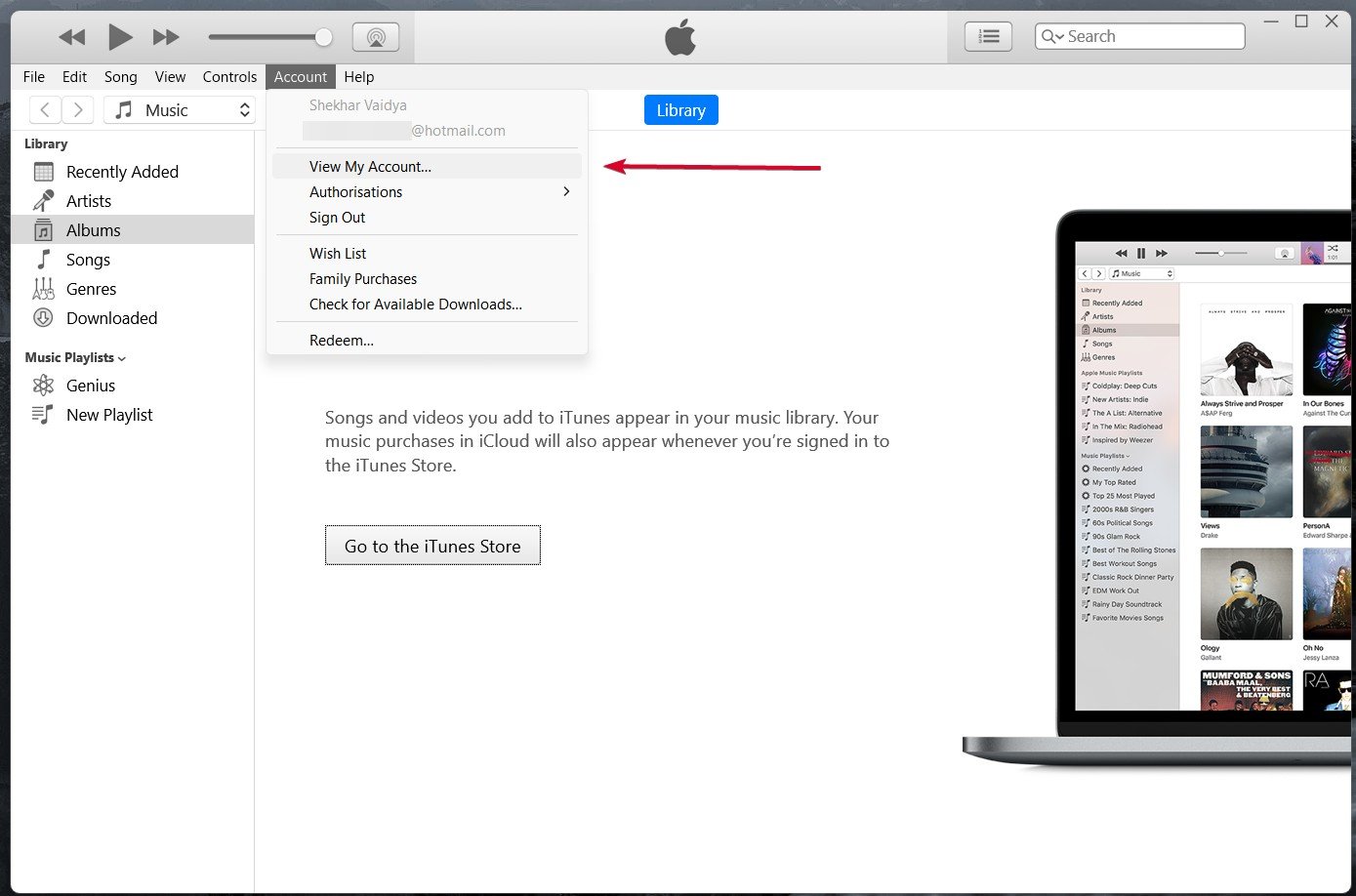
- Scroll down and you’ll see your Apple Account balance listed.
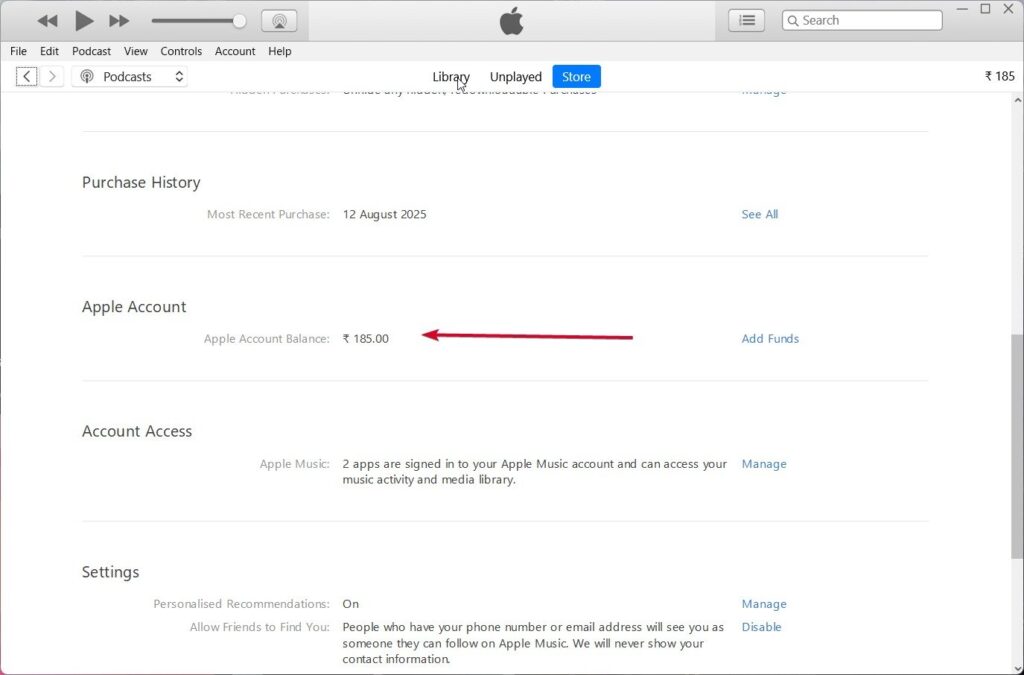
This is especially useful if you’ve used iTunes (on Windows) to manage your music or movie library.
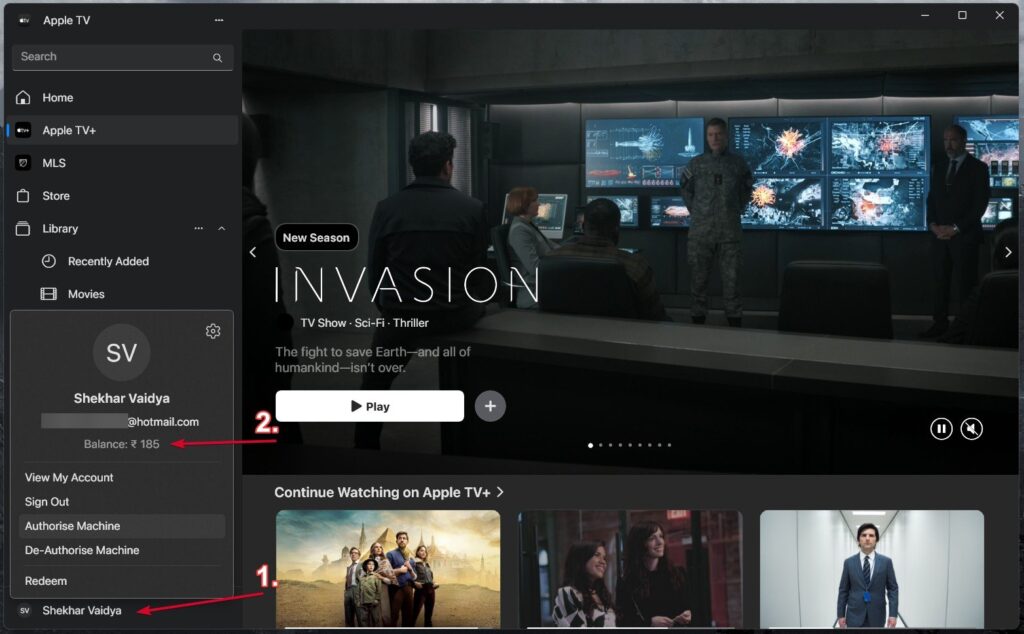
Apple is gradually shifting all the major data in Windows from the iTunes app to the Apple Music and Apple TV apps.
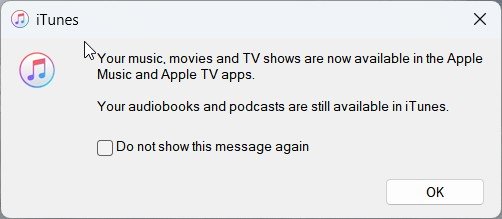
So, you can now check the Apple Account Balance in the Apple Music and Apple TV apps.
Can I check my Apple gift card balance without redeeming it?
Yes, via Apple’s gift card balance page (prior to redemption). But once you redeem it, the balance appears only under your Apple ID.
Do Apple gift card balances expire?
No, Apple gift card balance does not expire. You can use them whenever you want.
Can I transfer my Apple gift card balance to someone else?
No, once redeemed, the balance is tied to your Apple ID and will be automatically applied to any future purchases you make. But you can also gift somebody a card.
Can I use my Apple balance in the physical Apple Store?
Yes, you can use the remaining balance of your Apple ID in your country, both online and in physical Apple retail stores.
How can I know if a gift card is real or fake?
Always purchase from Apple directly or trusted retailers. Fake cards frequently have compromised PIN areas or do not activate properly.
Final Thoughts
Apple gift cards are a convenient way to pay for Apple products and accessories at Apple stores, on the Apple website, and on the App Store. But the secret to getting the most value out of them is to keep tabs on your balance.
Fortunately, Apple gives you several ways to do so, by visiting the official site, using your iPhone or iPad, a Mac, Windows (via iTunes), or even when you’re shopping online.
By simply keeping an eye on your balance, you’ll never be caught off guard at the cash register and will be able to manage your Apple ecosystem spending.
Whether you’re saving for a major Apple purchase or buying apps and music, keeping track of your balance is a small but smart habit to develop.
Enjoyed this article?
If TechLatest has helped you, consider supporting us with a one-time tip on Ko-fi. Every contribution keeps our work free and independent.
