
If you are one of the people like me who just keeps forgetting to do stuff all the time then there is nothing better than a to-do list and one can easily create a to-do list in Notion . Notion is one of the most easy and effective platforms and was recently made free for personal use .
In this guide you will learn, how to create a to-do list in Notion.
Don’t want to miss the best from TechLatest ? Set us as a preferred source in Google Search and make sure you never miss our latest.
Content Table
Steps to Create a To-do List in Notion
It is very easy to create a to do list in notion. So here is how you do it.
Mobile App
Step 1: Open Notion on your smartphone and click on the bottom right corner.

Step 2: You will see an untitled page, enter your title there, and press enter.

Step 3: Now click on the ‘+’ sign at the bottom left corner.

Step 4: You will see various options and you have to select ‘To-do list’. Click on it.

Step 5: You will see a checkbox and you can type your task there and press enter. And in a similar way you can enter your various tasks for the day by pressing enter. And then exit from the app. You can access your to-do list by clicking the top left corner in the home.


You can manage the list by clicking on the checkboxes for the completed tasks and it is very easy and fun.

Desktop (Web Browser)
If you use desktop for the same, click anywhere and type ‘/pa’ and then add a new page, type the title, and follow the same steps.
- Go to https://www.notion.so/ and login into your account by using the Log In option placed at the right-hand side.
- Enter a New Page
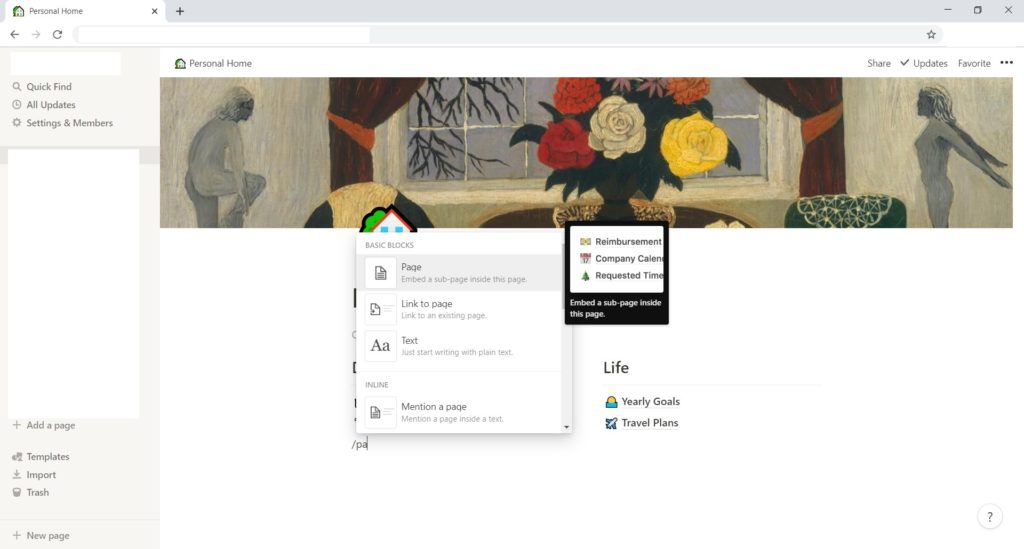
- Enter the Title, click enter and click on the ‘+’ button.
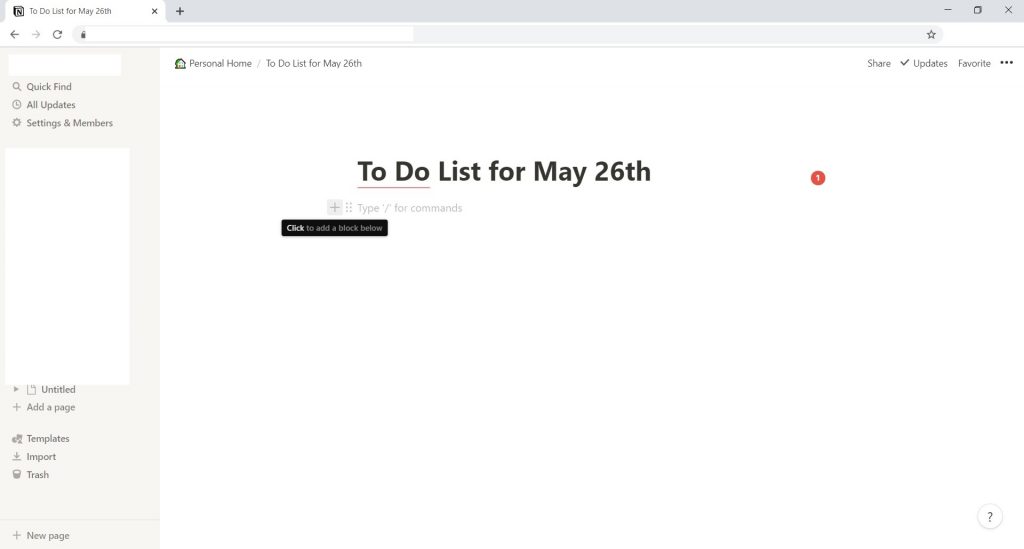
- Select ‘To-do list’ and create your tasks similar to the mobile app

That is, it that is how you can easily create a to-do list for the day.
- How to Fix Microsoft Word Not Responding Error with 6 Easy Steps
- 5+ YouTube Shortcut Keys for Better Streaming Experience
Enjoyed this article?
If TechLatest has helped you, consider supporting us with a one-time tip on Ko-fi. Every contribution keeps our work free and independent.
