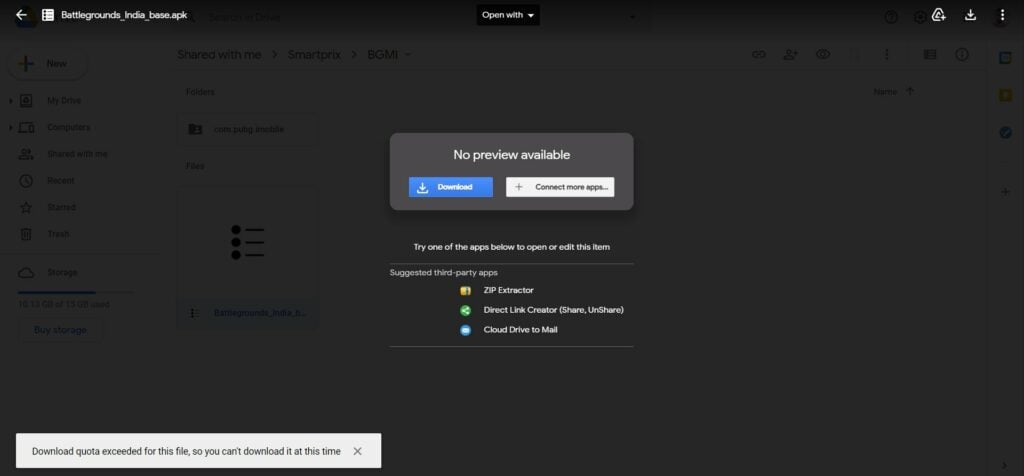
Sometimes when you try to download a file from Google Drive, you get an error telling you that the “Download quota exceeded for this file, so you can’t download at this time.” With this issue on Google Drive, you can’t really download the file. But there’s no need to worry.
This article will show you how to fix the “download quota exceeded for this file” error in Google Drive.
Don’t want to miss the best from TechLatest ? Set us as a preferred source in Google Search and make sure you never miss our latest.
Content Table
What Does this Download Limit Error Mean?
Google Drive is one of the world’s most popular cloud storage services. Many people upload and share files, videos, and stuff over GDrive as it is convenient.
Google limits the number of downloads for a file if its servers observe a spike in the number of downloads in a very short period of time. Although the numbers are still a secret, so we don’t know when Google will do that.
But yes, if a file is downloaded many times in a short time, you will see the download quota exceeded for this file error in Google Drive.
Google doesn’t mention any particular download limit, but it does mention the upload limit ; an individual user can upload up to 750 GB of data daily. So, we can assume that the download limit is somewhere near that.
Fix “Download Quota Exceeded for This File” Error
Try After 24 Hours
As we already mentioned, the limit is restricted to each day only, so if you are getting the error, you can try after midnight. The restriction will be lifted after midnight.
If You Are Not the Owner
Since you are not the owner, you will have to copy the file to your Google Drive and then download it from your drive.
Step 1: Paste the drive link in the URL box of your browser.
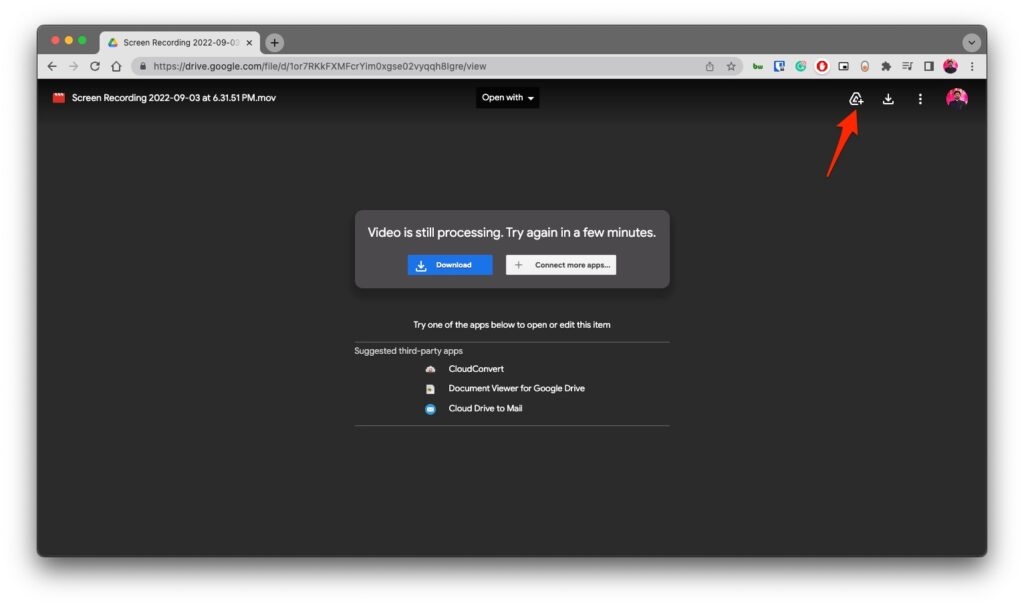
Step 2: Click the Add to Drive button.
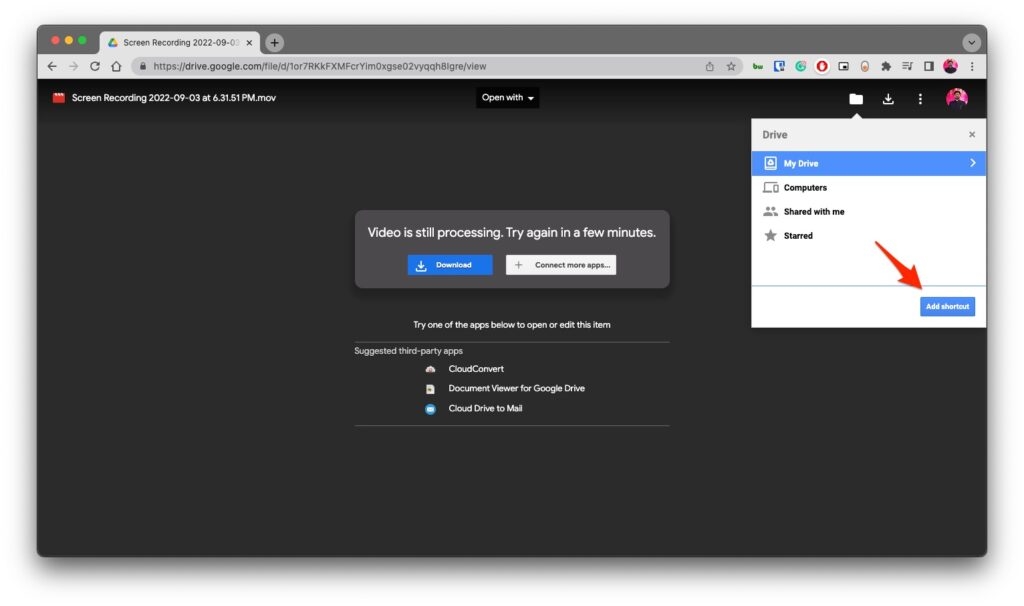
Step 3: Save the shortcut to any of your preferred locations, open your GDrive and go to the shortcut file you created.
Step 4: Right-click on the file and click on Make a copy .
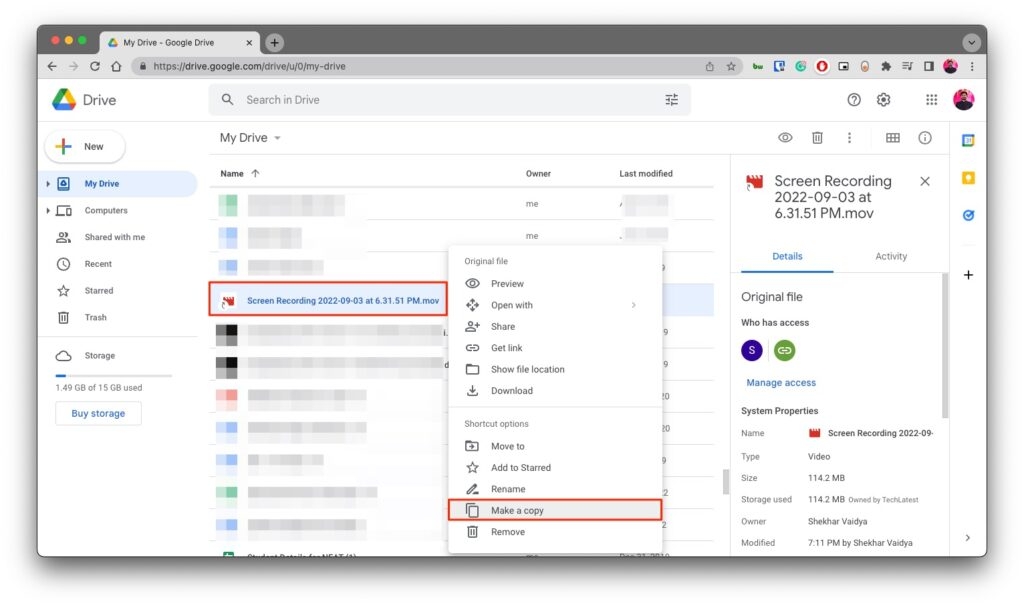
Now save the copy at your preferred location in the drive, and then you can download the file without any hassle.
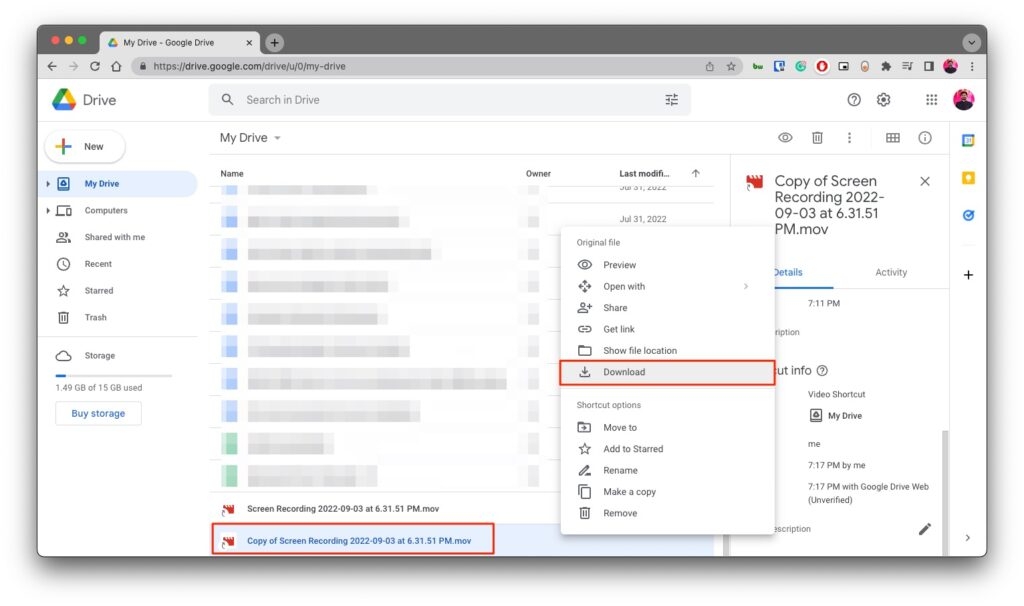
If You Are the Owner
If you get an error message reading “Download Quota Exceeded for this File, So you can’t download it at this time” for your own files on the Drive or some shared files, here is what you have to do:
Step 1: First of all, locate the file on your drive.
Step 2: Right-click on it and then click on Make a copy .
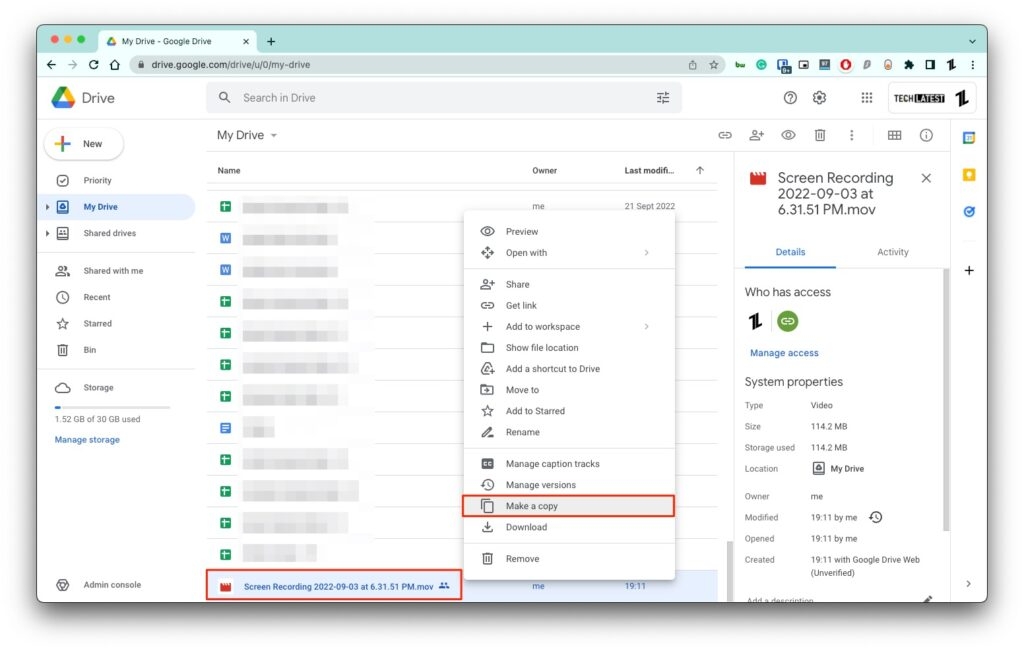
Now save the copy at your preferred location in the drive, and then you can download the file without any hassle.
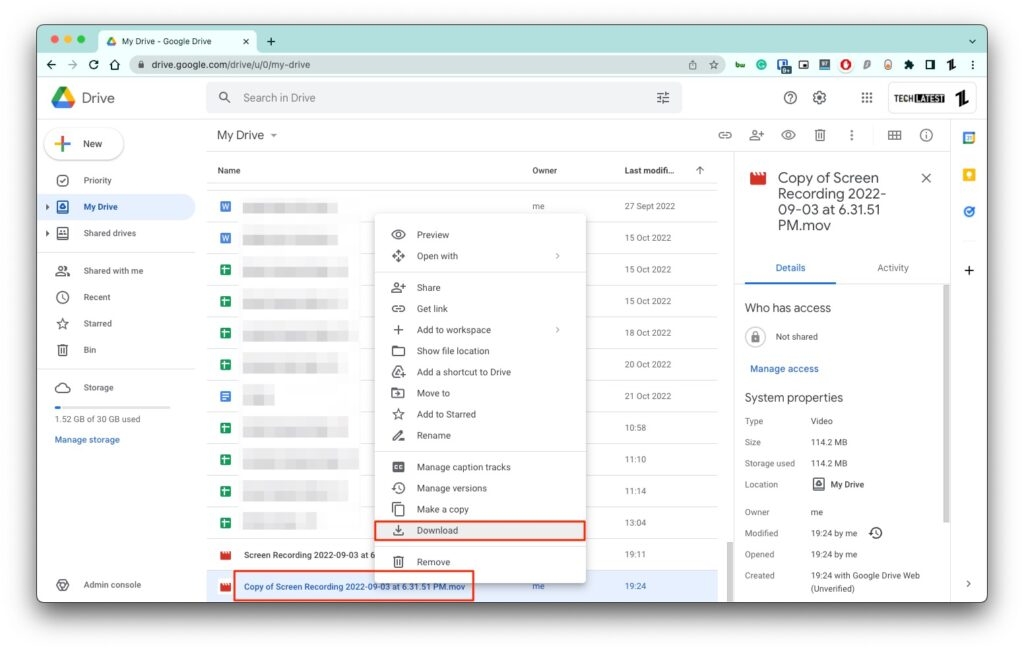
Closing Phrase – Fix “Download Quota Exceeded for This File” Error
So that was all about how to fix the “Download Quota Exceeded for this File” error in Google Drive. I hope this article resolves the issue for you and you can download your files. In case of any queries, feel free to reach out to us.
Further Reading:
- How to Add Google Drive to File Explorer in Windows 10/11?
- How to Save Video from Google Drive to iPhone?
- Guide to Use Google Drive Video Downloader Across Multiple Platforms
Enjoyed this article?
If TechLatest has helped you, consider supporting us with a one-time tip on Ko-fi. Every contribution keeps our work free and independent.
