Highlights
- The viral wallpaper works by causing two symmetrical images to toggle precisely when the second is perfectly looped back to the starting pose, creating the illusion of a switched light.
- The effect is enabled by Apple’s Photo Shuffle feature in iOS 16 and later, and you don’t need any special apps or tools.
- You can exchange your own creative designs (a day vs. night design, a neon effect) to personalize the trick that much more .
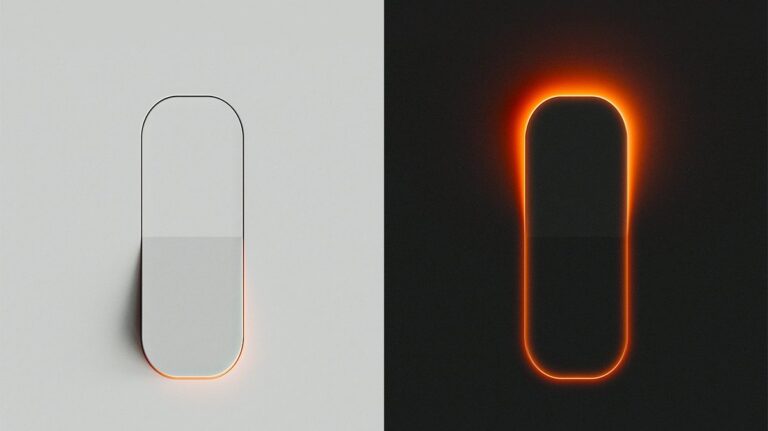
As we all know, the internet never fails to surprise us with obscure trends, and TikTok is the epicenter for most. A video has been posted and gone viral of an iPhone wallpaper that doubles as an actual light switch.
By the simple tap of the Wallpaper, the lights seem to turn on or off, delivering a jaw-dropping illusion.
Don’t want to miss the best from TechLatest ? Set us as a preferred source in Google Search and make sure you never miss our latest.
If you’ve ever seen this Viral iPhone Light Switch Wallpaper Effect and thought, “I could never do that…,” don’t worry.
It is not magic, it is not a third-party app, and you don’t need any technical skills. Apple’s Photo Shuffle feature in iOS is what allows this trick to work.
Content Table
What is the iPhone Light Switch Wallpaper Trend?
The light switch wallpaper is two wallpapers in reality, one where the switch is “on” the wall and another one where it’s “off”.
When you assign these two wallpapers to shuffle “On Tap,” every time you tap the lock screen, the image on it changes instantly to the other.
The result? It appears as if you are turning on your phone’s light switch, making the screen pale or dark. It’s a neat optical trick, available through iOS’s option for custom Wallpaper. That’s the best part.
Why Did It Go Viral on TikTok?
TikTok is built on shareable, quirky hacks that make people say, “Wow, I need to try this.” This wallpaper trend checks off all the boxes:
- Eye-catching visuals : It looks like a magic trick.
- Simplicity : Anyone with an iPhone can set it up in minutes.
- Relatability : Almost everyone uses wallpapers, so it appeals to a broad audience.
- Fun factor : It makes for a great party trick to show friends.
The hype, like many viral TikTok trends, involves showing it off as much as using it.
How to Set Up the Light Switch Wallpaper on iPhone
Now let’s get into the actual process. Don’t panic, it’s super straightforward. Here’s a detailed step-by-step guide:
Step 1: Download the Wallpapers
- Locate and download two images, one of the light switch in the “ on ” position and another with it “ off .”
- Save them to your iPhone’s Photos app .
Step 2: Add New Wallpaper
- Open Settings on your iPhone.
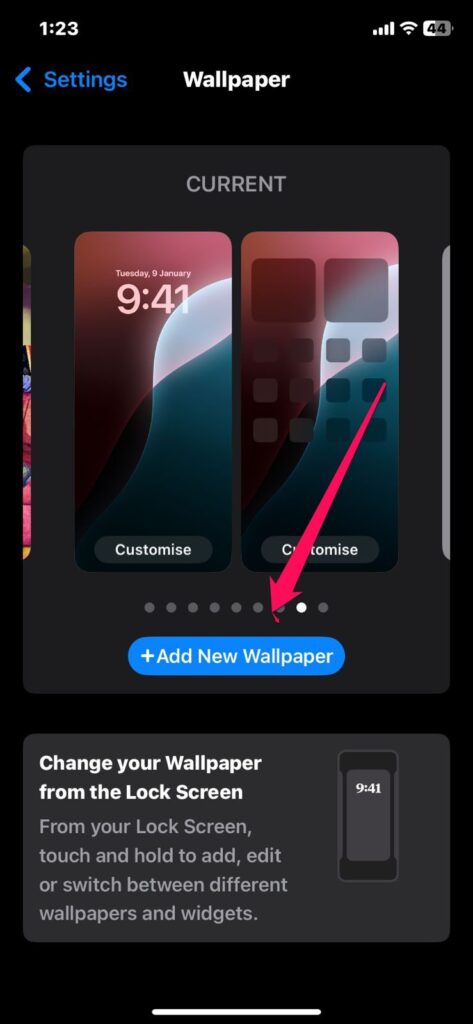
- Scroll down and tap Wallpaper .
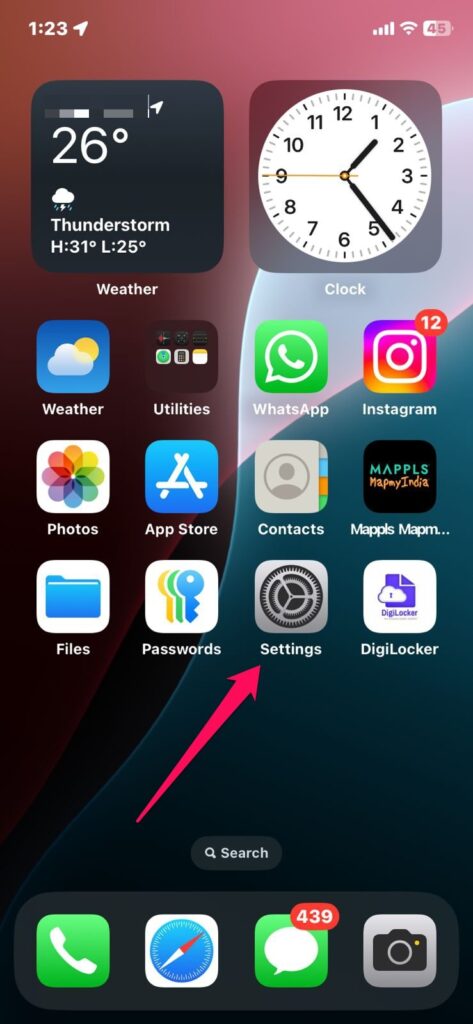
- Tap Add New Wallpaper .
Step 3: Select Photo Shuffle
- Select Photo Shuffle for the wallpaper type.
- Tap Choose Photos Manually from the options.
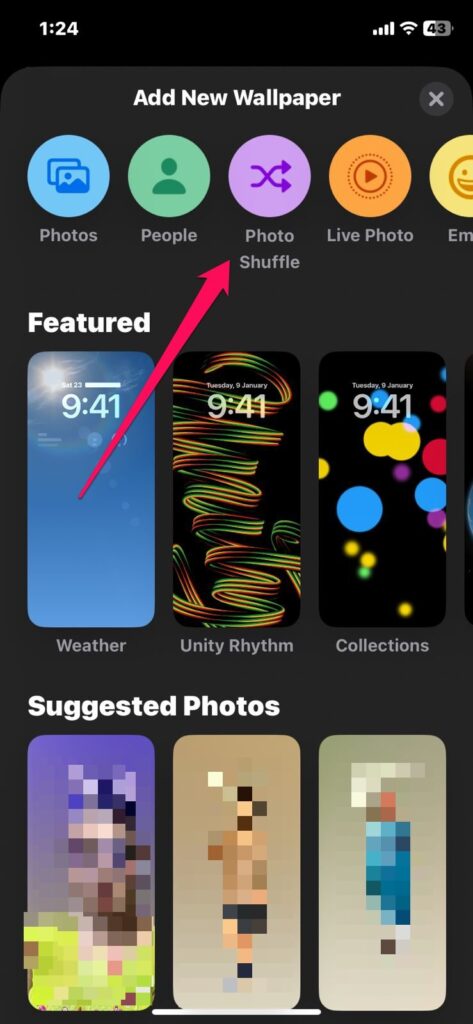
- Choose the two light switch wallpapers that you’ve saved just earlier.
Step 4: Set Shuffle Trigger
- Tap the three-dot menu in the bottom-right corner.
- Choose On Tap . Now, whenever you tap your lock screen, the wallpaper changes between the two.
Step 5: Adjust Wallpaper Positions
- Position the first Wallpaper to your liking.
- Tap the six-dotted button to scroll down to the second Wallpaper.
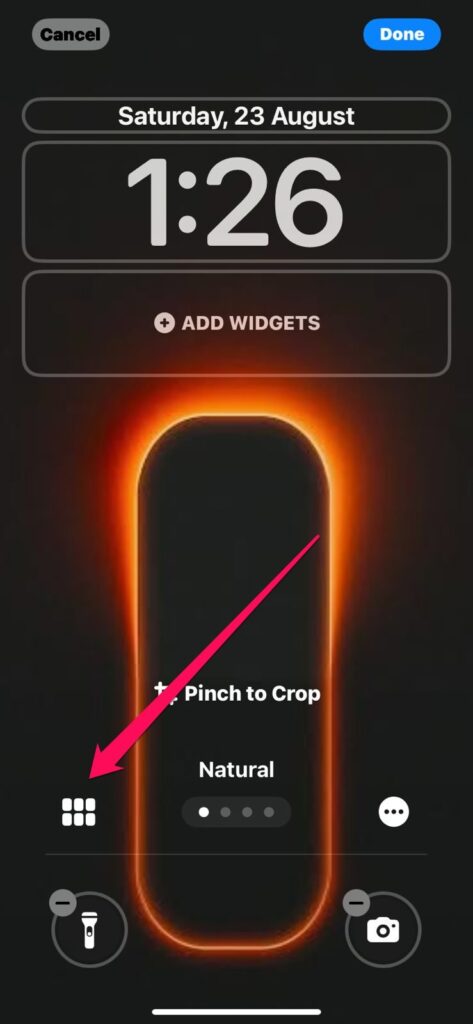
- Resize the second image and move it to where the two pictures overlap perfectly (so that both pictures are aligned exactly).
Step 6: Save as Wallpaper Pair
- Tap Set as Wallpaper Pair .
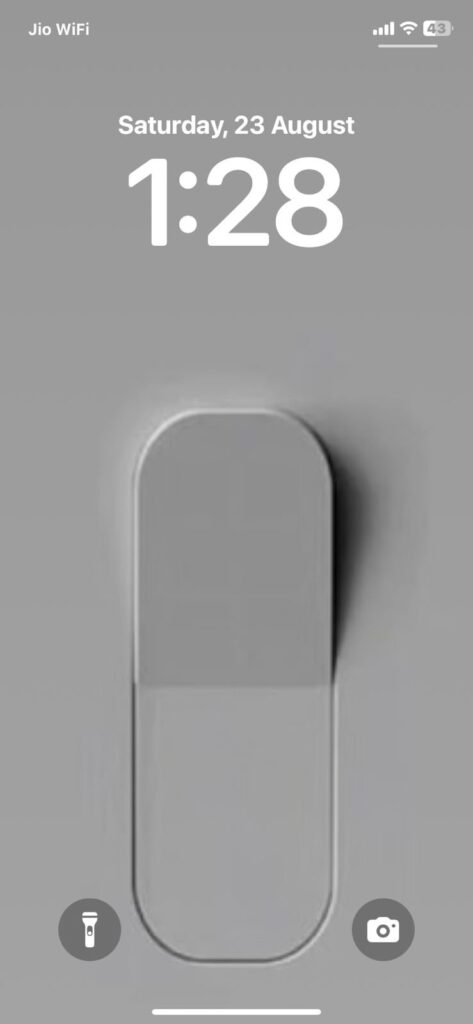
Now, in a fun reversal, on each tap of your lock screen, the Wallpaper will switch from “ light on ” to “ light off .”
Why This Trick Feels Magical?
At first glance, people think that the Wallpaper is interactive, like you’re really flicking up the switch. But in fact, all the phone is doing is alternating between two static wallpapers when you tap the screen.
The key to the magic lies in:
- Using two images that align perfectly
- Having a simple, relatable concept (like a switch)
- Leveraging the tap-to-shuffle trigger
It’s an illusion, but one that’s very hard to resist.
Does the iPhone’s light switch wallpaper drain battery?
No. It doesn’t waste more power than a regular wallpaper because these are still images.
Do I need a third-party app to do this?
Not at all. The entire effect is accomplished using iOS’s native Photo Shuffle feature.
Can I use this trick on Android?
Not directly. There are some Android phones that, like the iPhone, provide such wallpaper shuffling, but you’d probably need a third-party app to get the same effect.
Why doesn’t it work on my iPhone?
Make sure your phone is using iOS 16 or higher. The Photo Shuffle feature isn’t available in older iOS versions.
Final Thoughts
The viral TikTok light switch wallpaper might just be one of the coolest wallpaper hacks we’ve seen in a minute. It’s straightforward to use, quick to set up and infinitely customizable.
And best of all, it’s a playful reminder that technology doesn’t always have to be taken so seriously; sometimes it’s about fun little hacks that make you smile every time you unlock your phone. So, go ahead and follow the trend.
Enjoyed this article?
If TechLatest has helped you, consider supporting us with a one-time tip on Ko-fi. Every contribution keeps our work free and independent.
