Highlights
- Nothing Phones now let you build custom widgets through Playground, making home screens more personal.
- The community-driven hub enables the sharing and remixing of mini-apps without requiring coding skills.
- Future updates aim to add AI, turning simple widgets into smarter, proactive tools.
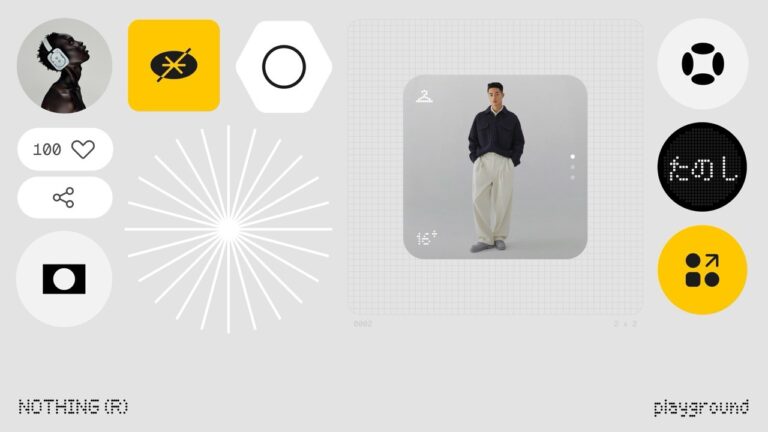
When it comes to Android handsets, customization is the key selling point. People love to customize their phones, switching wallpapers, installing launchers, and dropping widgets, to make the device their own.
Now, Nothing, Carl Pei’s company, has unveiled another concept that goes a step further in customization. The company has released Essential, which is a platform for users to make and share their own mini-apps that pop up as widgets on the home screen and lock screen.
Don’t want to miss the best from TechLatest ? Set us as a preferred source in Google Search and make sure you never miss our latest.
This isn’t any old widget factory. Essential is being framed as the stepping stone to an AI -first operating system, which Nothing prefers to think of as “ Essential OS .”
However, this long-term vision is still in the works; the current version gives users two main things: Essential Apps , which are mini widgets, and Playground , which is the creation tool to design and customize those widgets.
Well, these two tools are designed to put creativity and control directly into the user’s hands. So, let’s see other details further in this article and know how to make your own widget in Nothing Phone.
Content Table
What does Essential Mean Today?
Currently, Essential is all about simplicity. Users can create small, functional widgets that serve everyday needs. This is a bite-sized app that will appear on your home screen. However, you could build a hydration tracker, a simple task list, a flight reminder, or even a football match calendar.
These widgets are not heavy applications; they are compact, designed to give quick access to information or allow basic actions without the need to open a full app. For many users, this could be a time-saver, because you can get what you need at a glance.
The Playground tool makes it possible to design these widgets without coding knowledge. You can choose text, icons, and layouts, then combine different pieces to form your mini-app.
Once created, you can share it with others or download widgets made by other community members. This means the platform will keep growing based on how much creativity the community brings.
Why Is Playground So Important for the Nothing Community?
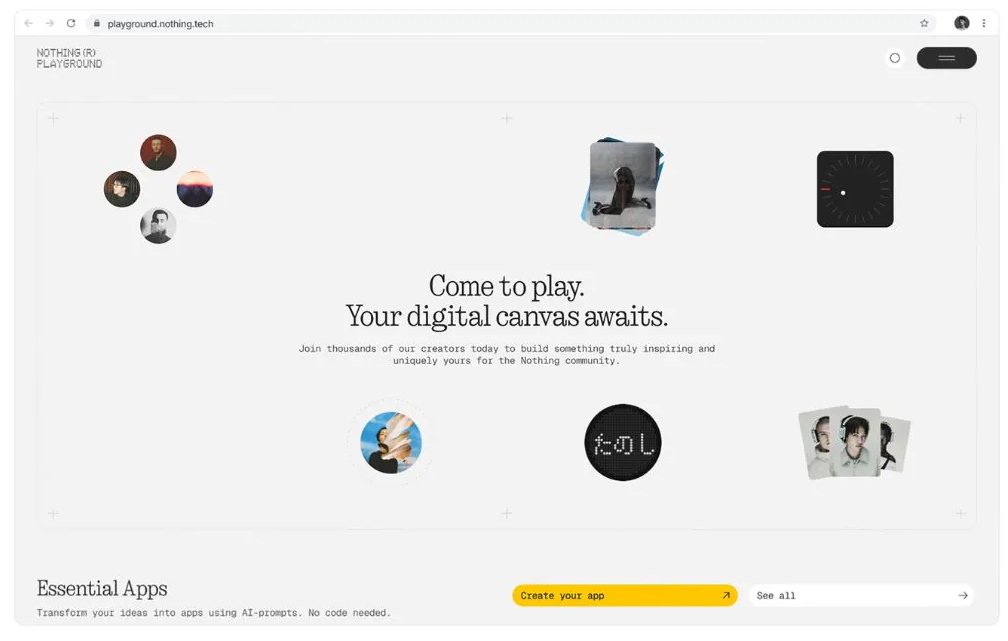
The Playground is where all the action happens. It serves as both a design studio and a marketplace . Anyone can use Playground, create a widget, and then upload it for others to use. Similarly, you can browse through the creations of other users, download them, and customize them to your liking.
This sharing and remix culture is what makes Essential different. If someone designs a helpful widget, such as a family calendar, you can take it, make some changes to fit your own tasks, and make it work for your daily schedule.
Over time, this process can create a vast ecosystem of practical, user-generated widgets that surpass what a single company could build on its own.
Nothing has been experimented with in this community-driven approach before. It has allowed users to contribute to features such as camera colour profiles, audio equalizer settings, and even the lighting features on the Phone (3).
How Essential Stands Out?
If you look at the bigger picture, customization is not new to smartphones. Samsung has Modes and Routines, Google has its At a Glance features, and Apple has Shortcuts on iOS. But these tools are either too complex for casual users or too restricted in what they allow.
Nothing’s Essential tries to combine the best of all worlds:
- Simplicity: You don’t need to code. Everything is drag-and-drop or text input.
- Flexibility: You can create almost anything that fits into a small widget.
- Community sharing: Instead of working alone, you get inspiration from others.
This means that even if you are not technically skilled, you can still create something useful. And if you are creative, you can contribute back to the community, making the platform richer for everyone.
- Understanding the Nothing Essential Space Monthly Limit on the Phone 3a
- Nothing OS 4.0 Open Beta Based on Android 16 Launches with New Features
- Nothing Phone 3a Series Launched in India: Cutting-Edge Features, Bold Design & Seamless Experience
How AI Will Help in the Future of Essential
The current version of Essential is basic, but Nothing is clear about where it wants to take this. The company wants Essential to grow into an AI-first platform .
Imagine a widget that recognises your flight ticket from a photo and automatically creates a countdown to boarding. Or one that looks at your calendar, combines it with live traffic data, and tells you when to leave for a meeting. Or even a widget that summarizes a document you just received and displays the key points directly on your home screen.
To achieve this, Nothing plans to integrate AI models for language, images, and context directly into the Phone. This would allow widgets to move beyond static data and become proactive assistants .
Do Early Creations Show the Potential?
Even in this early stage, the community is already showing what Essential can do. Some of the first widgets created in Playground include:
- A hydration tracker that lets you log daily water intake.
- A race calendar for Formula One fans.
- A flight reminder that keeps you updated on travel schedules.
- A mental health check-in tool that prompts you with daily reflections.
- A family organizer that syncs tasks across members.
These are small examples, but they show how practical and personal Essential Apps can become. Instead of being limited to the pre-installed widgets that come with your Phone, you now have an endless stream of ideas from fellow users.
What are the Challenges That Could Slow Things Down?
Although the features are top-notch, it also faces some real challenges.
- Performance and battery use: Widgets must remain light and efficient. Too much processing could slow down the Phone.
- Privacy concerns : If widgets begin analyzing personal data, users will need strong privacy guarantees.
- Adoption : For the Playground to thrive, the community must stay active and keep creating new widgets.
- Competition : Nothing has to prove that Essential is not just a gimmick, especially against established tools like Apple’s Shortcuts.
The success of Essential will depend on whether users continue to find daily usefulness in it, not just novelty.
Final Thoughts
Essential is still in its early days, but it represents a fresh approach to smartphone software. Instead of waiting for big tech companies to design features, Nothing is giving control to the users.
By mixing DIY creativity, community sharing, and AI ambitions , the company is trying to redefine how we think about the home screen.
Whether this experiment succeeds will depend on adoption and execution. But one thing is clear: with Essential, Nothing has taken a bold step in turning users into creators, and phones into platforms shaped not just by companies, but by the community itself.
Enjoyed this article?
If TechLatest has helped you, consider supporting us with a one-time tip on Ko-fi. Every contribution keeps our work free and independent.
