
Tired of seeing the same standard profile picture on Netflix every time you binge-watch? Want to make your Netflix profile picture look more interesting? If yes, check out our complete guide on how you can set up a custom profile picture on your Netflix account.
Netflix supports having up to five profiles per plan. Whenever you create a new profile, Netflix assigns a default profile picture. If you want to change your profile picture on Netflix, you can only select from the pre-approved list.
Don’t want to miss the best from TechLatest ? Set us as a preferred source in Google Search and make sure you never miss our latest.
However, there is good news for you! We have listed working methods that can help you easily set up a Custom Profile Picture for Netflix.
Content Table
Prerequisites to Add Custom Profile Picture for Netflix Account
Before you set up a custom profile picture, here are a few things you need to understand:
- First, open your browser and log in to your Netflix account.
- Now, you can find multiple profiles with different names under your account.
- Click on the ‘ + ’ icon to create a new custom profile.
- Fill in your profile details and go ahead.
How to Set a Custom Profile Picture Using Google Chrome?
This method does not allow you to upload the custom profile picture on your Netflix server. But, on a local server, you will be able to see the custom profile picture you upload.
- Firstly, you need to navigate to the Chrome Webstore and check for the extension “ Custom Profile Picture For Netflix .”
- Once you are on the page, click on the option “ Add to Chrome ” and select the extension from the popup.
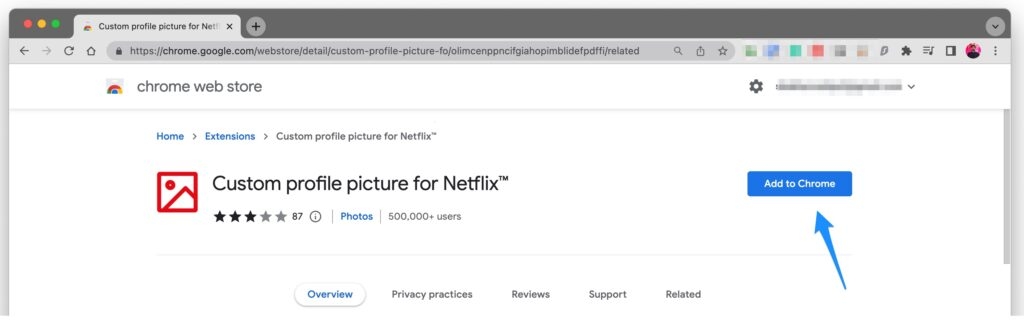
If you have already signed in to your Netflix account, you will be redirected to the profile page after the extension installation.
Now, follow the below-mentioned process to set up the custom profile picture:
- After you log in to the Netflix account, click on the extension and select the option “ Custom profile picture for Netflix. ”
- Now, you can see the “ Upload custom profile picture ” option. Click on it to set the profile picture of your choice.
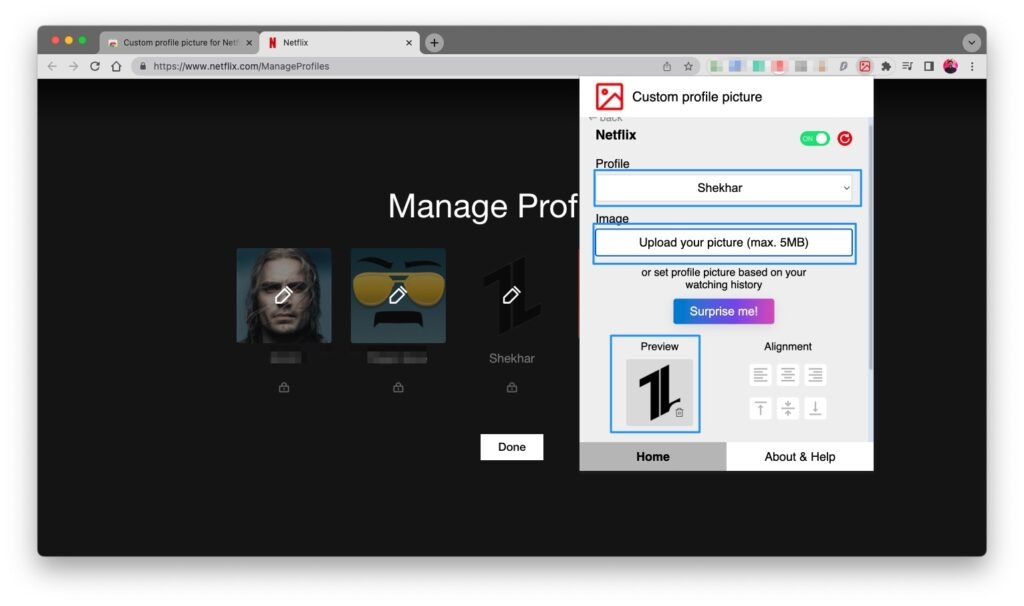
- After you click on this option, you will be redirected to the local folder to select the images. Make sure that the image size is less than 5MB .
- You can alter the position with the help of the Alignment box . It is similar to a cropping tool.
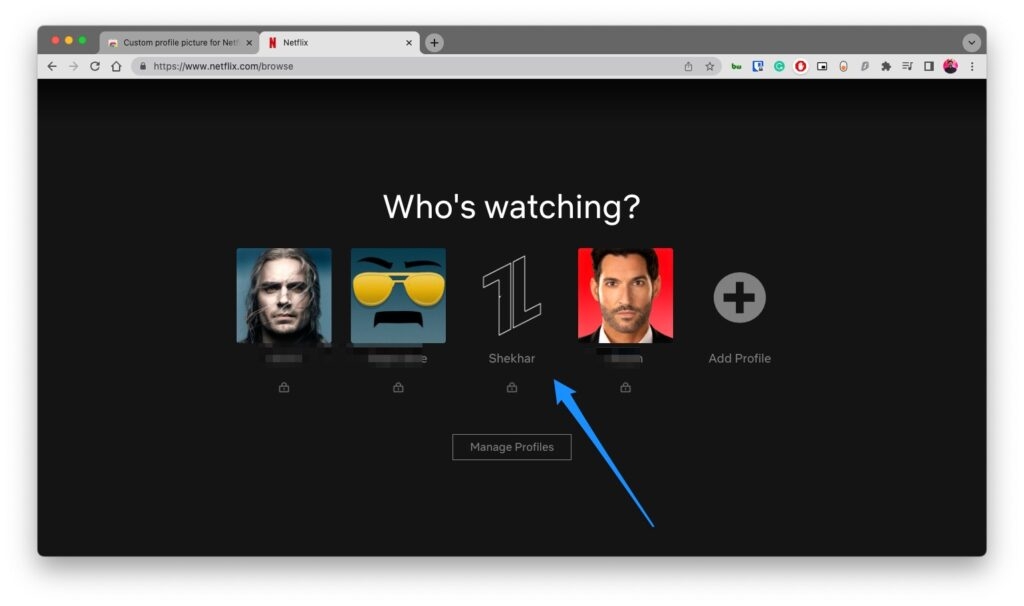
- After you crop the image, go out of the extension and load the page. You can see a new profile picture for Netflix.
Can I put my own profile picture on Netflix?
Yes, with the process outlined in this article, you will be able to set up any picture as your Netflix profile picture. However, this image will be only visible on your browser where the extension is installed.
Will removing the extension delete the custom Netflix profile photo?
Yes, if you uninstall the Chrome extension, the custom profile photo gets deleted as well. As mentioned earlier, this image is only visible at your end and does not change the profile picture on Netflix’s server.
Can I set a custom Netflix Profile Picture on the smartphone?
No. You will not be able to set up the custom profile picture on your smartphone because it requires a Chrome extension to upload the custom profile picture.
Conclusion
By following the steps above, you can set up a custom profile picture for your Netflix account on your PC. If you face any troubles in the process, do let us know in the comment section below.
Further Reading
- How to Download Movies on Netflix on Mac?
- How to Fix Netflix Black Screen Error?
- Best K-Drama Sites to Watch Korean Series
Enjoyed this article?
If TechLatest has helped you, consider supporting us with a one-time tip on Ko-fi. Every contribution keeps our work free and independent.
