Battlegrounds Mobile India is live now and I have already covered how to download and install BGMI on Android . Now that you have installed BGMI on your smartphone, you can transfer PUBG Mobile data to Battlegrounds Mobile India.
In this article, we are going to show you how to transfer PUBG Mobile data to Battlegrounds Mobile India using some simple and easy methods.
Don’t want to miss the best from TechLatest ? Set us as a preferred source in Google Search and make sure you never miss our latest.
Content Table
Method 1: Transfer PUBG Mobile Data to Battlegrounds Mobile India
Step 1: Firstly, launch the game.
Step 2: Now login using one of these options: Twitter, Facebook, and Play Games.
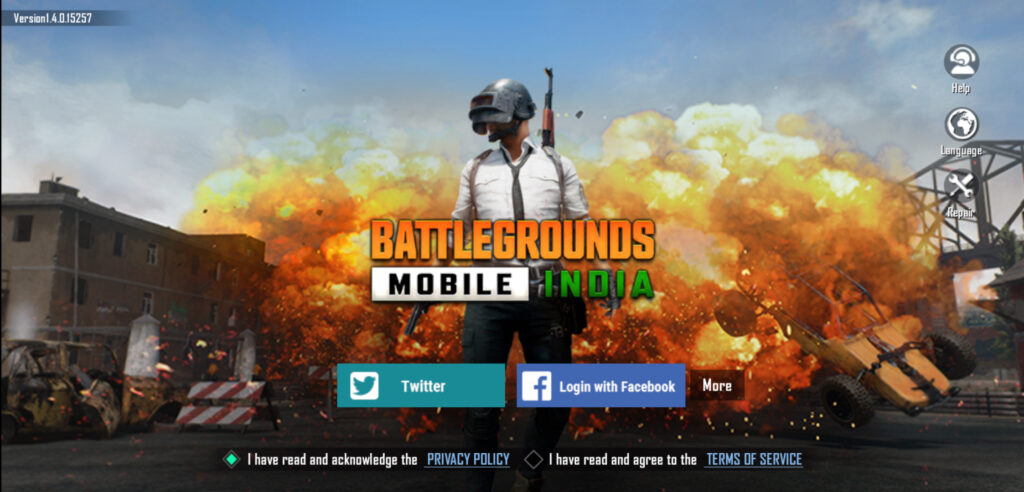
Step 3: You will now be asked to create a new character. Complete this process.
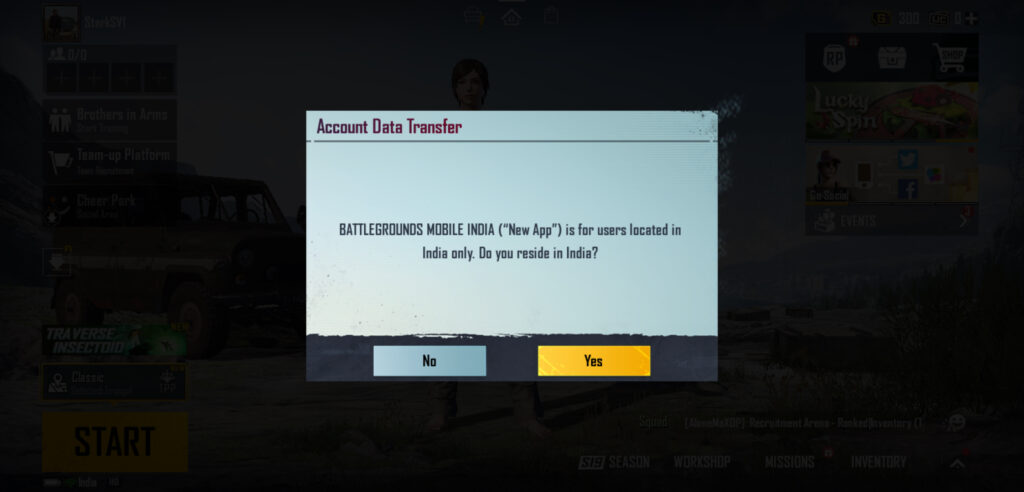
Step 4: Now you will get a popup message asking whether you reside in India or not. Just tap on ‘ Yes ’.
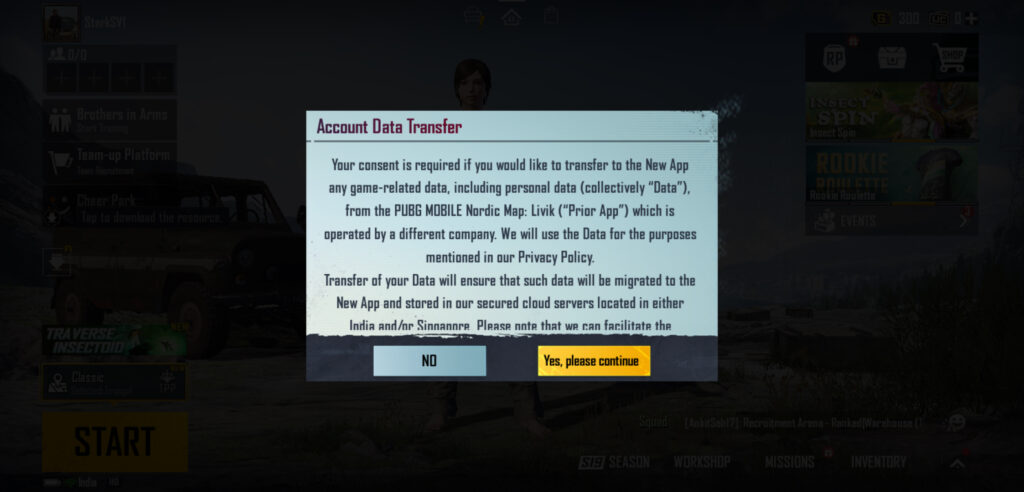
Step 5: Now the game will ask for your consent for Account Data Transfer, tap on ‘ Yes, please continue ’.
Step 6: You will now see a new message telling you that once you migrate your PUBG Mobile data to BGMI, your old account’s data will be deleted. Tap on ‘ Yes ’ to provide your consent.
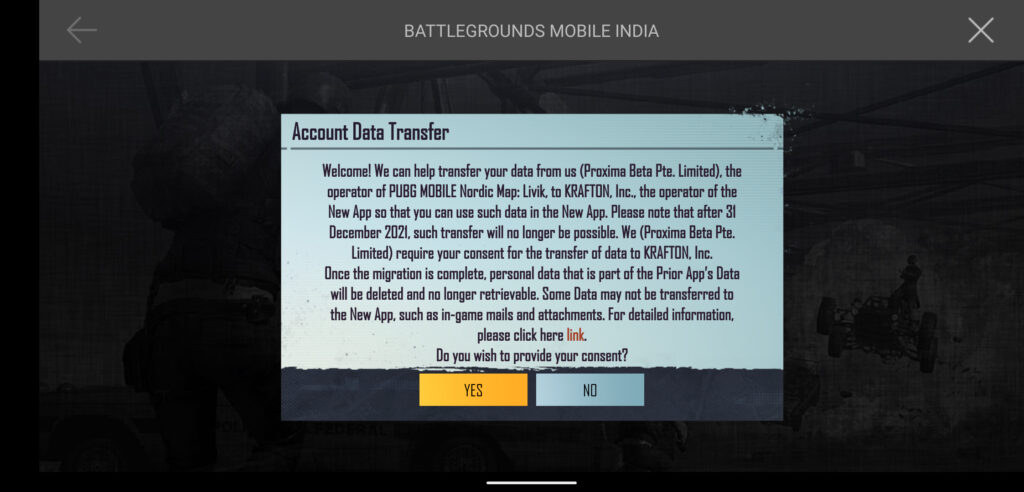
Step 7: Now select the Facebook/Twitter ID linked to your PUBG Mobile and tap on ‘ OK ’.
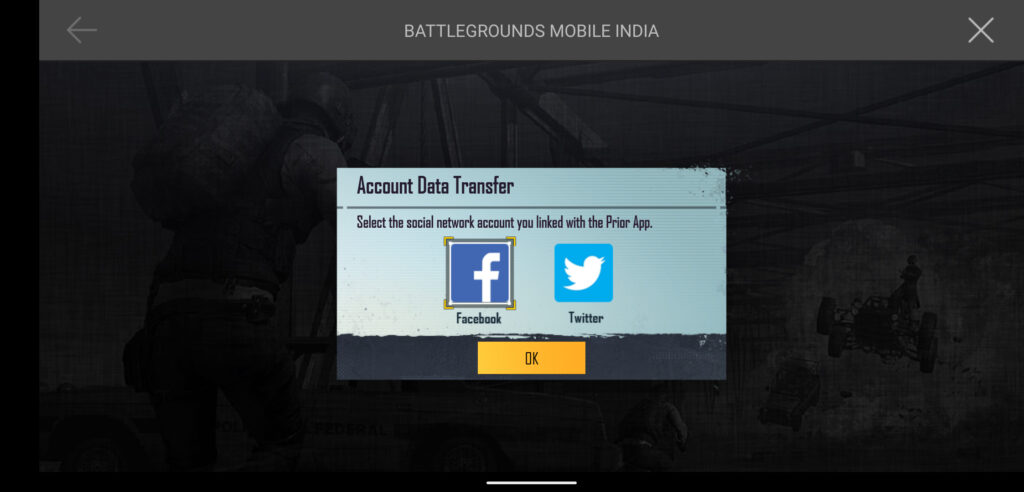
Step 8: Complete the login process.
Step 9: You will now see the option to confirm the data transfer. Tap on ‘ Yes ’.
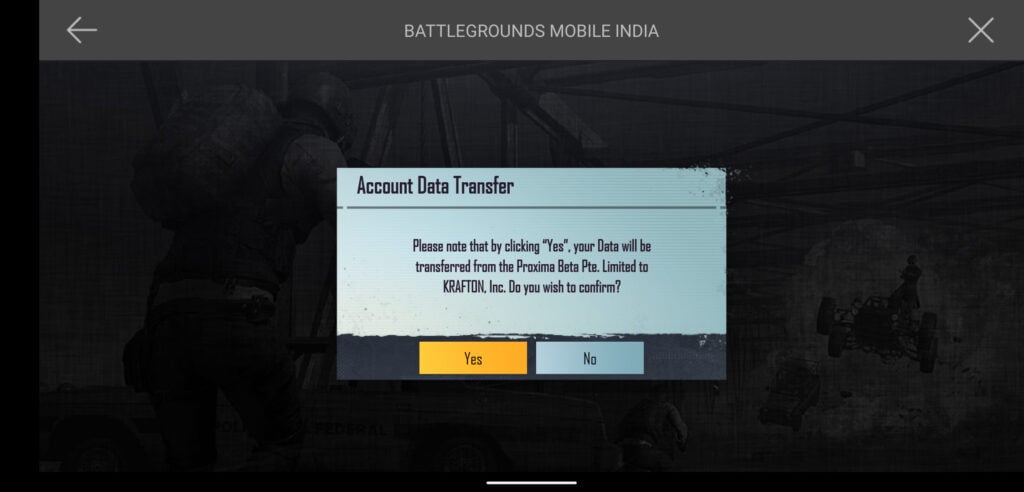
Step 10: Once the process is complete, you will see the login page again, just tap on ‘ Continue ’. You will have to wait for a couple of hours to see this screen, as it will take time to transfer PUBG Mobile data to Battlegrounds Mobile India.
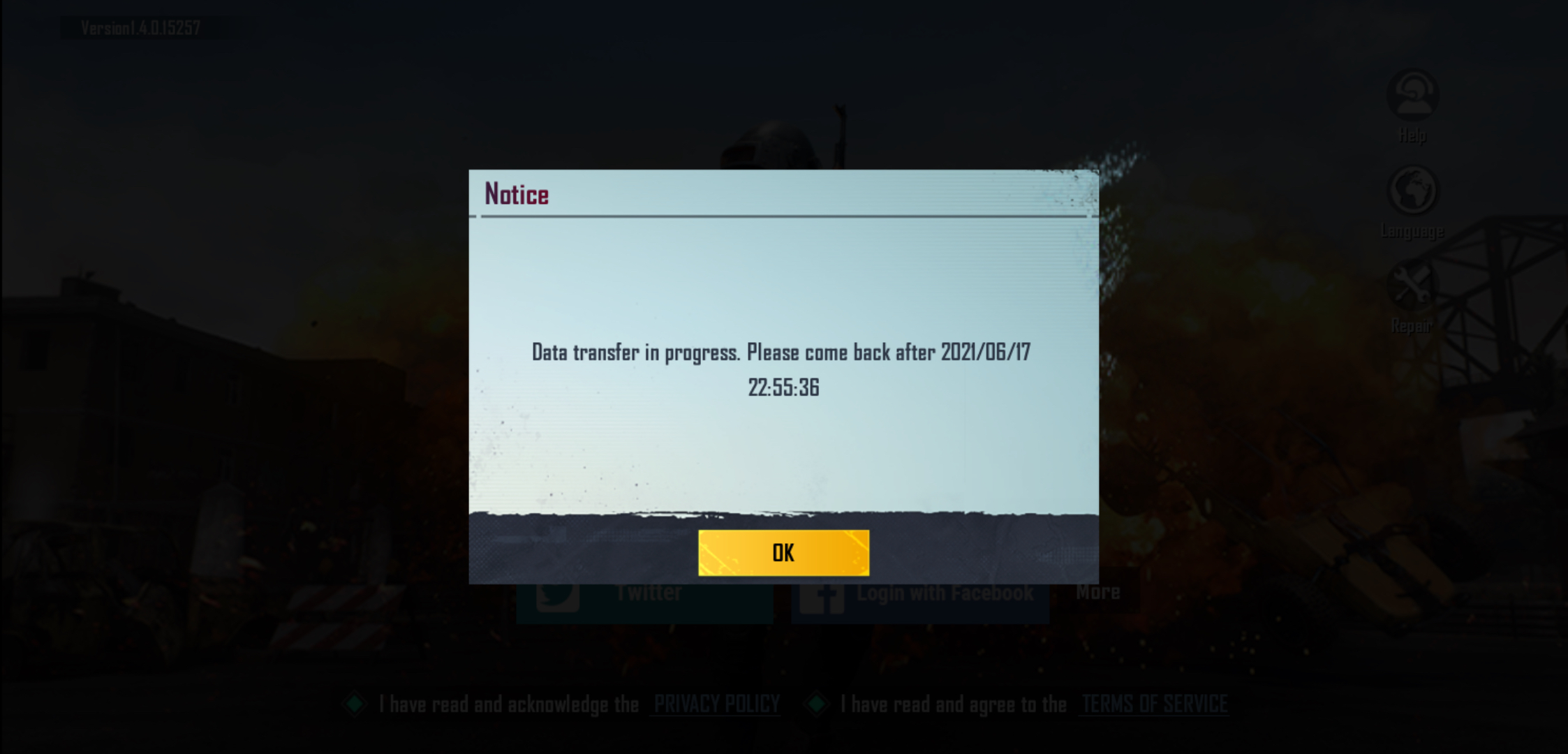
That’s it and you can pick up your game where you last left when PUBG Mobile got banned in India.
Method 2: Transferring PUBG Mobile Data to Battleground Mobile India From Game’s Settings
In case you skipped the popup message regarding data transfer, you can still transfer PUBG Mobile data to Battlegrounds Mobile India from the Settings in the game. Here is how:
Step 1: Go to the game’s lobby.
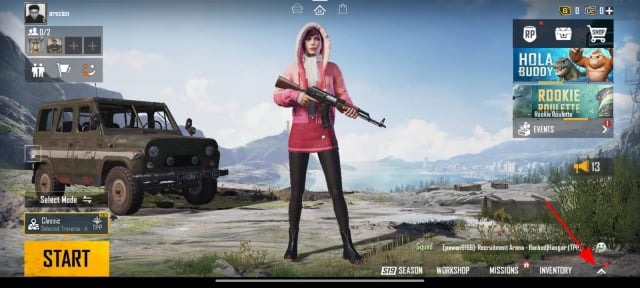
Step 2: On the bottom-right corner, you will see an arrow icon pointing upwards, tap on that.
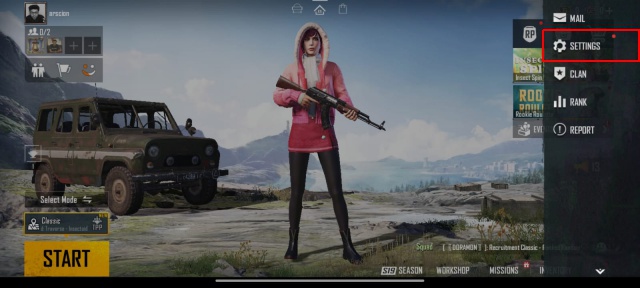
Step 3: Now tap on ‘ Settings ’.
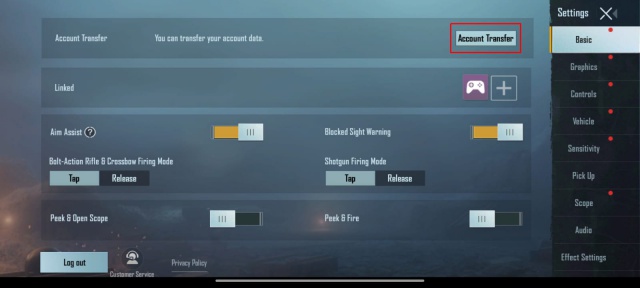
Step 4: Under the ‘ Basic ’ tab, you will see the option of ‘ Account Transfer ’ on the top-right corner. Tap on that.
Step 5: You will now see a new message telling you that once you migrate your PUBG Mobile data to BGMI, your old account’s data will be deleted. Tap on ‘ Yes ’ to provide your consent.
Step 6: Now select the Facebook/Twitter ID linked to your PUBG Mobile and tap on ‘ OK ’.
Step 7: Complete the login process.
Step 8: You will now see the option to confirm the data transfer. Tap on ‘ Yes ’.
Step 9: Once the process is complete, you will see the login page again, just tap on ‘ Continue ’.
That’s it!
Closing Phrase
That was all about how to transfer PUBG Mobile data to Battlegrounds Mobile India. It is important to note that users will not be able to transfer account data after 31st December 2021.
In case you haven’t downloaded BGMI on your smartphone, go ahead and join the or download BGMI APK+OBB files from here .
Enjoyed this article?
If TechLatest has helped you, consider supporting us with a one-time tip on Ko-fi. Every contribution keeps our work free and independent.
