Highlights
- Network restrictions at schools are designed to manage focus and safety, not to limit personal freedom.
- Tools like VPNs and proxies highlight how online privacy and data routing work in real-world internet systems.
- In this guide, you will learn every method that is used to unblock Instagram at School.
Instagram is one of the most used apps by students today. It’s where people share memories, connect with friends, and keep up with trends.
But when you’re at school, you might notice that Instagram doesn’t load at all. That’s because most schools block access to social media sites through their Wi-Fi network.
Don’t want to miss the best from TechLatest ? Set us as a preferred source in Google Search and make sure you never miss our latest.
Before I start with how you can access Instagram at your school, it’s important to understand why it’s blocked and how the process works.
This guide is meant purely for educational awareness, to help you understand network restrictions, digital privacy, and how web access is managed on institutional networks.
Content Table
Why Schools Block Instagram?
Schools usually block platforms like Instagram, TikTok, or Snapchat to keep students focused during study hours and to maintain a safe, distraction-free online environment. The block isn’t personal; it’s just a network rule applied through the school’s firewall or filtering software .
When you connect to the school’s Wi-Fi, all your online activity goes through their network servers. These servers check which websites or apps you’re trying to access. If Instagram’s domain (like instagram.com) is on the restricted list, your browser simply won’t load it.
This method is called a network-level restriction; it’s the same system used in offices or libraries to manage access to certain websites.
How These Blocks Work
There are different types of restrictions that can stop Instagram from loading:
- Network blocks: Managed by the school’s IT department through a firewall or filter.
- Geo-restrictions: In some countries, certain websites are limited by local laws.
- App-level restrictions: The app itself might be disabled by device management tools on school tablets or computers.
How People Access Blocked Sites Like Instagram at School (Only for Educational Purposes)
From a learning point of view, it’s useful to know how network routing and content access actually work. Here are some commonly used technological methods people rely on to access restricted platforms. Again, these are explained for educational and cybersecurity learning purposes, not for misuse.
1. VPN (Virtual Private Network)
Image on Unsplash
A VPN reroutes your internet traffic through a secure server somewhere else in the world. This hides your actual IP address and encrypts your data, which means websites and networks can’t easily identify where you’re connecting from.
For example, if your school blocks Instagram in India, a VPN can connect your traffic through a server in Singapore, and Instagram will open normally.
2. Proxy Servers

A proxy acts as a middleman between your device and the website. When you access Instagram through a proxy, your request first goes to the proxy server, which then fetches Instagram for you and sends it back.
Unlike VPNs, most proxies don’t encrypt your data, but they do mask your IP address. They’re often used in classrooms and tech labs to understand how routing and IP masking work in real-world systems.
3. Browser Extensions
There are lightweight browser tools designed to test web accessibility by routing traffic through alternative servers. These extensions don’t require a full VPN setup and can be used to understand how browser-level filters and connections behave differently from system-wide networks.
4. Tor Browser
Tor (short for “The Onion Router”) routes your internet connection through multiple encrypted relays worldwide. It’s primarily used by journalists, researchers, and privacy advocates who need a high level of anonymity online.
Tor helps demonstrate the concept of layered encryption and decentralized routing, key topics in cybersecurity education.
5. Mobile Data Networks
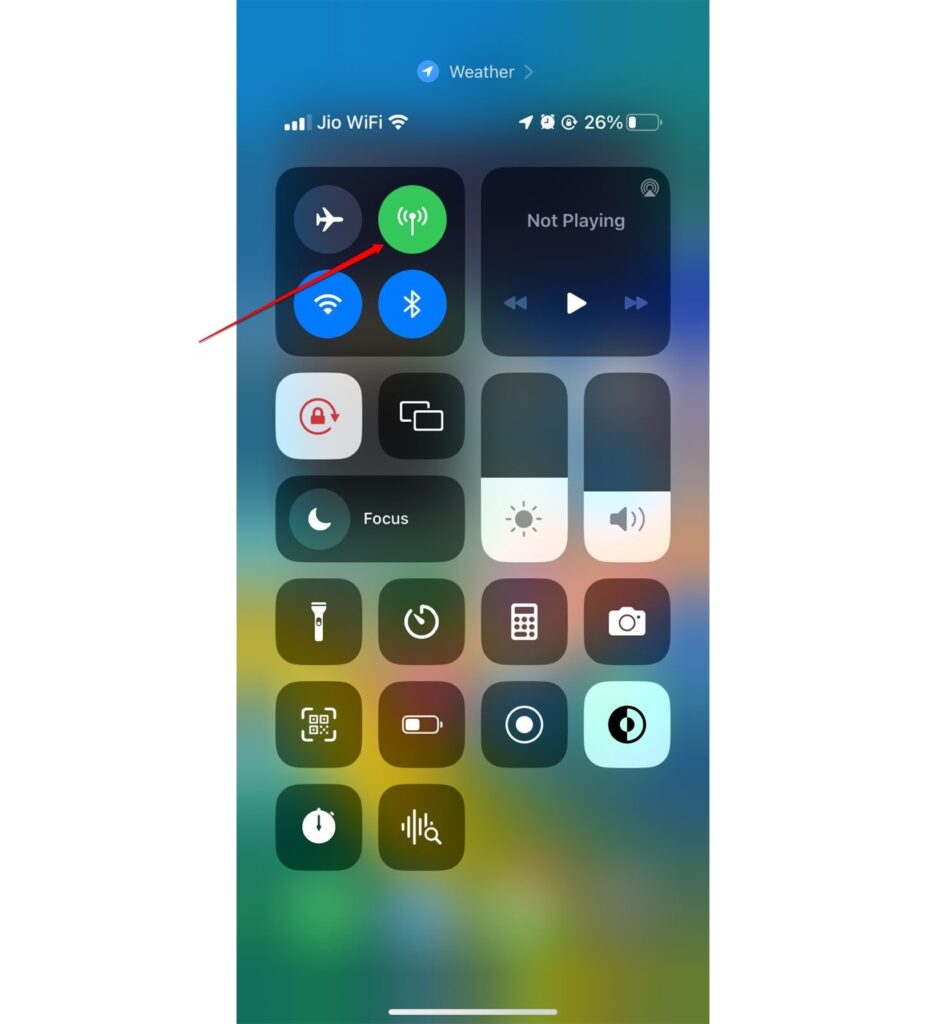
If you disconnect from the school Wi-Fi and use mobile data, you’re no longer bound by the school’s firewall rules. This is often why apps like Instagram or YouTube work fine on mobile networks even when blocked on Wi-Fi.
This example helps explain how different networks, institutional vs. mobile, handle data filtering and user access.
Safety and Responsibility That Users Need to Keep in Mind
While it’s easy to find ways to bypass restrictions, remember that school network rules exist for a reason: to protect students from distractions, inappropriate content, or bandwidth misuse.
If you ever need access to a blocked site for a legitimate reason, like a media or marketing project, it’s best to talk to your teacher or the school’s IT admin. Many schools can provide temporary or supervised access for academic purposes.
It’s also important to avoid free or unknown VPNs and proxies. Some of them collect user data or inject ads, which can lead to privacy risks or malware infections.
- What is Instagram Notes Number Trend?
- How to Comment GIFs on Instagram?
- If You Search for Someone on Instagram, Will They Know?
Final Thoughts
Learning how websites get blocked and how networks enforce those rules is an important part of understanding the internet’s structure and online security.
Tools like VPNs, proxies, and Tor aren’t just for bypassing restrictions; they’re also the foundation of digital privacy education and ethical cybersecurity .
So, that’s all we have for you about how to unblock or bypass restrictions on Instagram at School. We hope that this guide has helped you. For more info, comment below and let us know.
Enjoyed this article?
If TechLatest has helped you, consider supporting us with a one-time tip on Ko-fi. Every contribution keeps our work free and independent.
