
With cheap rates and easy availability of the Internet, Its usage is on peak and with that hackers are more active than ever and always try to harm your system and you thus Internet Safety becomes very essential. Here are some of the tips to browse the internet safely
Content Table
Visit Sites Secured By ‘https’

URL with HTTPS
Don’t want to miss the best from TechLatest ? Set us as a preferred source in Google Search and make sure you never miss our latest.
Whenever you open a website makes sure that’s secure and the very basic way to see that is the URL will always start with https . The websites starting with https are secure and safe to browse and do online transactions.
Do Not Open Random Unknown Links
Do Not Be A Mad Clicker

Just do not click on everything you come across
Whenever we search for anything on the internet we see a lot of results from lots of different sources. However, all of these resources are always not safe and we see lots of pop-ups and ads on sites. Well, we should not click on them and be very selective for the resources. Most of these popups and ads are seen on adult websites which also may transfer viruses to your PC and thus affecting its performance.
Share Your Personal Information Selectively
Be Careful About What You Post Online
Nowadays everyone just likes to post every activity they do on social media sites. It’s always not safe to share your real-time location or activity on the internet as it may attract stalkers to follow you in your real life too and may attract criminals too. Also, you must not post sensitive photos or talk carelessly on these topics as they may turn into riots and there are very strict laws for such cyber acts.
Be Careful About What You Download
Whenever we get good access to the internet we all start to download everything we find on the internet. Well, that’s one more thing we shall be careful about as while downloading randomly we may also download some spam files, viruses, Trojans, etc.. and even some malicious apps and bloatware that affects the health of the computer.
Use Complex Passwords
Whenever creating an account on any platform, always use complex passwords and if possible use different passwords for different platforms. As hackers may retrieve your password from a site whose privacy isn’t that strong and if you use a common password for every site then if your password is hacked then all your platforms are hacked. Always use Alphanumeric combination for passwords such as Axvysh@2345e , such passwords are hard to hack.
Do Not Do Transactions While Using Public Wi-Fi

Public wi-fi gives unlimited access to the internet which is good for downloading videos, apps, and games but isn’t the best option to do bank transaction and can be really risky as your banking details can be easily retrieved and then any fraud can be done. So, avoid doing any transaction while on public wi-fi and also do not use social media.
Use Antivirus And Firewall
Even after following these steps there is a risk that some unwanted viruses or other disturbances can enter your PC and affect its performance. So, to be safe always use trusted antivirus and Firewall. A firewall is an electronic barrier that blocks unauthorized access to your PC.
Keep Your Software Updated
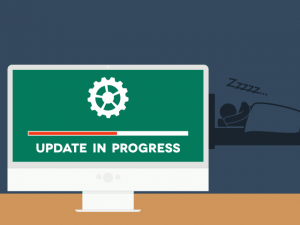
Always keep your software updated
Always keep your antivirus, firewall and other software updated as hackers create thousands of new viruses every day so if the definition of these new viruses aren’t a defined on the antivirus; The antivirus is of new users as it’ll never detect that virus. Also, Software updates come with new features and glitches are removed and new security patches are added with new updates. So, Its always better to keep your system updated
Enjoyed this article?
If TechLatest has helped you, consider supporting us with a one-time tip on Ko-fi. Every contribution keeps our work free and independent.
