Highlights
- iPadOS 26 brings a new Liquid Glass design, smarter multitasking, and Apple Intelligence.
- Apple adds full versions of Journal, Preview, and a Phone app, along with Files app upgrades.
- Here is the complete list of iPadOS 26 eligible iPads, including recent Pro, Air, mini, and iPad models.
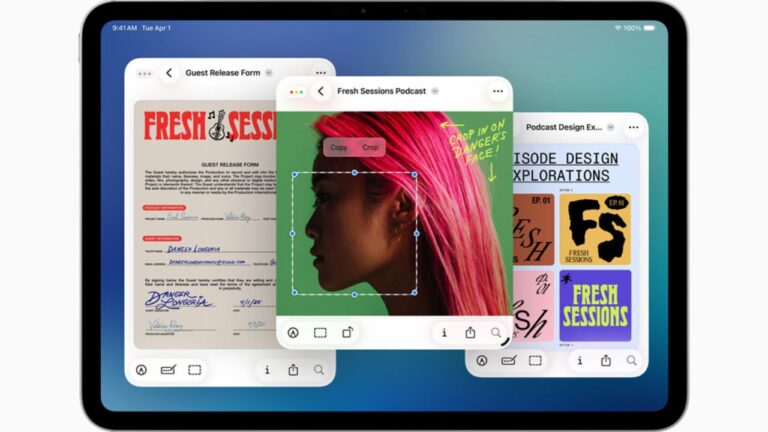
Apple has started rolling out iPadOS 26 and this one feels different from the usual updates. Instead of small changes, this version is built to give iPad a whole new purpose.
The update began rolling out at 10 AM PDT and will slowly reach users everywhere. If you are not sure whether your device supports it, I have explained all the important things here.
Apple iPadOS 26 Eligible iPads: Everything You Need to Know
What Looks New in iPadOS 26?
Don’t want to miss the best from TechLatest ? Set us as a preferred source in Google Search and make sure you never miss our latest.
The first thing you will notice after updating is the new look called Liquid Glass. It is basically a fresh design where icons, windows and menus look more smooth and a bit transparent. It makes the iPad feel more modern without changing how you use it.
Multitasking Finally Upgraded
For years many people wanted better multitasking on iPad and with this update Apple has finally done it. You can now resize apps, move them around and even open multiple windows of the same app.
A new top bar also helps to switch between apps easily. This makes the iPad closer to a Mac and more useful for work.
Apple Intelligence Inside the iPad
With Apple Intelligence built into the system, you can now generate new emojis called Genmoji, create images with Image Playground and even get better text suggestions. Siri also feels a bit smarter and faster with this update.
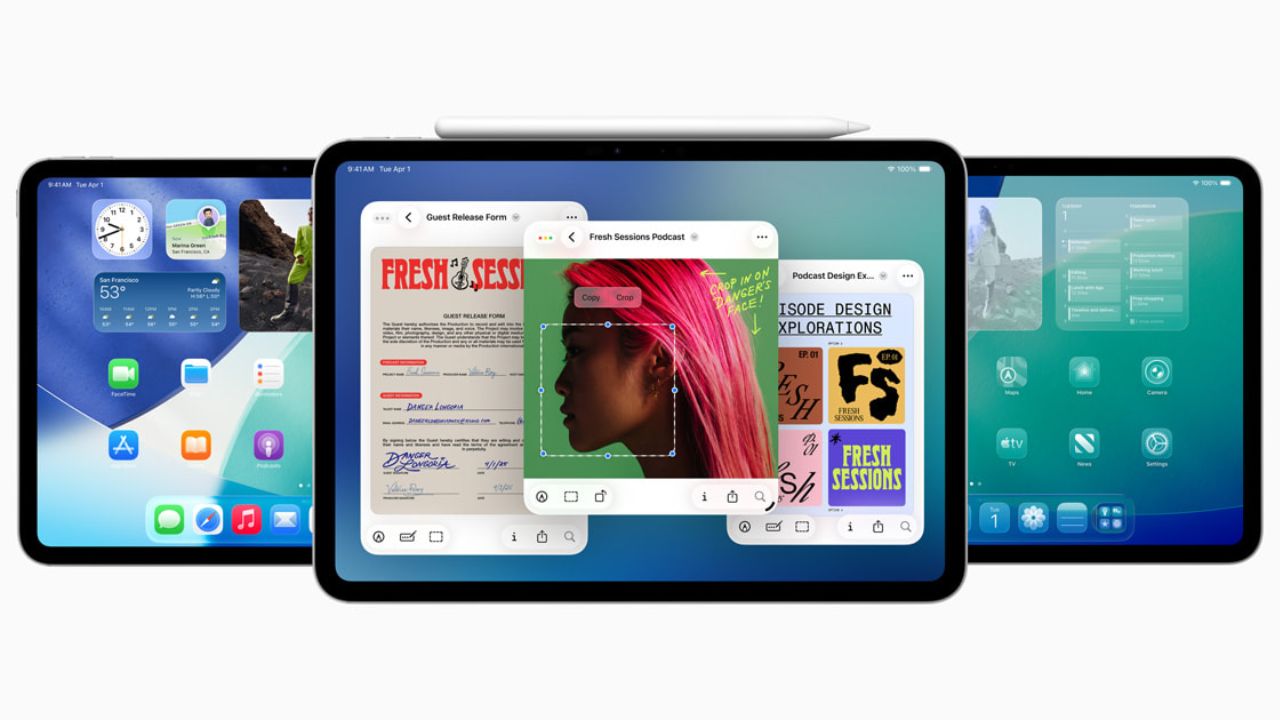
Image Credits: Apple
New Apps and Upgrades
There are also some new apps added like Journal and Preview which are full versions and not cut down. The Phone app is now available on iPad for the first time with features like call screening.
The Files app has also been improved with things like collapsible folders and choosing default apps for file types. For iPads with Apple silicon, heavy background tasks like rendering are now supported.
iPadOS 26 Eligible iPads
The main question is whether your device supports this update. Below is the full list of iPadOS 26 eligible iPads
- iPad Pro M4
- iPad Pro 12.9 inch 3rd generation and later
- iPad Pro 11 inch 1st generation and later
- iPad Air M2
- iPad Air 3rd generation and later
- iPad mini 5th generation and later
- iPad 8th generation and later
The iPad 7th generation will not get this update.
- Which iPad is Perfect for You? (iPad Buying Guide)
- 8 Best iPad Alternatives You can Buy in 2025
- AppleCare One: All-in-One Protection for iPhone, iPad & More
How to Install?
You can update by going to Settings then General then Software Update. If the update does not show up instantly just wait a bit as it is being rolled out step by step.
iPadOS 26 is clearly one of the biggest updates in years. With a new look, multitasking that actually works and Apple Intelligence, it pushes the iPad closer to being a real computer. If your iPad is in the supported list, it is worth downloading right away.
Expected Availability Time
Apple has confirmed that iPadOS 26 will roll out on September 15, 2025 for all iPadOS 26 eligible iPhones .
The update will start rolling out at 10 am PT in the US , which works out to around 7 pm to 10 pm in India , though the timing can vary by region.
- Abu Dhabi: 9 p.m.
- Sydney: 3 a.m. (Tuesday, September 16)
- Melbourne: 3 a.m. (Tuesday, September 16)
- Brazil: 2 p.m.
- Canada: 11 a.m.
- Canada (east): 1 p.m.
- China: 1 a.m. (Tuesday, September 16)
- Europe: 7 p.m.
- India: 10:30 p.m.
- Japan: 2 a.m. (Tuesday, September 16)
- San Francisco: 10 a.m.
- Saudi Arabia: 8 p.m.
- Singapore: 1 a.m. (Tuesday, September 16)
- United Arab Emirates: 9 p.m.
- United Kingdom: 6 p.m.
- Washington, D.C.: 1 p.m.
- Hawaii: 7 a.m.
- Detroit: 1 p.m.
- Las Vegas: 10 a.m.
- New York: 1 p.m.
- Minneapolis: Noon
- Seattle: 10 a.m.
You can find iPadOS 26’s release time here in your local time zone .
Enjoyed this article?
If TechLatest has helped you, consider supporting us with a one-time tip on Ko-fi. Every contribution keeps our work free and independent.
