Highlights
- The right code makes your Magnavox remote work smoothly with any device.
- You can set it up using either manual codes or auto-search.
- Most pairing issues come from simple battery or setup mistakes.
If you’ve ever tried setting up a universal remote, especially the one that comes from Magnavox, then you really need to know the codes first. Yes, finding the right code is an art in the universal remote world.
Although the remote itself is easy to understand, and the buttons are straightforward, the moment you pull out that long code sheet, everything suddenly feels confusing.
Don’t want to miss the best from TechLatest ? Set us as a preferred source in Google Search and make sure you never miss our latest.
So, if you are one of those who don’t know the Magnavox universal remote codes, then make sure you read this guide until the end. Therefore, let’s get started with the guide.
Content Table
Why Magnavox Universal Remotes Codes?
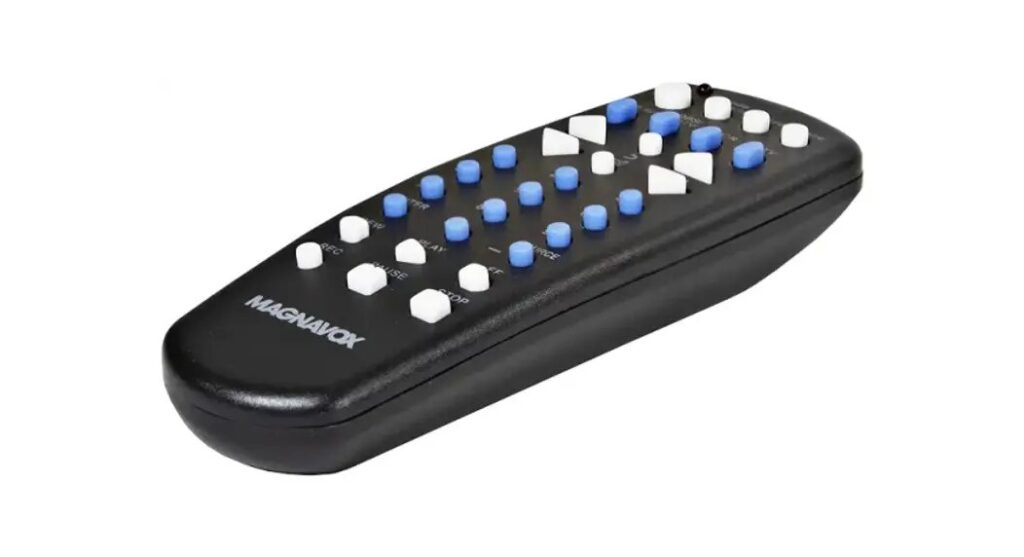
Universal remotes work by sending specific infrared signals to your device. Every brand has its own type of signal, and even within that brand, different models may have slight variations.
That’s why Magnavox provides several codes for each brand. You basically have to test which one matches your device.
Think of the code as a “language” your remote needs to speak. Once you put in the right code, both the remote and the device understand each other. When the code is wrong, the remote sends signals your TV or DVD player simply ignores.
Magnavox Universal Remote Codes List
Here’s the complete list of all the Magnavox Universal Remote Codes device-wise:
TV Codes
DVD Player Codes
Streaming Device Codes
How to Program a Magnavox Universal Remote Using Codes
Now that we’ve gone through the code lists, let’s talk about how to actually program the remote. The process is simple, but you need to follow the steps carefully. Here’s the easiest method, which works for most Magnavox models:
- Turn on the device (TV/DVD/streaming box).
- Press and hold the CODE SEARCH button until the light stays on.
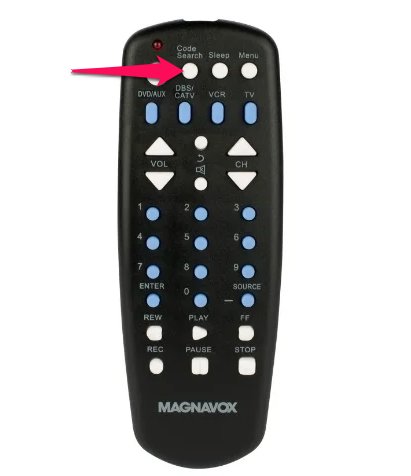
- Let go of the button when the light stays solid.
- Press the button that matches your device (TV, DVD, STREAM).
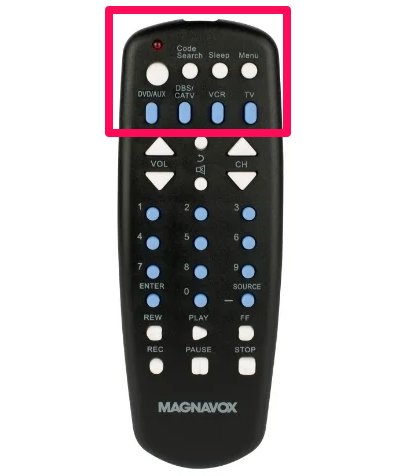
- Enter the code using the number keys.
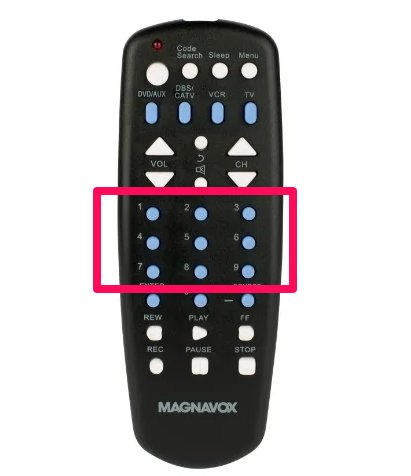
- If the code is right, the LED will turn off automatically.
- Test a few buttons like power, volume, and channel.
If everything works, you’re done. If not, try the next code on the list.
How to Program a Magnavox Remote Without Codes
Sometimes none of the codes work, or maybe you simply don’t want to go through a long list. In that case, you can try the auto-search method.
Here’s how you do that:
- Turn on your device.
- Hold the CODE SEARCH button until the light stays on.
- Press the device button (TV, DVD, etc.).
- Slowly press and release the POWER button.
- Each press makes the remote send a new code .
- Stop when the device turns off .
- Press ENTER to save the code.
This method takes more time, but it is useful when you don’t know which code works for your specific model.
Why Your Magnavox Universal Remote Might Not Work?
If you entered the codes but the remote still doesn’t respond, don’t worry. It happens quite often. Here are the most common reasons:
- Weak batteries
- The code was entered incorrectly
- Or The wrong device button was selected
- Device sensor is blocked
- The device is too old or too new
- Remote hardware issue
Start by replacing the batteries first. You’d be surprised how often weak batteries are the only problem.
Related Reads:
- ONN Universal Remote Code List and Guide
- RCA Universal Remote Code List and Guide
- Philips Universal Remote Codes and Setup Guide
What if none of the Magnavox codes work for my TV?
Try the auto-search method; it scans through all supported codes automatically.
How do I know the code I entered is correct?
The LED light turns off and the remote starts controlling the device.
Do I need the original remote to set up the Magnavox universal remote?
No, you just need the device turned on; the setup works without the original remote.
Can I use the remote on very old TVs?
Yes, as long as the brand is listed, older models usually work with multiple codes.
Wrap Up
So, that’s all we have for you about Magnavox universal remote codes and the setup guide. We hope that you find this guide helpful. However, in case you find any difficulty while setting up or any code that is outdated or not working, please comment below and let us know.
Enjoyed this article?
If TechLatest has helped you, consider supporting us with a one-time tip on Ko-fi. Every contribution keeps our work free and independent.
