Highlights
- Microsoft’s KB5067036 update finally fixes the long-standing Windows update 0x800f0983 installation error.
- The update resolves the annoying “Update and Shut down” issue that caused unwanted restarts.
- KB5067036 also improves system stability, fixing bugs on Arm64 devices and enhancing performance.

Earlier this week, Microsoft pushed out a new non-security update for Windows 11 versions 24H2 and 25H2.
The update is named KB5067036 , and while it brings a few visual changes like a refreshed Start menu and improved battery indicators, the real improvements are hidden inside.
Don’t want to miss the best from TechLatest ? Set us as a preferred source in Google Search and make sure you never miss our latest.
Even though this update is optional, I’d say it’s better not to skip it. It includes an important fix for the long-standing Windows update 0x800f0983 problem that many users have been facing for months.
The fix for the Windows update 0x800f0983 error
If you’ve ever tried updating Windows and saw the 0x800f0983 code popping up, you already know how frustrating it is.
The update just refuses to install and keeps failing every time. Microsoft finally addressed this issue in the KB5067036 patch.
According to the release notes, the update “fixes an underlying issue that could cause Windows Update to fail to install with error 0x800f0983.”
In short, this patch fixes the broken update process itself. So, if your updates were failing before, this one should install smoothly and prevent that error from happening again.
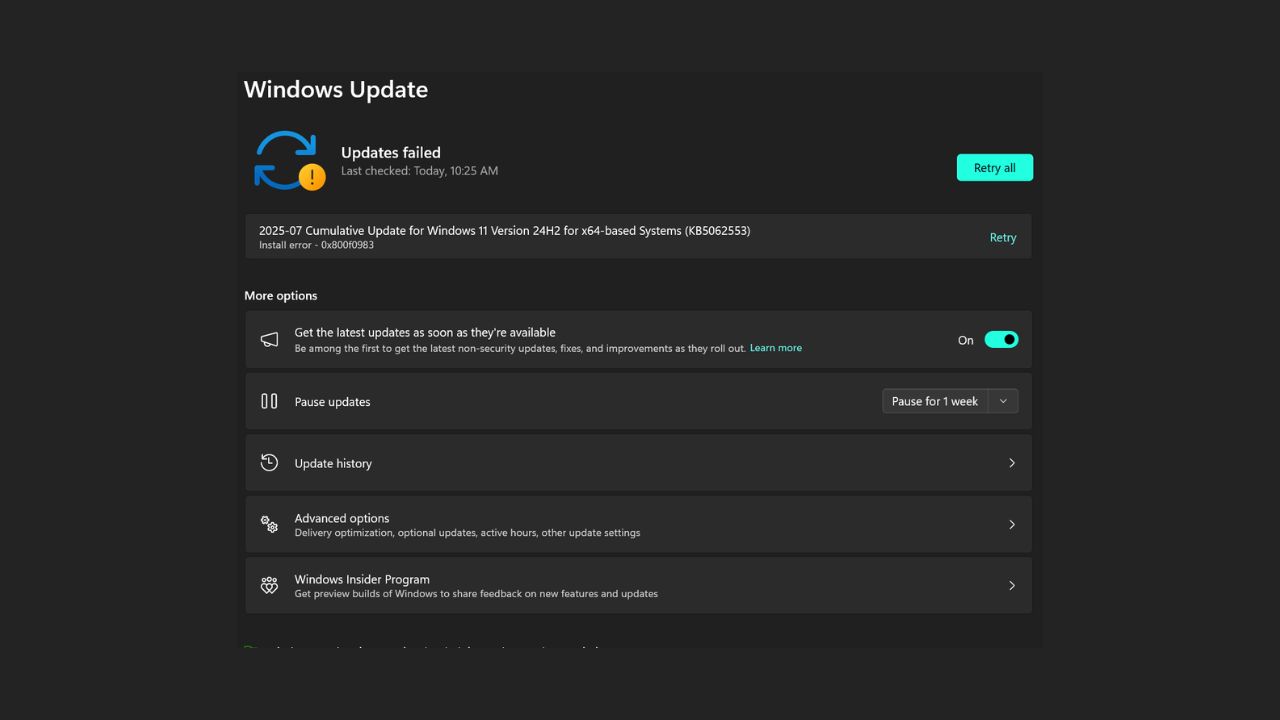
Image Credits: Microsoft
The annoying “Update and Shut down” bug
Another small but irritating issue many users have complained about is the “Update and Shut down” option not working as it should. You select that option expecting your PC to turn off after updating, but instead, it restarts.
Microsoft has finally fixed this, too, with the KB5067036 update. Now, when you choose to shut down after an update, your system will actually power off, just like it’s supposed to.
Other fixes and improvements
Besides fixing Windows update 0x800f0983 and the shutdown issue, the KB5067036 patch also brings a few other improvements.
It fixes some bugs with Arm64 devices where the Media Creation Tool wasn’t working properly. Microsoft also mentioned fixes related to text rendering , network reliability , protected content playback , and system authentication . All these small fixes together make Windows 11 more stable and smooth to use.
How to install KB5067036
To get the update, just go to Settings > Windows Update > Check for updates. You’ll see the optional KB5067036 update available for download.
Click install and wait for it to finish. It’s not a mandatory update, but I’d strongly recommend installing it to avoid the Windows update 0x800f0983 error and other small problems.
- I Tested the Native Windows 11 Live Wallpaper Feature
- How to Move the Taskbar in Windows 11; Latest Working Methods [2025 Update]
- What’s New in Windows 11 Insider Build 26220.6772: OOBE Changes, Hello Security, and More
Overall, the KB5067036 update might not look like a big deal at first, but it’s actually an important stability patch.
It finally fixes the Windows update 0x800f0983 error that has been bothering users for a long time and also takes care of the shutdown bug.
If you’re using Windows 11, it’s definitely worth installing this update to keep your system running better and smoother.
Enjoyed this article?
If TechLatest has helped you, consider supporting us with a one-time tip on Ko-fi. Every contribution keeps our work free and independent.
