Highlights
- Google Image tab officially rolls out to Android and iOS users in the US.
- Lets you browse, save, share, and search pictures with Google Lens.
- Offers a personalized image feed based on your selected interests.
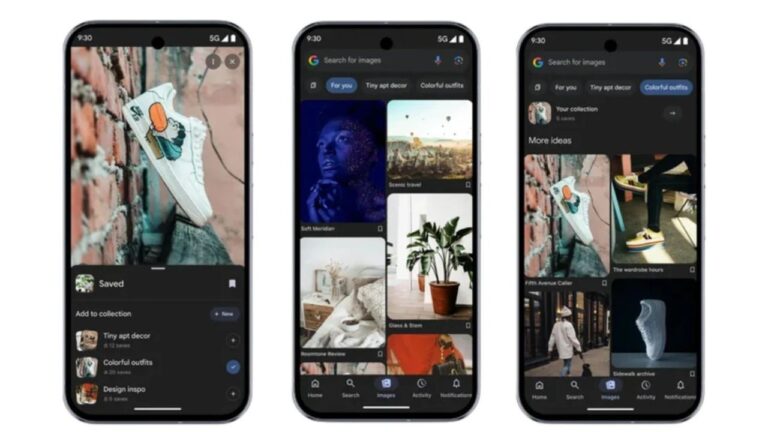
Google has added a new Image tab inside its app; it does somewhat look like Pinterest , but it works inside the Google app. The company started testing it earlier and is now rolling it out to more people in the United States. Let’s break it down
Google app rolls out new Pinterest-style “Images” tab for Android and iOS users
What will you see, and how does it work?
When you open the Google Image tab, you get a feed of pictures chosen for you. The app asks you to pick topics the very first time, then shows images related to those topics, pulled from public search results.
Don’t want to miss the best from TechLatest ? Set us as a preferred source in Google Search and make sure you never miss our latest.
You can scroll, tap to open, long-press to save or share, and use Google Lens to search by image. If you don’t like something, you can hide it, and the feed will adapt.
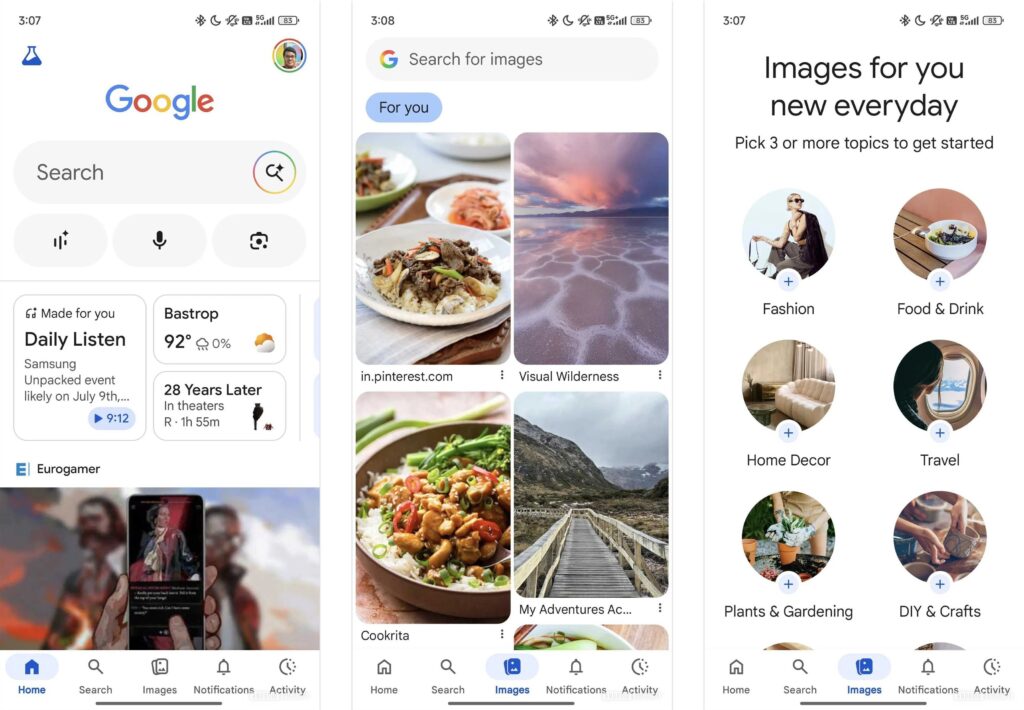
Image via Android Authority
Availability
We had first spotted this Images tab when it was still in beta months back. Google moved this to beta last June, and now it’s in wider rollout in the US, and there is no official date globally yet. Expect the company to expand slowly while fixing issues.
Why this matters to you If you are into visuals, mood boards, or fast inspiration, this skips steps. You do not have to type search queries either.
It refreshes your feed daily and customizes it. Both creators and shoppers can make discoveries faster and more visually.
Some people would call this a clone; I think this is just Google making it easier to find images in one place.
Overall, the Google Image tab is simple, useful, and quite powerful. Right now it is for US users on Android and iOS.
Try it if you see the new tab at the bottom of your Google app. If you do not see it yet, wait a few weeks as Google rolls it out.
Enjoyed this article?
If TechLatest has helped you, consider supporting us with a one-time tip on Ko-fi. Every contribution keeps our work free and independent.
