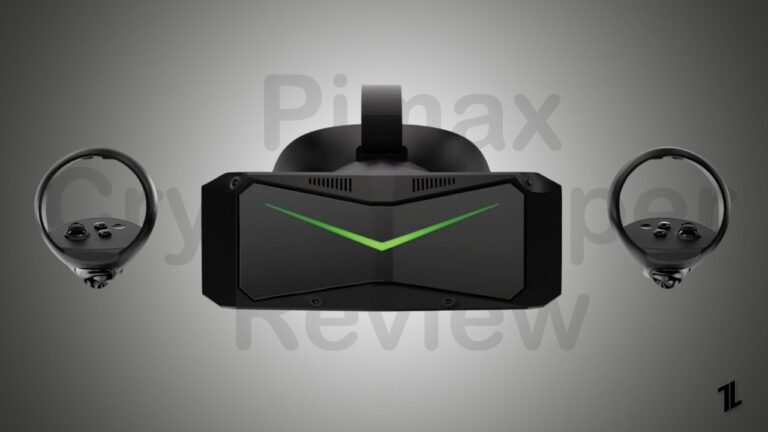
The tech behind virtual reality is advancing at warp speed. We see and hear brands like Meta, Pimax, and Valve are pushing the boundary even more.
One of the VR headsets that comes from Pimax is Crystal Super ; it promises something truly revolutionary: the sharpest, most immersive experience on the market today.
Don’t want to miss the best from TechLatest ? Set us as a preferred source in Google Search and make sure you never miss our latest.
In this hands-on review, we will together go through it, use it, and test whether the premium Pimax Crystal Super lives up to the hype or is just a marketing stunt by the brand.
We will cover its ultra-wide field of view, crystal-clear visuals, comfort during long gaming sessions, and much more.
Pimax Crystal Super
Shekhar Vaidya
Summary
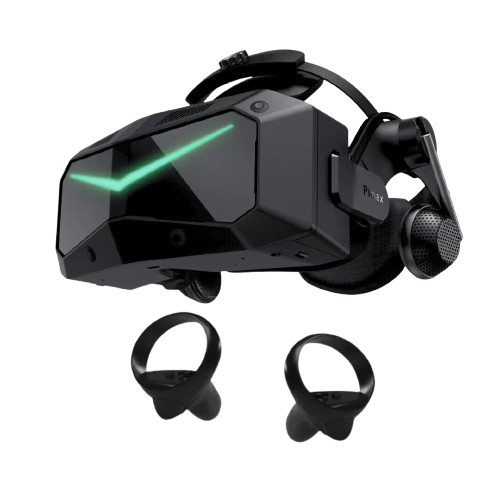
The Pimax Crystal Super delivers top-notch visual quality with 3840×3840 per eye resolution and ultra-wide FOV, making it one of the best PC VR headset for simulation games. However, the substantial premium over the Crystal Light makes the user think a little more whether to get the Super or not. Overall, it is a perfect headset for serious sim enthusiasts but overkill for casual VR gaming.
Highest resolution available in consumer VR
Ultra-wide FOV provides exceptional immersion
QLED display with local dimming delivers vibrant colors
Automatic IPD adjustment works flawlessly
Best-in-class visual experience sims
Solid build quality with modular design
Interchangeable optical systems for customization
Heavy at 1kg – tiring for extended sessions
Expensive ($1,700+) – prohibitive for many users
Requires very high-end PC hardware
Integrated audio system is average
Software could be more polished
Not ideal for active room-scale VR gaming
Cable tethered – no wireless option
Content Table
Pimax Crystal Super
What do we get in the box
The Crystal Super is a premium PC VR from Pimax, so a well-packaged box is expected, it has all the things you might need to use VR headset for a long and comfortable experience.
- The Crystal Super Headset w/ 5m cable (combined DP and USB 3.0)
- Two Pimax Controllers
- Interchangeable face cushions for comfort
- Power adapter and necessary cables for charging the controllers
- Quick start guide and documentation
- Cleaning cloth for the lenses
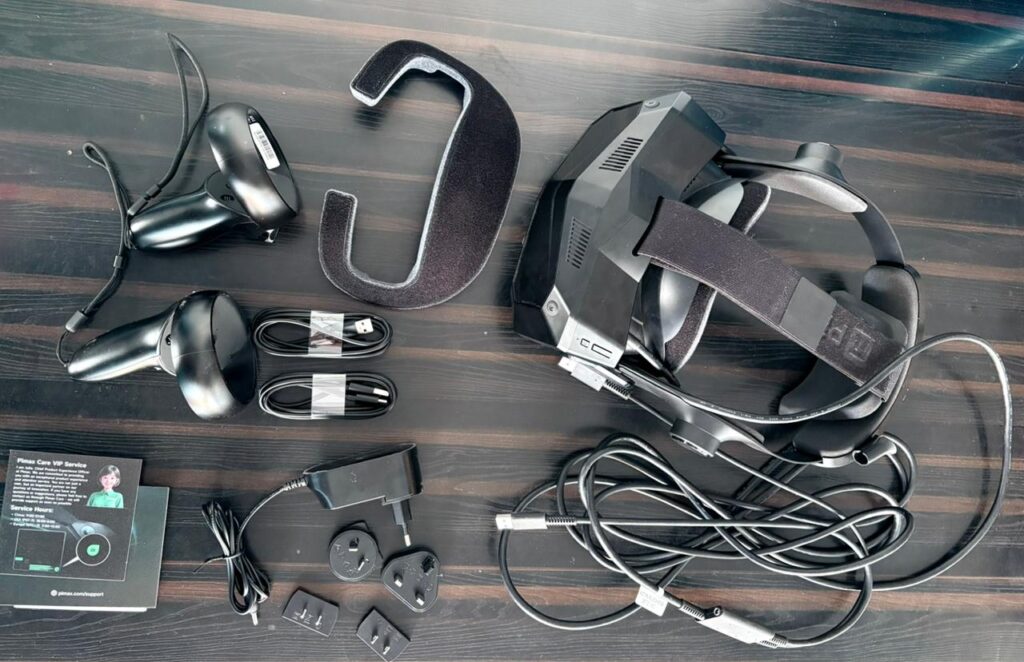
Image: Shekhar Vaidya/TechLatest
The packaging feels premium and everything is organized neatly. The 5-meter cable is a must have addition, giving you plenty of room to move around.
The technical specification
Since we are dealing with top of the line VR headset from Pimax, the Crystal Super is packed with cutting-edge technology. Here are the detailed specifications:
Display & Resolution:
- Resolution: 3840 x 3840 pixels per eye (nearly 30 million total pixels)
- Display Type: QLED + Mini-LED panels
- PPD (Pixels Per Degree): 50 PPD (standard) / 57 PPD (optional)
- Refresh Rate: 72Hz/90Hz variable (100Hz in Lab Mode)
- Brightness: 280 Nits
Field of View:
- Horizontal FOV: 127° (standard 50 PPD) / 106° (57 PPD)
- Interchangeable optical system available
- IPD Adjustment: Automatic
Audio:
- Speakers included on both the side places near your ears
- 3.5mm headphone jack
- Additional type-c port available
Weight & Comfort:
- Approximately 1kg (one of the heavier headsets)
- Glass aspheric lenses with large sweet spot
- Interchangeable face cushions
PC Requirements (Recommended):
- CPU: Intel i9-12xxx series or AMD R9-5950X or above
- GPU: RTX 3080 or equivalent (for high-end games, 3080 might not be enough, our recommendation RTX 40xx or higher)
- RAM: 32GB
- Storage: 5GB spare space
- OS: Windows 10/11 (x64)
The specifications are impressive on paper, positioning this as one of the highest-resolution consumer VR headsets available today.
How does it feel in-hand?
As soon as you pick up the headset out of the box, the first thing you will feel is the weight of it. At approximately 1kg, the Crystal Super is one of the heaviest PC VR headset available in the market. And if you have previously used standalone VR headsets like Quest 3, it feels noticeably heavier.
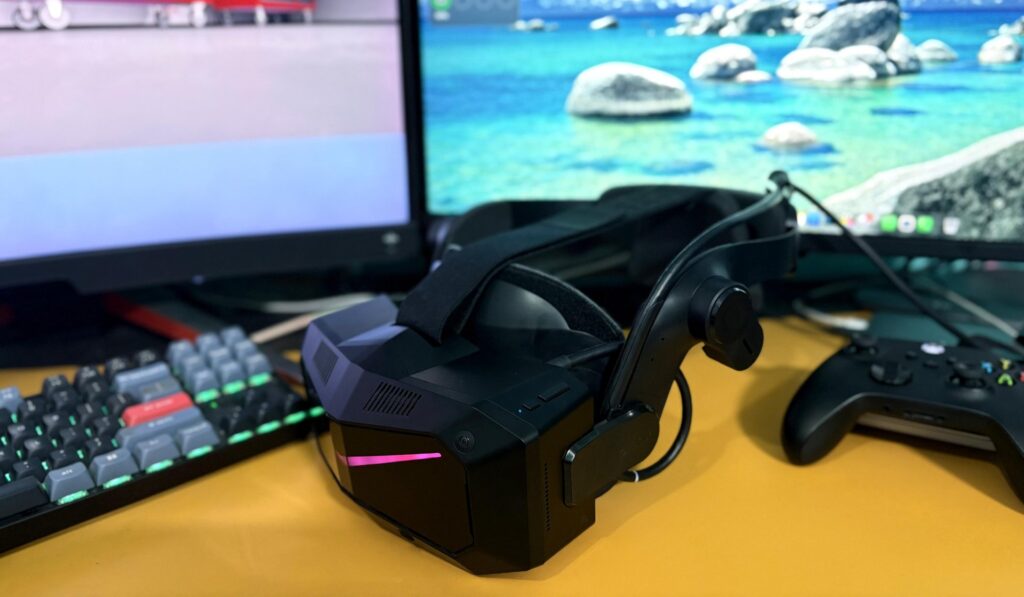
Image: Shekhar Vaidya/TechLatest
After you overcome the weight of the headset, you will notice the build quality feels premium and solid. The build is definitely “premium electronics” rather than a “fragile toy.” As soon as you wear it, the weight becomes negligible or apparent.
The buttons feel firm, the strap mechanism sturdy, and the face cushion extremely comfortable, overall you will start to feel like your money is well invested.
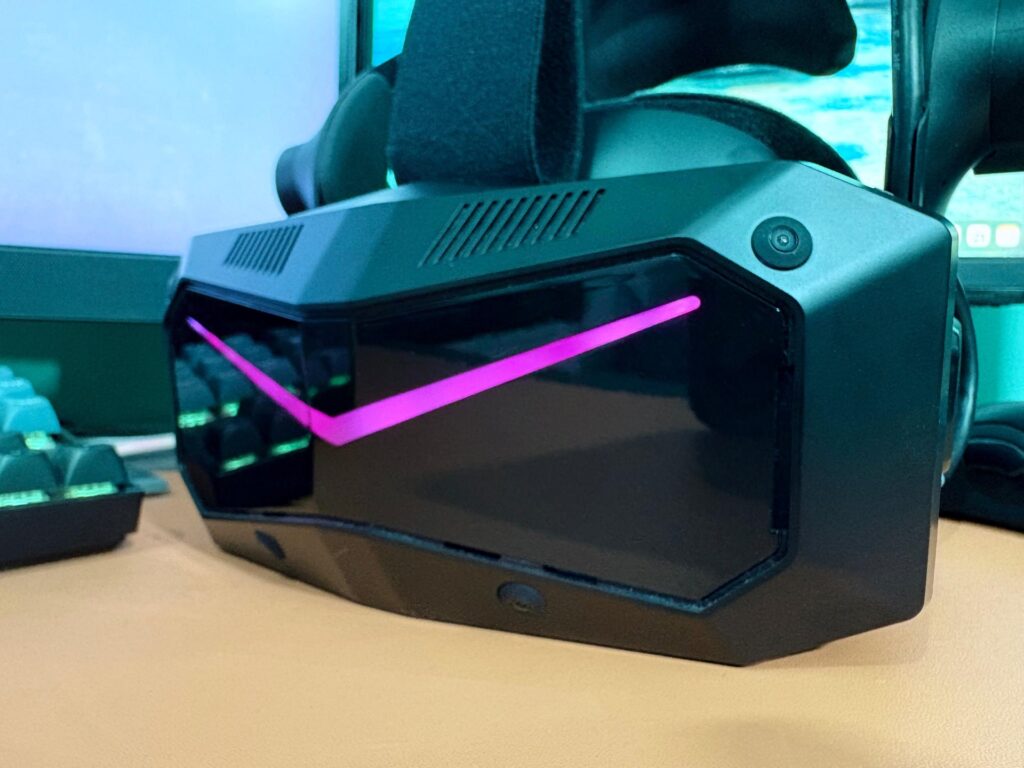
Image: Shekhar Vaidya/TechLatest
Comfort is a strange feeling here, as the headset needs to be used more and more to find the sweet spot. As mentioned, the weight distribution is decent on wearing it, and the extra faceplate (w/ cushions) helps find you the best spot.
Note that I wear prescription glasses, so I had to wear the headset over my glasses and I didn’t feel a thing, it was not irritating at all. So, even you wear glasses or contact lenses, it won’t be an issue at all.
Now coming to the controllers, you are given two separate controllers for both your hands. The controllers are good enough to hold for a long time, not too heavy not, too light, it has an almost perfect size and weight.
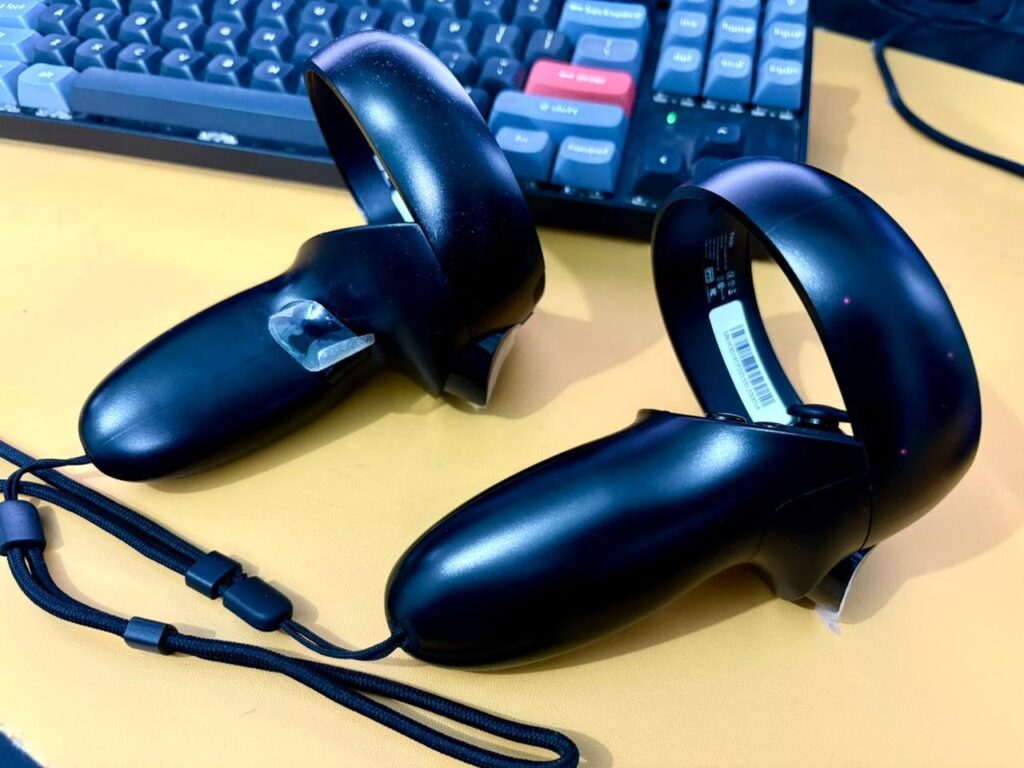
Image: Shekhar Vaidya/TechLatest
The initial setup and software experience
Setting up the Pimax Crystal Super is relatively straightforward. It is an one-time process, you just need to do it for the first time and then after that it a plug-n-play headset.
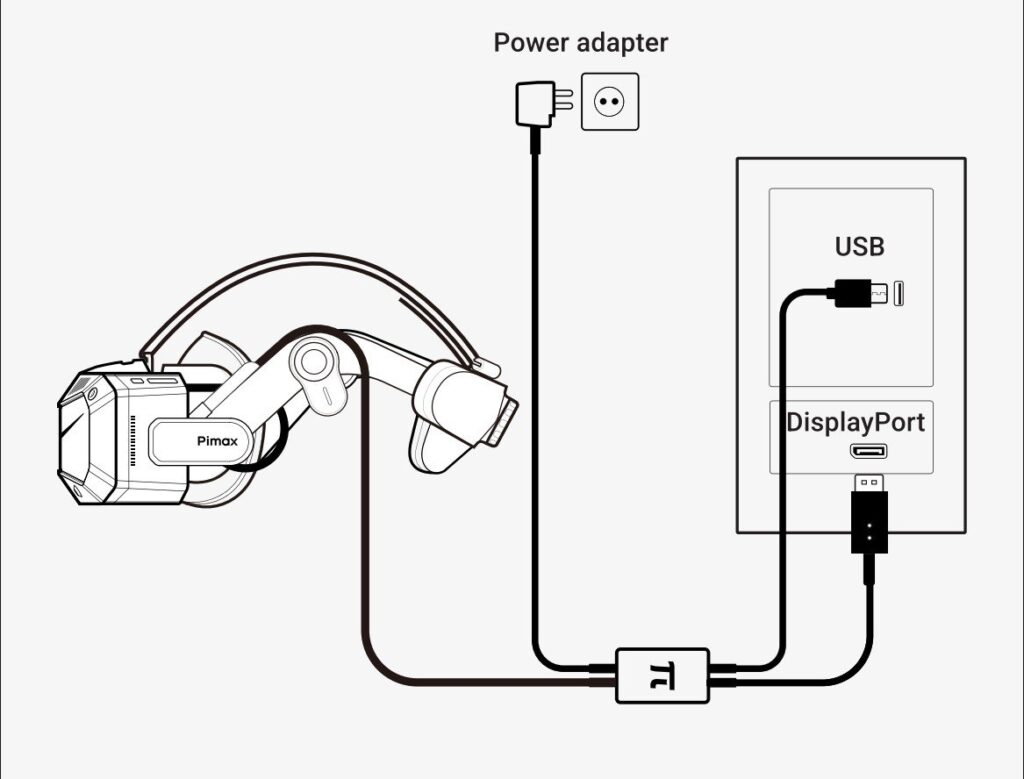
For setting it up, you will need a PC with DisplayPort and USB 3.0, the headset uses both the port simultaneously. Here are step by step instructions to set it up:
- Visit the official Pimax website and download the Pimax Play software.
- Install the application to a location as per your preference but the OS drive is recommended (usually Local Disk C:)
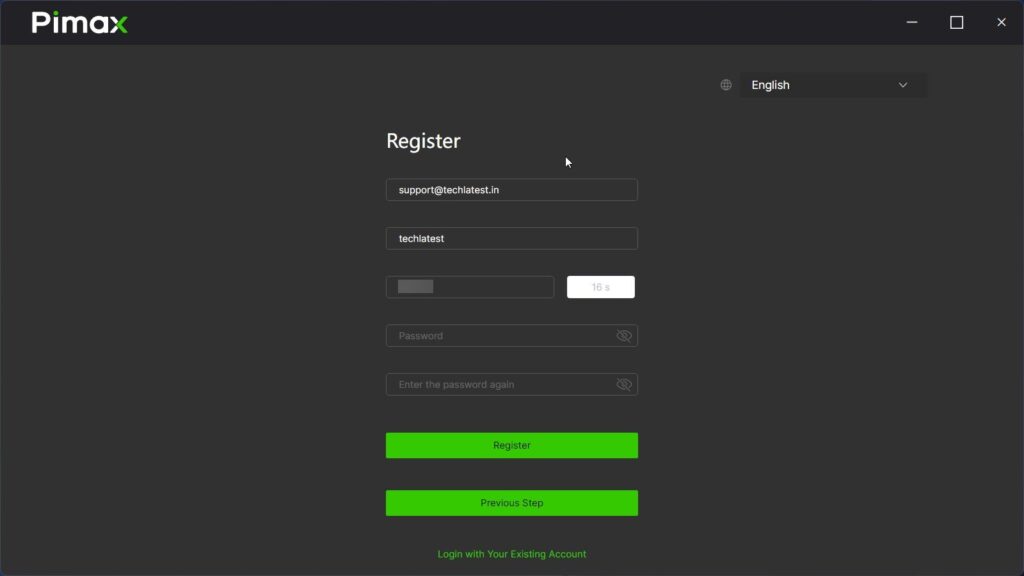
- On opening the Pimax Play app, you will be asked to log in or register for a new account. Fill all the necessary details and click on the Register button.
Register a New Account (Image: Shekhar Vaidya/TechLatest)
- Now, you need to connect the power adapter to a AC socket, the other end of the power adapter to the joint, the DP cable to GPU’s DP port and usb cable to motherboard’s USB 3.0 port (usually marked with blue color), and wait a few moment to pop up the headset on the Pimax Play app.
Connection Diagram (Credit: Pimax)
- As soon as the app detects the headset, you will be prompted for a mandatory firmware upgrade, let it complete and don’t disconnect any cable while upgrading.
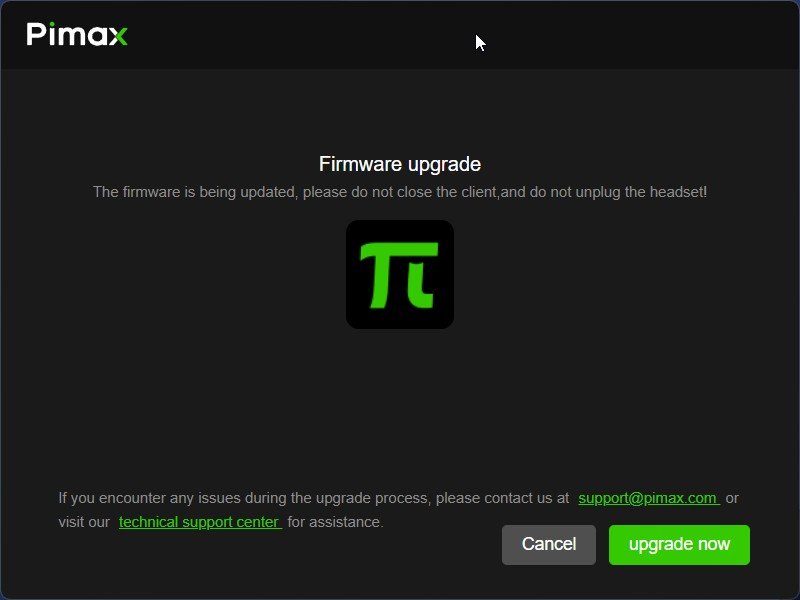
Firmware Upgrade (Image: Shekhar Vaidya/TechLatest)
- On successful firmware upgrade, a dialogue box will be popped up welcoming you to Pimax, click on the Confirm button, and you are good to go.
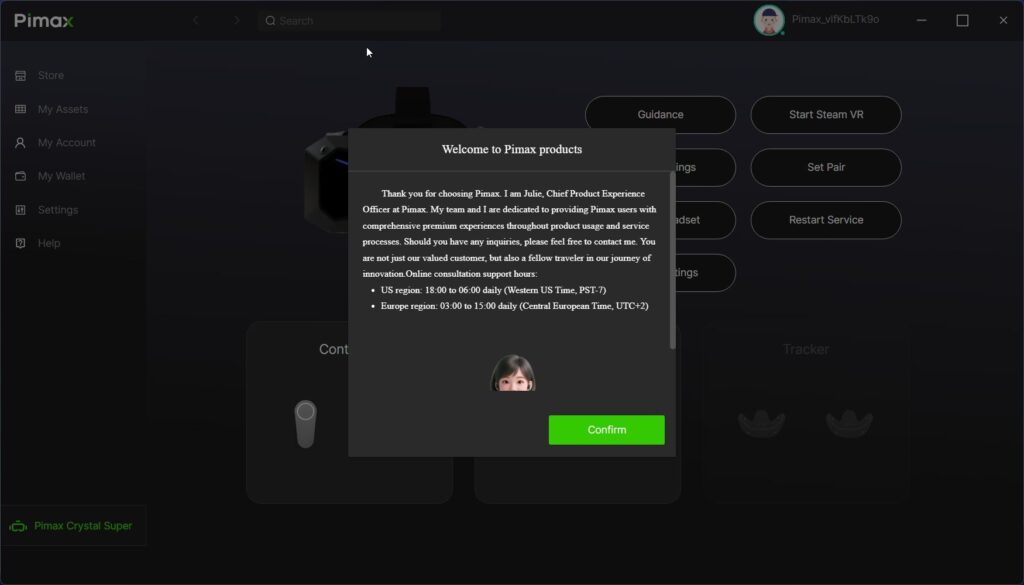
(Image: Shekhar Vaidya/TechLatest)
The Pimax Play software itself is functional but not as polished as competitors like Meta’s or Valve’s interfaces. It gets the job done, offering access to settings, IPD adjustments, refresh rate options, and foveated rendering controls.
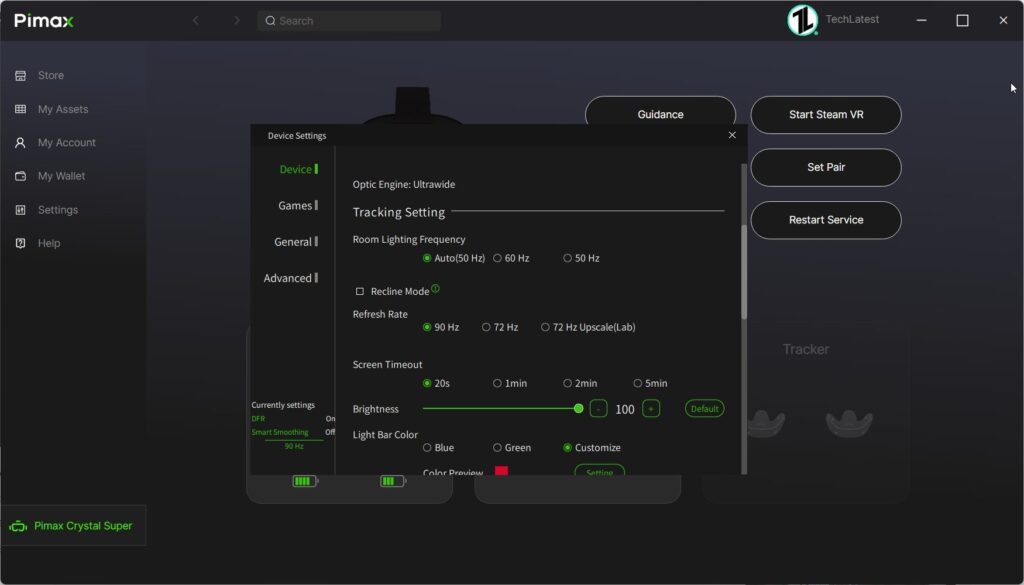
Device Settings (Image: Shekhar Vaidya/TechLatest)
The best way to manage your VR game library is SteamVR, although games like Microsoft Flight Simulator have its own VR settings inside the game settings, so you won’t need to start SteamVR to play it.
The software does have occasional quirks and could benefit from more polish, but it’s stable enough for daily use. Pimax has been improving it with regular updates, which is encouraging.
Field of View and Immersion
This is the section where Crystal Super really outperforms the competition. The ultrawide field of view is genuinely impressive for the VR simulation immersion. With the standard optics, you get a 140° horizontal FOV, it is significantly better than most of the available consumer VR headsets.
The wider FOV particularly excels in:
- Flight simulators: You can naturally glance at side instruments without turning your entire head
- Racing games: Better peripheral vision for spotting competitors beside you
- Open-world exploration: Enhanced sense of presence and spatial awareness
- Combat games: Improved situational awareness
The combination of ultra-wide FOV and high resolution (3840×3840 per eye) creates an extraordinary sense of immersion.
Audio Experience
The audio solution is functional but basic. The headset includes an 3.5mm jack, allowing you to use your own headphones or earbuds. The integrated audio like higher-end headsets is not that good, which might disappoint some users. However, the flexibility to use your preferred audio solution is appreciated.
The dual microphones work well for voice chat and multiplayer communication, with decent clarity and noise cancellation.
Flight Simulation Test – Microsoft Flight Simulator 2024
I am a Microsoft Flight Simulator fanatic, and as soon as I got my hands on Pimax Crystal Super, the thing game I wanted to play was MSFS 2024 and do a scenic flight from Innsbruck (LOWI) to Zurich (LSZH) on AirBus A320neo with SWISS Airlines livery.
And you won’t believe it, I didn’t do any graphics and VR settings on the MSFS 2024, just dove into the flight, the experience was mesmerizing. Although I had to intentionally end the flight to setup the VR Graphics settings.
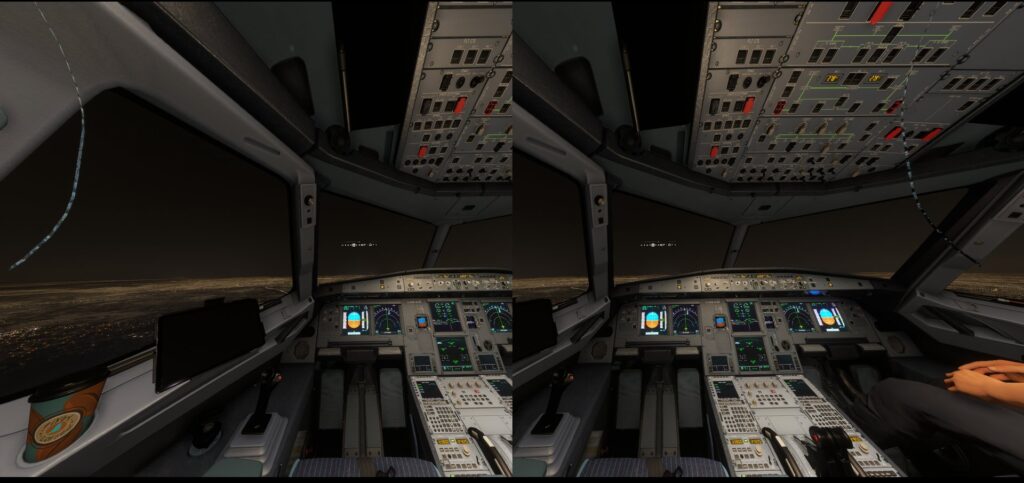
Image: Shekhar Vaidya/TechLatest
I play MSFS 2024 on a R7 7700X – 4070 Ti OC PC setup, the MSFS 2024 is loaded with mods and scenery which require a heavy GPU consumption. The departure & arrival airport, the airplane, and the airplane livery are custom and with heavy graphics, so the stress on GPU is extreme.
Nevertheless, after setting everything up, I started with a simple ferry flight on Cessna 172 Skyhawk. And the experience was much better than the previously flown Airbus Airliner, as Cessna 172 is a small four-seat, single-engine, high-wing aircraft, and the surrounding is easily visible in it.
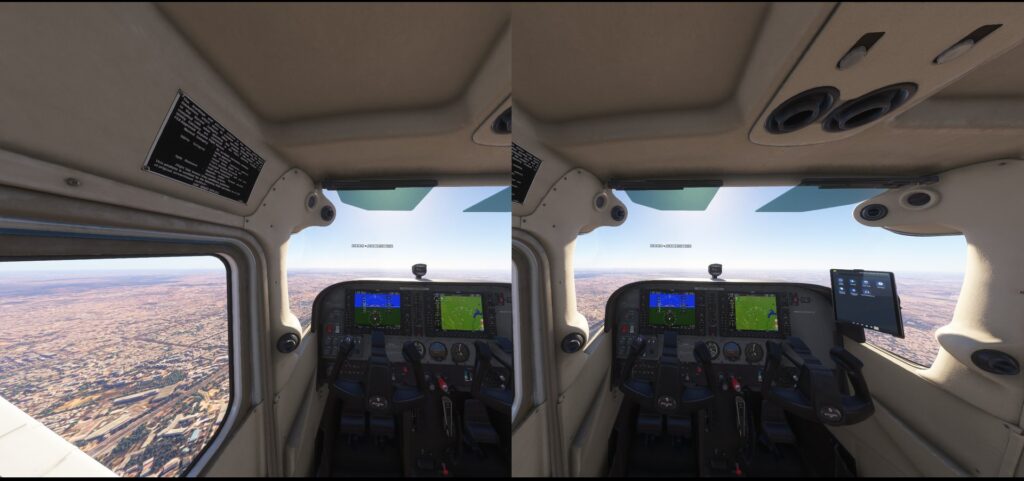
Image: Shekhar Vaidya/TechLatest
The combination of ultra-high resolution and wide FOV makes flying aircraft a breathtaking experience. Cockpit instruments are perfectly readable. This level of clarity changes how you invest you time and money with the simulator.
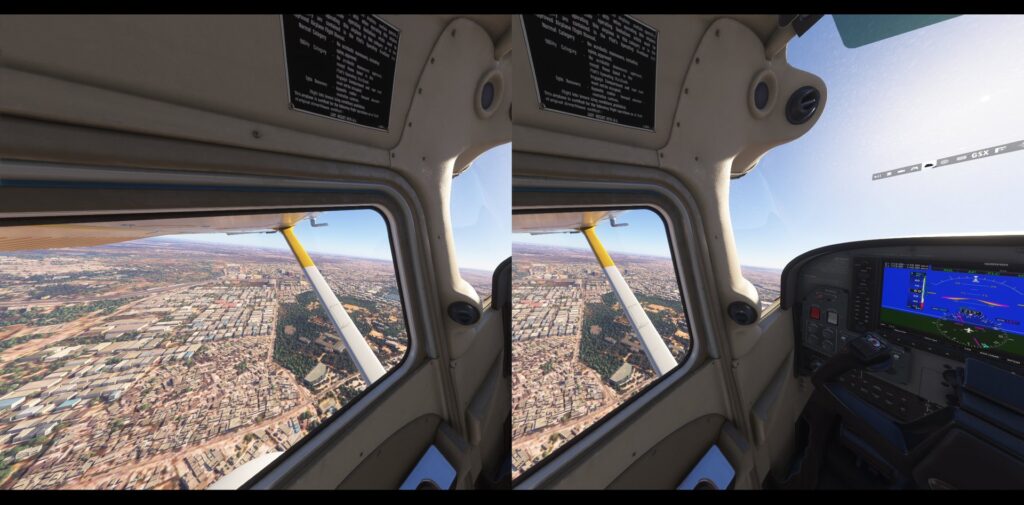
Image: Shekhar Vaidya/TechLatest
The wide FOV allows you to naturally check side instruments and glance out the windows without constantly turning your head.
If you’re a flight sim enthusiast, the Crystal Super offers the best VR experience currently available for this genre. Period.
Racing Simulation Test – Assetto Corsa Competizione
Two of the most played simulation game types are flight and racing simulations. Every 1 out of 3 gamers like either of the simulations. I am one of them, not only flight simulations, I am well invested in racing games as well.
And what other racing games than the Assetto Corsa Competizione (ACC) will test the capability of the Pimax Crystal Super’s ultrawide field of view. ACC is the official GT World Challenge racing title designed to recreate the real atmosphere of SRO competitions.
To get the best experience our the VR headset and ACC, you will have to turn off most the HUD settings, as it will be more realistic to play ACC with any virtual displays popping right and left in front of your eyes.
The 3840 x 3840 resolution per eye makes a significant difference when racing. The information and visuals like the RPM gauges, speed readouts are crisp and readable.
The wide FOV really help competing here, the enhanced peripheral vision lets you spot competing cars alongside you easily. It also helps improve your racing line and reducing incidents on the track.
The ACC like MSFS 2024 comes with inbuilt VR settings that helps you setup the graphics and performance as per your PC’s system configuration and hardware specification.
The sense of speed and immersion in the ACC track is incredible. And if you combine it with proper motion simulation, the Crystal Super delivers what might be the closest experience to actual track racing you can get at home.
Entertainment & Media Test
This is another aspect of a VR headset people usually do not engage with. Most of the users who gets a standalone or PC VR headset, uses them primarily for gaming, but consuming entertainment and media stuff is an another way to use the headset.
While the Crystal Super does a great job in simulation games but it is also capable of handling media content, you just need the best method and addon to consume it.
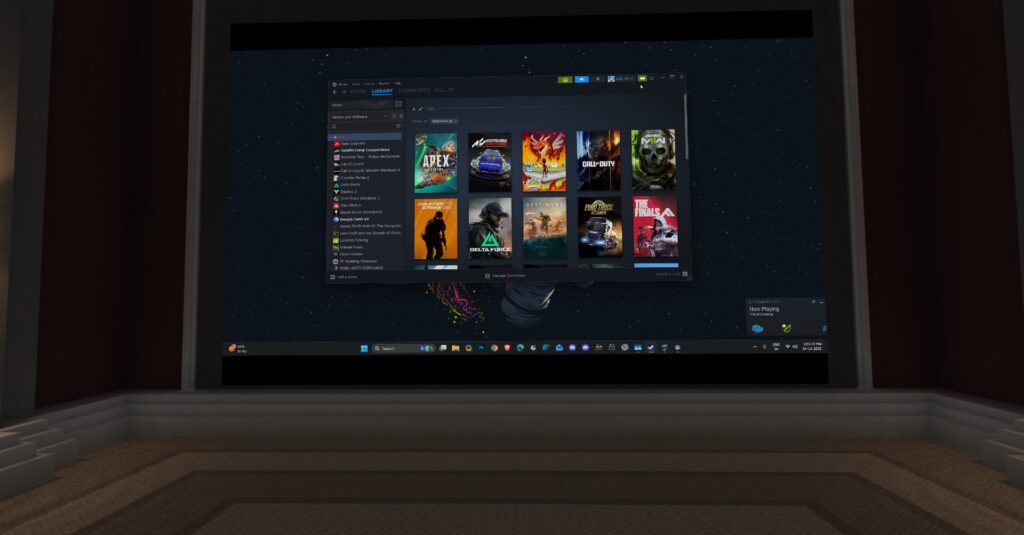
Image: Shekhar Vaidya/TechLatest
I specifically used an addon named Virtual Desktop (available on Steam ) to enjoy the media content on the Crystal Super. Although Pimax’s default UI inside the VR allows you see the PC desktop screen, but it is just a screen floating in the infinite space. Here Virtual Desktop shines.
Virtual Desktop have prebuilt scenes like Home Theater, Home Cinema, Auditorium or if you like outer space scenes like Dark Nebula, Deep Space, Starfield and many more. The scenes are pretty realistic to sit in and watch your favorite media content.
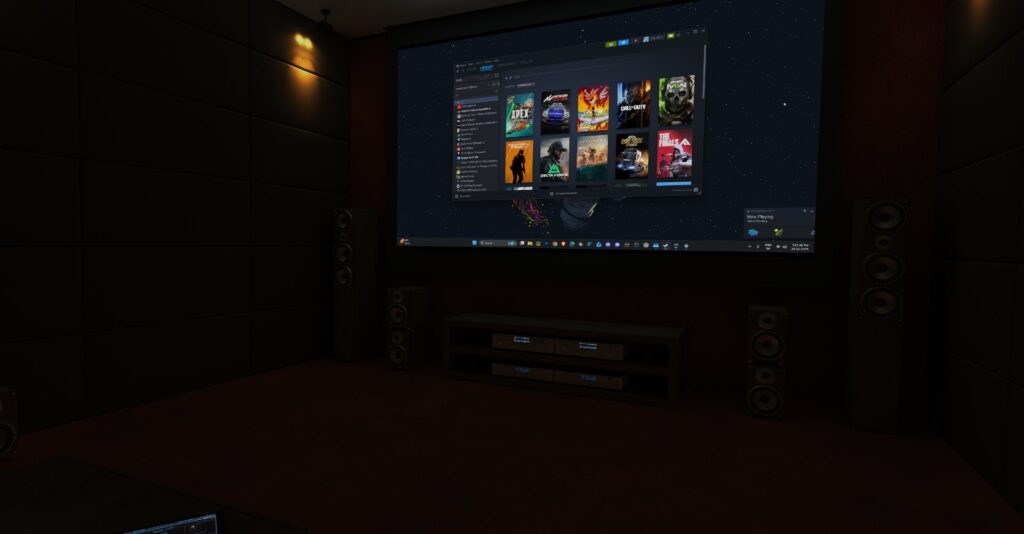
Image: Shekhar Vaidya/TechLatest
While watching a 1-2 hours movie won’t bug you much but if you are binge-watching a TV series, you might feel the 1kg weight, and by the time passes the weight starts to be more noticeable.
Pricing and Availability
The Pimax Crystal Super is positioned as a premium VR headset, and its pricing reflects that positioning.
Standard Pricing:
- Crystal Super: $1,735 USD
- Upfront payment: $799
- Prime membership fee: $936
- Crystal Super with Golden Bundle: $1,799
The pricing structure includes Pimax’s Prime membership program, where you can pay a portion upfront and the remainder through their Pimax Play service after receiving the headset. This financing option makes the high cost more manageable for some buyers.
Availability:
The headset is available for purchase through:
- Pimax.com (official website)
- Authorized retailers like Bestware, Unbound XR, VR Base, SimHangar
- Ships to most regions globally
- 14-day return guarantee for purchases from Pimax.com
Compared to competitors:
- Meta Quest 3: $499-$649 (significantly cheaper but lower specs)
- Valve Index: $999 (older tech, lower resolution)
- Varjo Aero: $1,990 (similar high-end category)
The Crystal Super is expensive, but for sim racing and flight sim enthusiasts who demand the absolute best visual quality, the investment may be justified. However, casual VR users should consider whether the premium price tag aligns with their needs.
Final Verdict
Hype the market created and the promises Pimax made of providing the sharpest VR experience, they delivered it.
It does come with flaws like it’s expensive, heavy, require top-end hardware to make use the full potential of the headset, but it also delivers the best VR visuals that no other headsets in the market currently available can.
The combination of 3840×3840 resolution per eye, ultra-wide FOV, and excellent QLED display with local dimming creates an immersive experience that fundamentally changes how you interact with simulators.
If you are not into hard core VR gaming, and just a casual VR gamer, then there are many affordable options available like the Meta Quest 3 make more sense for the price you pay and the features you get out of it.
Who Should Buy the Pimax Crystal Super
Buy the Pimax Crystal Super if you:
- are a serious flight simulator enthusiast who values visual clarity
- are a sim racing fanatic who spends hours in the cockpit
- Have a high-end PC with good specs like RTX 4070 or equivalent graphics card
- value the widest FOV and highest resolution available
- have the budget and don’t mind the weight for what you get in return
- want future-proofing with modular, upgradeable components
Don’t buy the Pimax Crystal Super if you:
- you’re a casual VR user looking for general gaming
- you prefer wireless, untethered VR experiences
- you’re on a budget and looking for value
- you don’t have a high-end gaming PC (minimum RTX 3080 recommended)
- you prioritize comfort over visual quality
Enjoyed this article?
If TechLatest has helped you, consider supporting us with a one-time tip on Ko-fi. Every contribution keeps our work free and independent.
