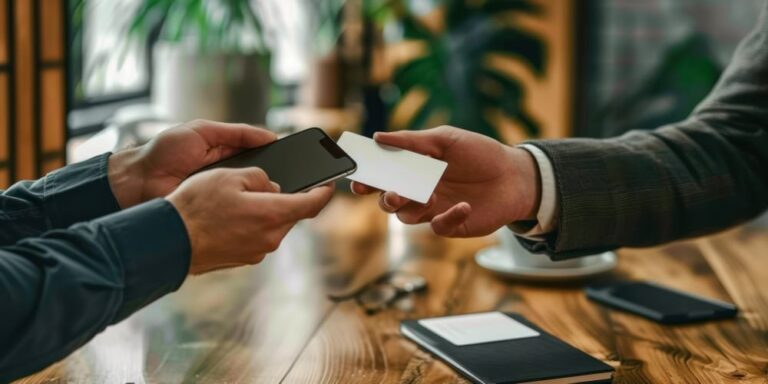
Business cards are going through a major upgrade. What used to be a small piece of paper has become an innovative tool that can share your world in an instant.
A quick scan or gentle tap can pull up your website, social pages , or complete contact details before someone even pockets the card. This new approach to networking makes every interaction feel smoother and more memorable.
Don’t want to miss the best from TechLatest ? Set us as a preferred source in Google Search and make sure you never miss our latest.
In this article, we’ll explore how modern business cards use simple technology to create stronger connections. Read on!
Content Table
Understanding Smart Business Cards
Smart business cards integrate physical design and digital features in a way that can create a stronger first impression.
Instead of listing every detail on the surface, you can highlight the essentials and let a quick response (QR) scan or near-field communication (NFC) tap guide people to the rest.
This approach keeps the layout clean while giving you room to adjust your contact information or branding elements without reprinting new cards.
These cards may be ideal for freelancers, small business owners, and professionals seeking a simple, modern approach to personal branding.
You can choose from various paper stocks, business card sizes, or a color scheme that matches your brand colors, then pair it with digital tools that add depth.
This blend can reduce clutter and create a smoother visual experience, especially when your services or style evolve.
To understand how these cards work, it helps to start with the tools behind them. You can use digital business cards with QR Code to link directly to key details or NFC-enabled smart cards for a tap-and-go exchange.
Both options facilitate clear communication and help you establish a memorable connection with a potential client or future business partner.
Here’s a quick breakdown of each:
QR Codes
A QR code adds a convenient digital doorway to your business card. With a quick scan, someone could view your website, browse social media icons linked to your profiles, or save your contact information on the spot.
The interaction is simple, and the speed may help people stay connected without the back-and-forth of typing details.
To make the scan feel seamless, it’s helpful to place the QR code in a visible location. Some people put it on the back of the card and use color blocking or soft color schemes to make it stand out without overwhelming the design.
Your color palette can guide how bold or subtle the code appears, allowing you to keep everything balanced.
You can also use a QR code to direct people to a digital profile. This page may display your links, portfolio pieces, or booking options in a single, clean view.
With this setup, your card becomes a small shortcut that could lead someone straight to the parts of your work you want them to see.
NFC Technology
NFC technology takes the experience a step further. Instead of scanning a code, someone would tap their phone against the card to open a link. NFC-enabled smart cards can feel smooth and modern, especially when speed matters during busy events or quick introductions.
Because the chip is inside the card, the design details remain clean. You still have room for branding elements and visual elements without making space for a large code.
This gives you flexibility with color combinations, layout choices, and any personal touches that support your professional branding.
Some people pair NFC with a QR code to offer two easy options. This approach can feel practical because not every phone handles NFC tags in the same way. With both features in place, the card may work for a broader range of people without changing the overall design.
Enhanced Digital Experience
Once someone scans or taps your card, the digital experience becomes the next step. This is where you can shape what they see and guide them through your work in a smooth and friendly way. Two useful tools for this are:
Digital Profile

A digital profile works like a compact landing page for your brand. It may combine your bio, essential links, and key visual elements in one place.
People can scroll through your work, view samples, or contact you directly. It’s a simple setup that keeps everything accessible.
You can customize this page to match your business designs. Some people use a clean matte finish, soft gradients, or neutral color schemes to match their business cards.
These touches can make the jump from paper to screen feel more natural while giving visitors a clear sense of your style.
This profile also reduces the need to fit everything on the card itself. Instead of squeezing in long text, you can rely on the digital space to carry your message. Your business card becomes the entry point, and your profile carries the rest.
Smart Links
Smart links tie the whole experience together. They can direct someone to a single destination or lead them through a set of pages. With these links, your card becomes a small guide that helps people learn about your work, book a meeting, or view your latest updates.
These links also bring flexibility. If you change a portfolio piece, shift your brand colors, or update your contact information, you can adjust the digital side without printing new cards. This can help your cards last longer, especially if you carry them in business card holders or distribute them at events.
Smart links can also support personal branding by providing an opportunity to showcase your personality. A short bio, a clean layout, or simple color combinations could make the experience feel welcoming.
Conclusion
Smart business cards blend design and technology in a simple and approachable way. A quick scan or tap can guide someone to the details that matter without crowding the card itself.
With tools like digital profiles and smart links, you can keep your information clear, current, and easy to explore. This mix offers a practical way to create smoother introductions and support stronger connections.
Enjoyed this article?
If TechLatest has helped you, consider supporting us with a one-time tip on Ko-fi. Every contribution keeps our work free and independent.
