
When someone you know starts to engage you on Instagram, it’s important to think about what you might want to say, what you might not want to say, and how you can block the person from seeing your posts.
Use the “Restrict” feature on Instagram to avoid those awkward situations. This article will help you understand the key difference between blocking and restriction on Instagram.
Don’t want to miss the best from TechLatest ? Set us as a preferred source in Google Search and make sure you never miss our latest.
- Ethernet Splitter vs Switch vs Hub – Difference
- Is Instagram Music Not Working? Here’s How to Fix
- How to Mass Unfollow on Instagram?
Content Table
What is the Difference Between Block and Restrict on Instagram?
The difference between the block and restrict feature on Instagram is that when you block someone, they will no longer be able to see your posts on Instagram.
Instagram restricts works in a similar way but allows you to limit who can view your Instagram profile. You can also change your settings to block or restrict anyone who does not follow you.
How to Restrict Anyone on Instagram?
You can follow any of the three methods mentioned below to restrict a person on Instagram:
- If you are using an Android device, you can simply tap on the comment done by a user and click on the ‘i’ button located at the top.
- Now, click on ‘Restrict Username’, and then select the option ‘Restrict account to confirm the action.
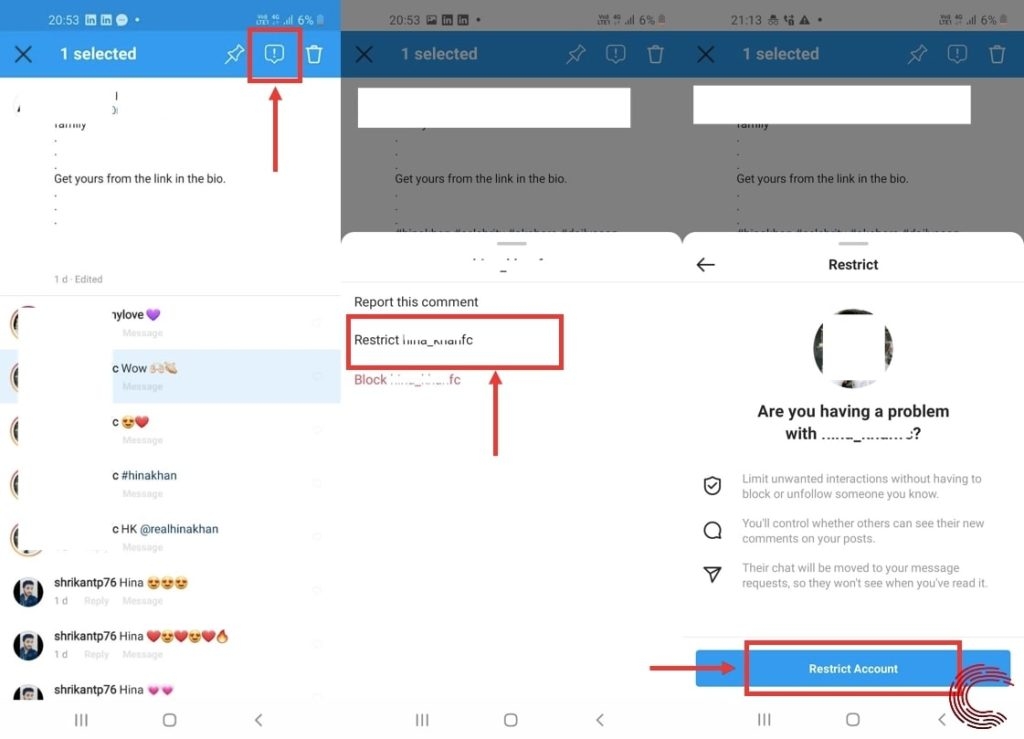
- If you are using an iOS device, then slide the comment to the left and tap on the ‘i’
Method 2: Restrict the Users through Settings
This is another best way to restrict the users on Instagram. To restrict the users through the ‘Settings’ option, simply go to your Instagram profile page and follow the steps given below:
- Firstly, click on the three horizontal lines located at the top of your profile.
- Now, select the ‘Settings’ option and select ‘Privacy.’
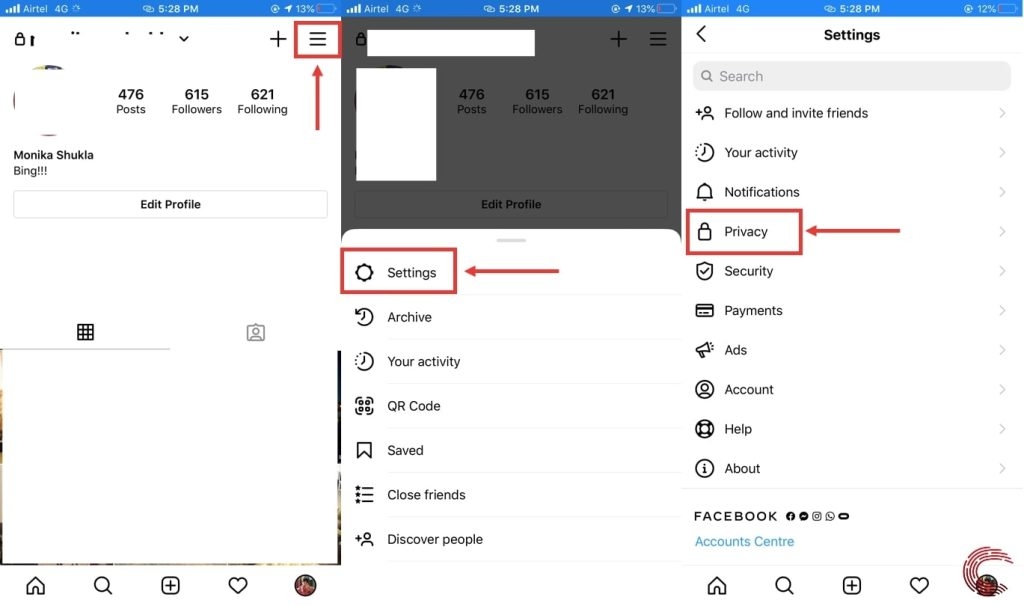
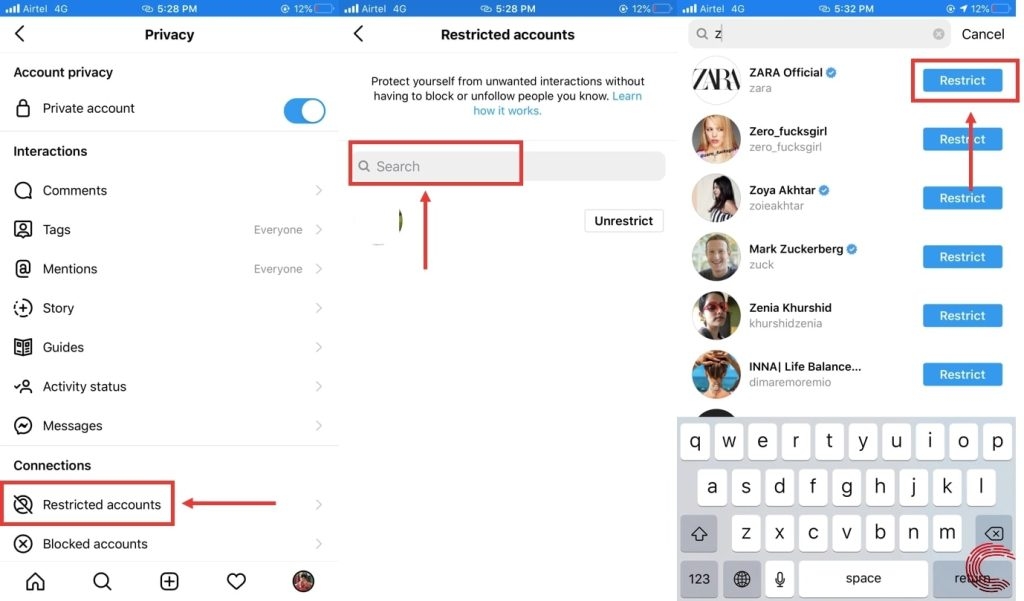
- Now, select the option ‘Restricted Accounts’ under the ‘Connections’ section.
- Type the name of the person you want to restrict in the search bar, and hit on the ‘Restrict’ option.
Method 3: Restrict the Users through their Profile
This method of restricting the users on Instagram is pretty straightforward. Simply open the profile of the user and follow the steps given below:
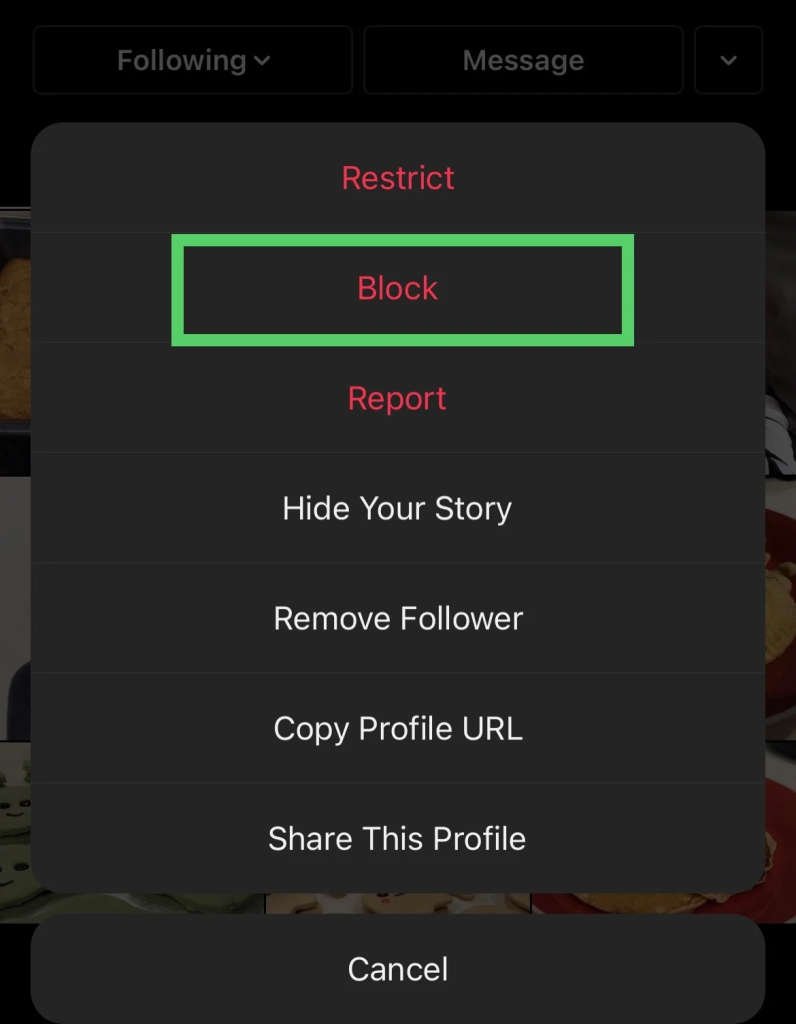
- Click on the three dots located in the top right corner of your Instagram profile.
- Now, select the ‘Restrict’ option from the pop-up menu and then click on the ‘Dismiss’ option to confirm your action.
How to Block a Person on Instagram?
On Android: If you want to block a person on your Android Instagram app, we suggest you navigate to the comment section of your post and hold the comment the user has made. Now, tap on the ‘i’ button on the top and then tap on ‘block username’. Now, click on ‘confirm’ to block the profile.
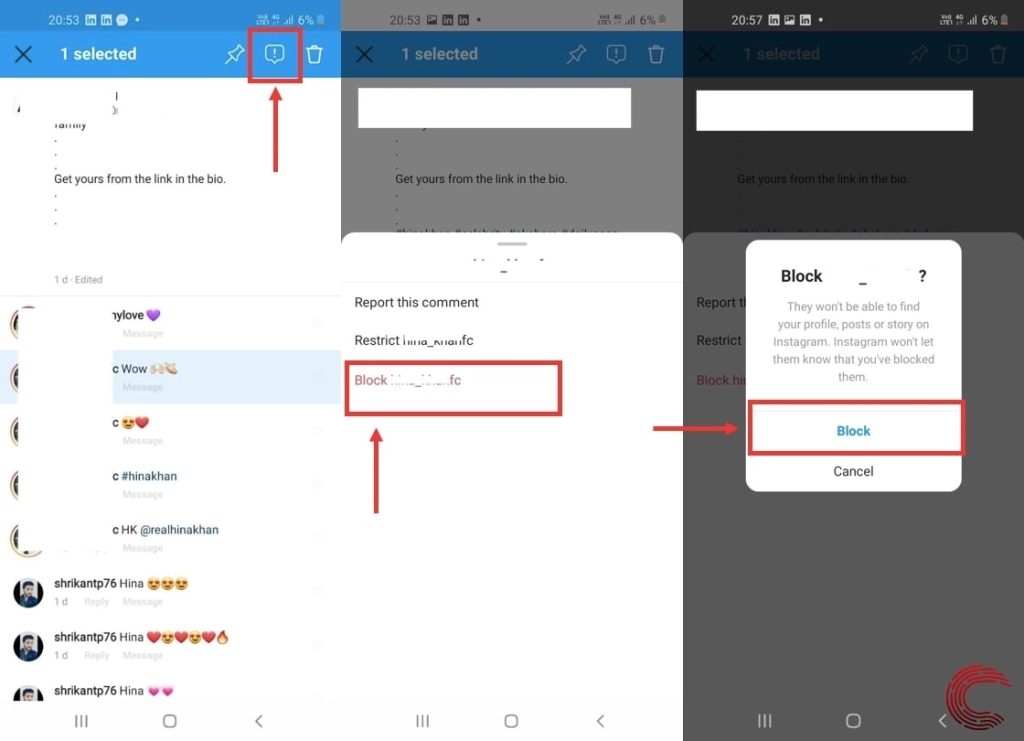
On iOS: If you are an iOS user, just open the post and slide the comment to the left to see the ‘i’ button. Now, tap on the ‘Block’ option and block the profile.
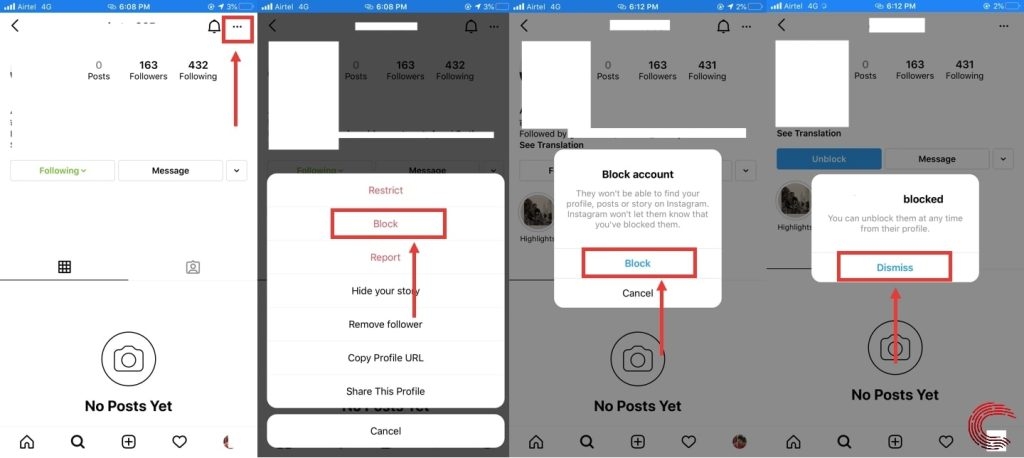
Method 2: Block an Instagram User through Profile
- Firstly, open the profile you want to block on the Instagram account.
- Now, click on the three horizontal lines in the top-right corner.
- Select the ‘Block’ option from the pop-up menu.
- Tap again on the ‘Block’ option to confirm.
Can the Blocked Profile Message or Tag You in a Post?
You may be tagged or mentioned in a post by the restricted person as well as a blocked profile. However, in the case of the blocked person, you will not receive any notifications about the tags and mentions.
Can People Message You After Restricting them?
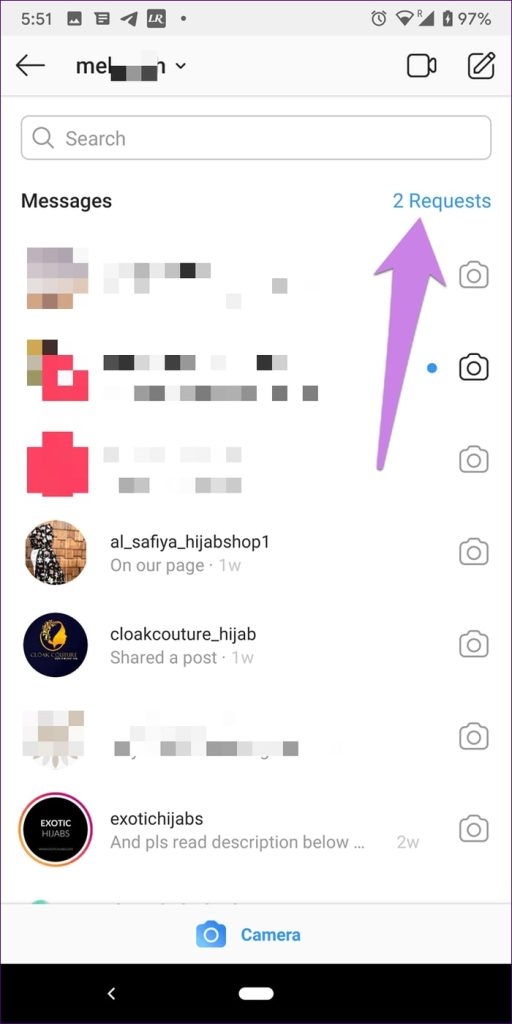
Yes, restricted profiles can still send you the messages. However, these messages will land in the ‘Requests’ folder. You can find this in the top right corner of your inbox section.
Conclusion
Now that you know the key difference between blocking and restricting on Instagram, it depends on you which action you want to take on the profile. If you want the person to stop interacting with you on Instagram, then we recommend you pick the ‘restrict’ action. If not, block the profile.
The images used are courtesy of Candid Technology .
Enjoyed this article?
If TechLatest has helped you, consider supporting us with a one-time tip on Ko-fi. Every contribution keeps our work free and independent.
