Highlights
- Apple launches iOS 26 Beta 2 exclusively for developers
- Unified version numbering across all Apple platforms
- Exciting upgrades like Liquid Glass UI, smarter Siri, and more
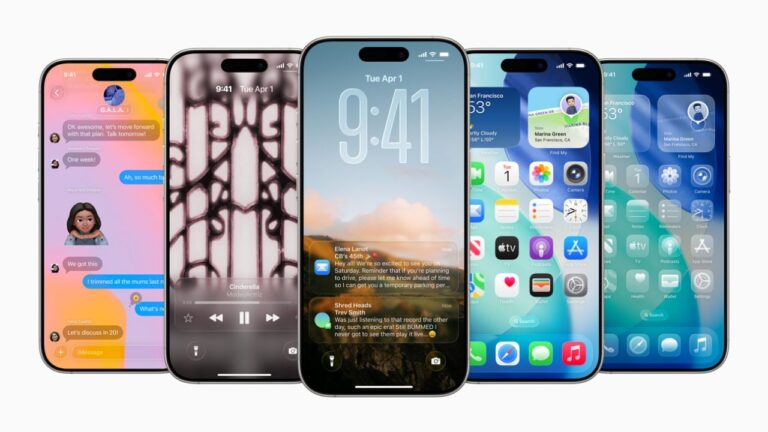
Apple has officially released iOS 26 Beta 2 to developers, giving them a preview of the upcoming significant iPhone update.
This release, which was announced only a few weeks after WWDC 2025, represents a significant advancement in terms of both features and how Apple aligns its whole ecosystem.
Don’t want to miss the best from TechLatest ? Set us as a preferred source in Google Search and make sure you never miss our latest.
iOS , iPadOS, macOS, watchOS, visionOS, and tvOS are all synchronizing to version 26 for the first time. That in and of itself ushers in a new era of uniformity across all Apple products.
Apple Releases iOS 26 Beta 2 for Developers: A Glimpse Into What it Offers
How to Get iOS 26 Beta 2?
iOS 26 Beta 2 is now available to registered Apple developers via the Apple Developer Program . Simply choose iOS 26 Developer Beta under Settings > General > Software Update > Beta Updates .
The public beta is anticipated to launch next month, so don’t worry if you’re not a developer. At that point, the general public can also test it out.
What’s New in Beta 2 of iOS 26?
With this update, Apple is doing more than just dusting off the surface; there are some true worthy updates that are meant to improve the iPhone experience from beginning to end.
Liquid Glass
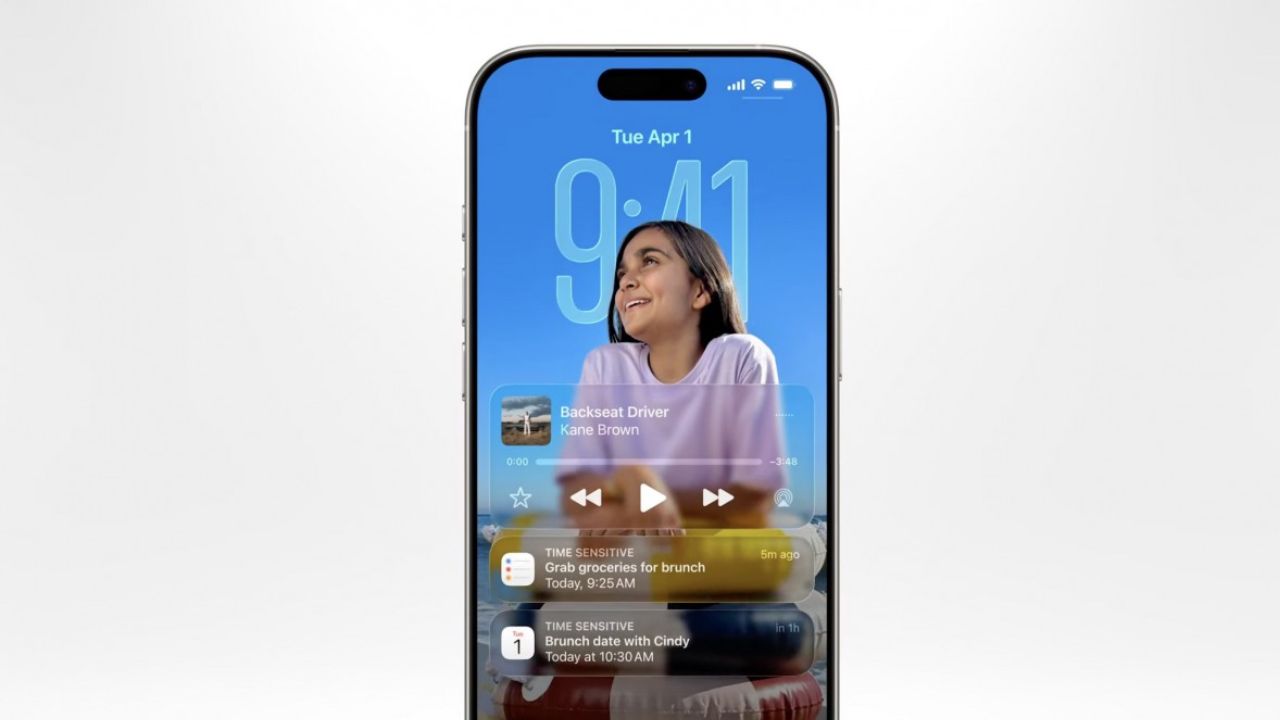
Image Credits: Apple
The Liquid Glass interface is among the most obvious changes. iOS feels more contemporary and fluid and translucent design. Every tap, swipe, and scroll feels more fluid and engaging as a result.
Smarter Siri
Image Credits: Apple
Siri is also becoming more intelligent. Speaking to Siri now feels less robotic and more natural due to enhanced on-screen awareness and natural language comprehension. It may even react according to what is visible on your screen.
New Passwords App
Image Credits: Apple
To make managing login credentials easier and more secure, Apple has released a special Passwords app. With no need for third-party apps, it’s similar to having your own integrated password manager.
Updated Photo App
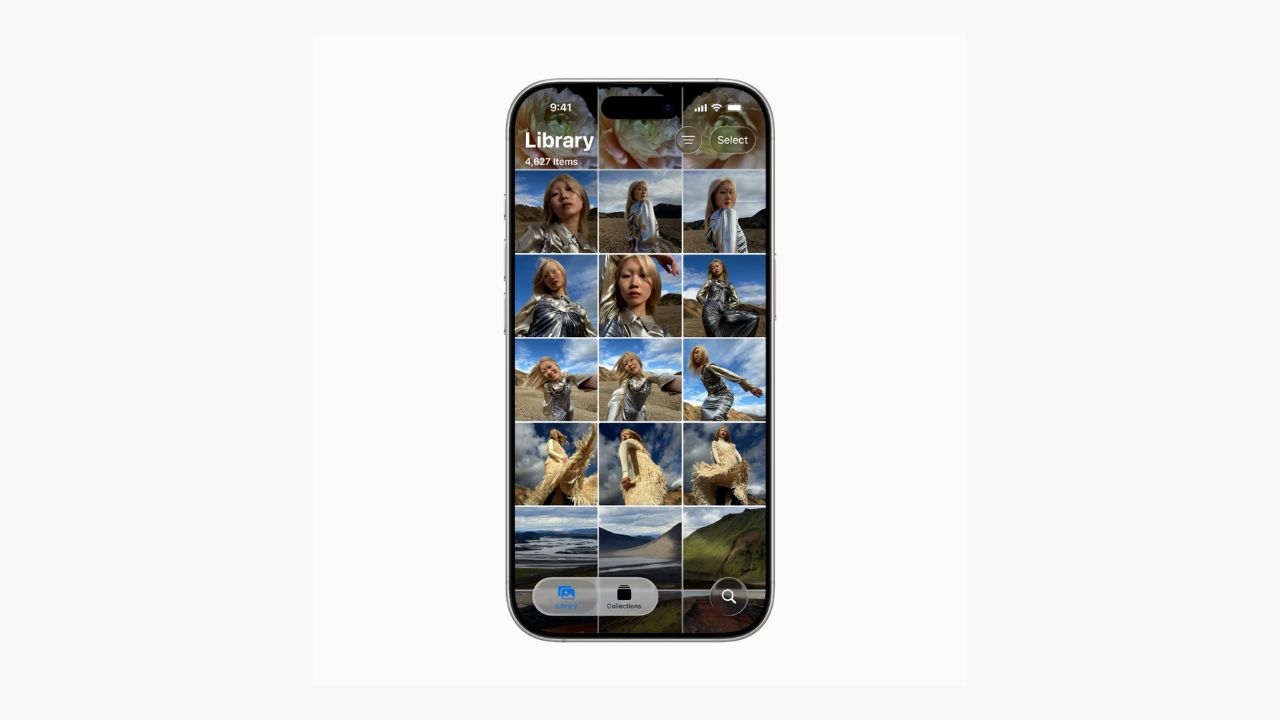
Image Credits: Apple
The Photos app has been updated to make it easier for users to locate and arrange their memories. When browsing your gallery, it now feels more intuitive and provides a more personalized touch.
Improved Experience with Messaging
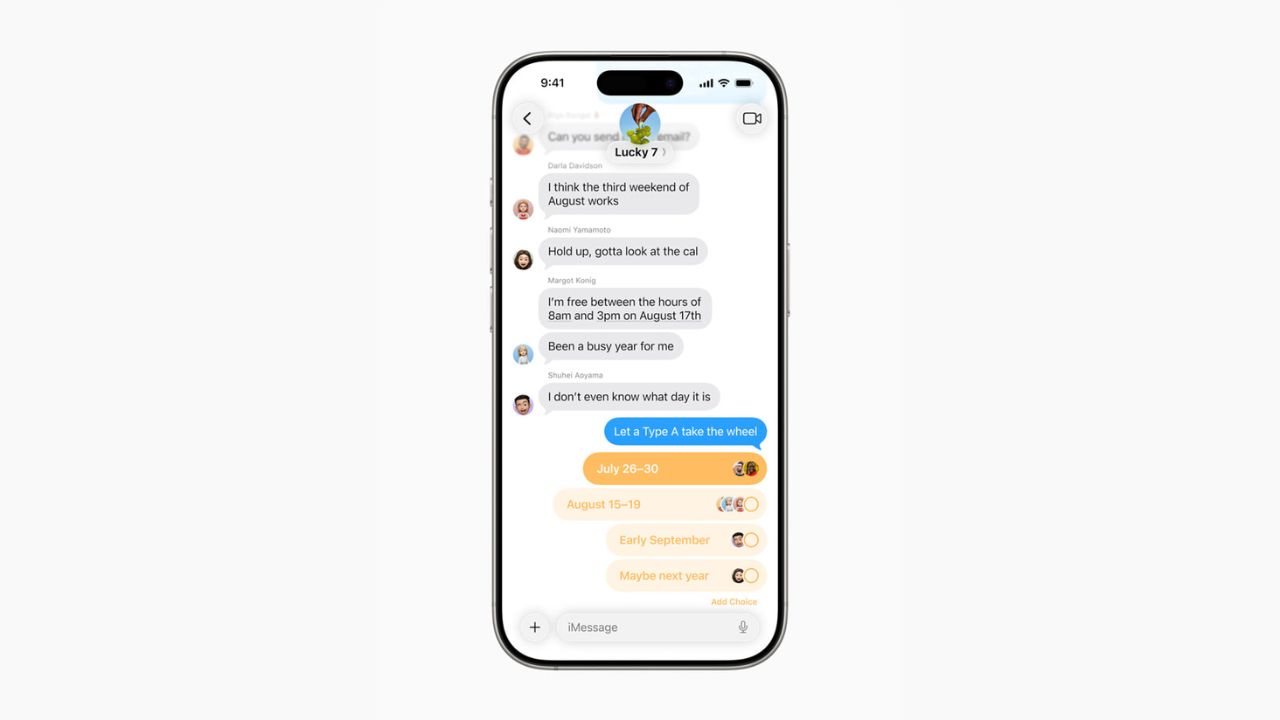
Image Credits: Apple
The Messages app receives minor but welcome updates in iOS 26, particularly with Tapback reactions, which enhance the expressiveness and interactivity of conversations.
Mirroring from iPhone to Mac
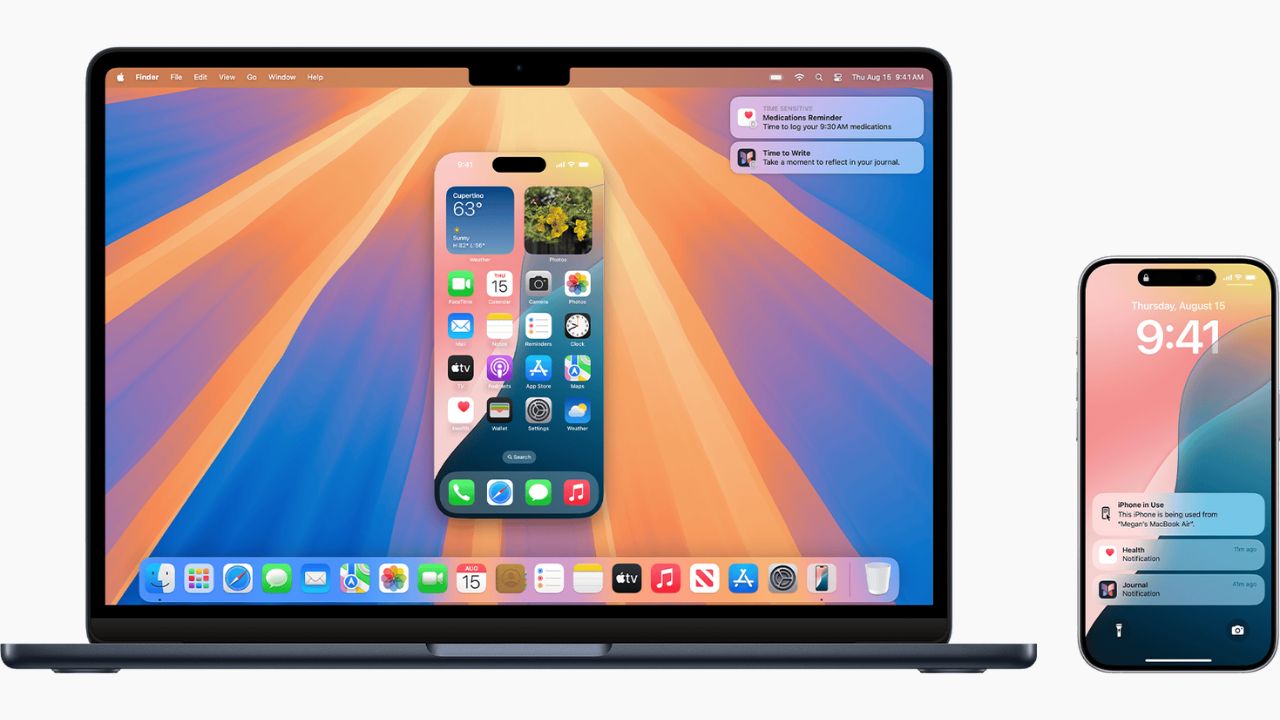
Image Credits: Apple
The ability to mirror your iPhone’s screen on a Mac is one of the most amazing features. It’s ideal for working across devices, multitasking, and even showcasing apps on a bigger screen.
Apple is obviously concentrating on design coherence, intelligent tools, and everyday usability with iOS 26 Beta 2.
Siri is more useful than ever, the Liquid Glass UI gives everything a new feel, and features like iPhone-to-Mac mirroring demonstrate Apple’s continued dedication to a seamless device ecosystem.
As someone like me who keeps a close eye on Apple’s software development, this seems like one of the most significant updates in a long time.
Enjoyed this article?
If TechLatest has helped you, consider supporting us with a one-time tip on Ko-fi. Every contribution keeps our work free and independent.
