Highlights
- Windows is a powerful and flexible operating system, but this power and flexibility come with a price, namely, sometimes its default settings and user interface don’t fit every user’s preferences.
- That is where Windhawk comes in, a lightweight power tool that makes it easy for regular users to apply their own settings to Windows without the requirement for complicated registry editing and/or third-party software.
- So, in this article, we will tell you everything about the Windhawk, so make sure to read to the end.

Sick of being limited to the way Windows looks and feels? Ever wished you could bring back missing features or tune annoying UI behavior to better meet your needs without burning through your time, income, and patience?
Meet Windhawk, the ultimate modification tool for Windows users who want to take control, have flexibility of options, and don’t like walls.
Don’t want to miss the best from TechLatest ? Set us as a preferred source in Google Search and make sure you never miss our latest.
If you miss the old-style taskbar, want better multitasking, or need the little improvements that Microsoft can’t give you, Windhawk is here for you, live and safe, in just a few clicks.
Content Table
What is Windhawk?
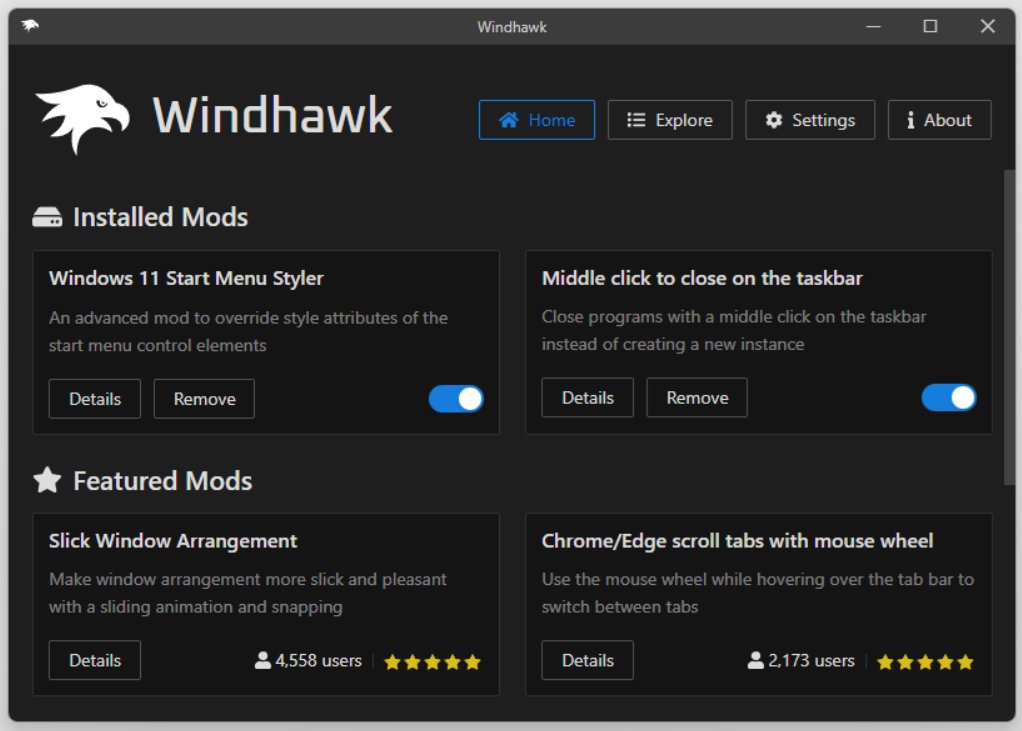
Windhawk is an open-source, easy-to-use platform for modifying and optimizing the run behavior of existing Windows applications during runtime with small scripts (mods, addons).
It was built out by Michael Maltsev, the notorious Windows hacker and developer, to provide users an easy way to make custom tweaks to their Windows environment and third-party software — without relying on writing full-fledged applications or resorting to risky hacks.
Think of Windhawk as you would a browser extension manager — similar to installing extensions in your web browser to enhance its capabilities, Windhawk lets you install “mods” to tweak Windows Explorer, Task Manager, the taskbar, and so much more.
What are the Key Features of Windhawk?
Windhawk is unique as it puts developer-style tools in the hands of everyday users in a clean, user-friendly interface. Here are a few of its stand-out elements:
- Modular Addon System
Windhawk supports mods (also known as addons), which you can just download, install, enable, disable, or configure with only a few clicks of your mouse. These mods are C++ based and wrapped for a user-friendly experience.
- Live Modifications
You don’t have to restart Windows or your PC. Windhawk applies changes live. You can, for instance, modify how Windows Explorer behaves on the fly.
- Safe and Reversible
Mods operate in user space and do not permanently alter your system. You can uninstall or disable them at any time without any risk.
- Built-in Mod Editor
For developers, Windhawk includes a built-in editor. It’s great for adjusting behavior without having to edit system files.
- Online Mod Repository
Windhawk integrates with an online mod repository, allowing you to browse user-created mods, read about them, and install with a single click.
- Lightweight and Fast
Though it has great features, Windhawk is very resource-friendly. It is running in the background with minimal memory and CPU usage.
- Auto-Update Mods
Mods that a user has are automatically kept up to date when the author adds new features or fixes a glitch.
How to Download Windhawk in 2025
You can download WindHawk either from their official website or directly from their GitHub repo. When you are in their GitHub repo, go to the Releases section, and under Assets, you can see the EXE file; click on it to download.
Top 5 Windhawk Addons (Mods) in 2025
Windhawk is alive and kicking, and has a thriving community that is still developing useful mods. Here are five of the most popular and effective mods you should check out:
1. Taskbar Labels for Windows 11
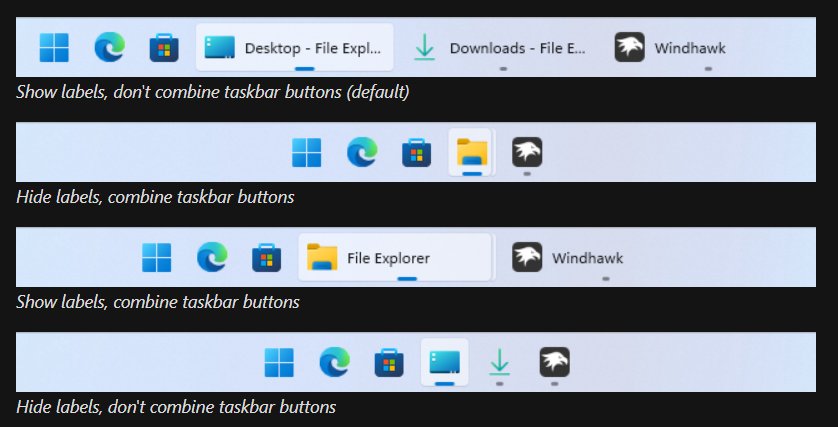
Taskbar Labels for Windows 11
Mod Name : Taskbar Labels for Windows 11
Why it’s great: Taskbar icons now ship in Windows 11 without labels. This mod returns them by displaying the name of the app right next to the icon (in the good old Windows 7/10 style).
Features:
- Enable labels for open and pinned apps
- Customize label font, color, and spacing
- Works with taskbar grouping or without
Ideal for: Users who want a lot more information on their taskbar.
2) Taskbar Clock Customization

Mod Name: Taskbar Clock Customization
Why it’s great: Windows 11 restricts just how far you can mess with the system clock. This mod provides complete customization–from the font, size, style, and position to even the seconds/full date directly on the Taskbar.
Features:
- Display seconds, day, and full date
- Customize font, size, alignment, and color
- Option to center the clock or move it freely
Ideal for: Those who prefer an enhanced and customized taskbar clock.
3) Chrome/Edge Scroll Tabs with Mouse Wheel
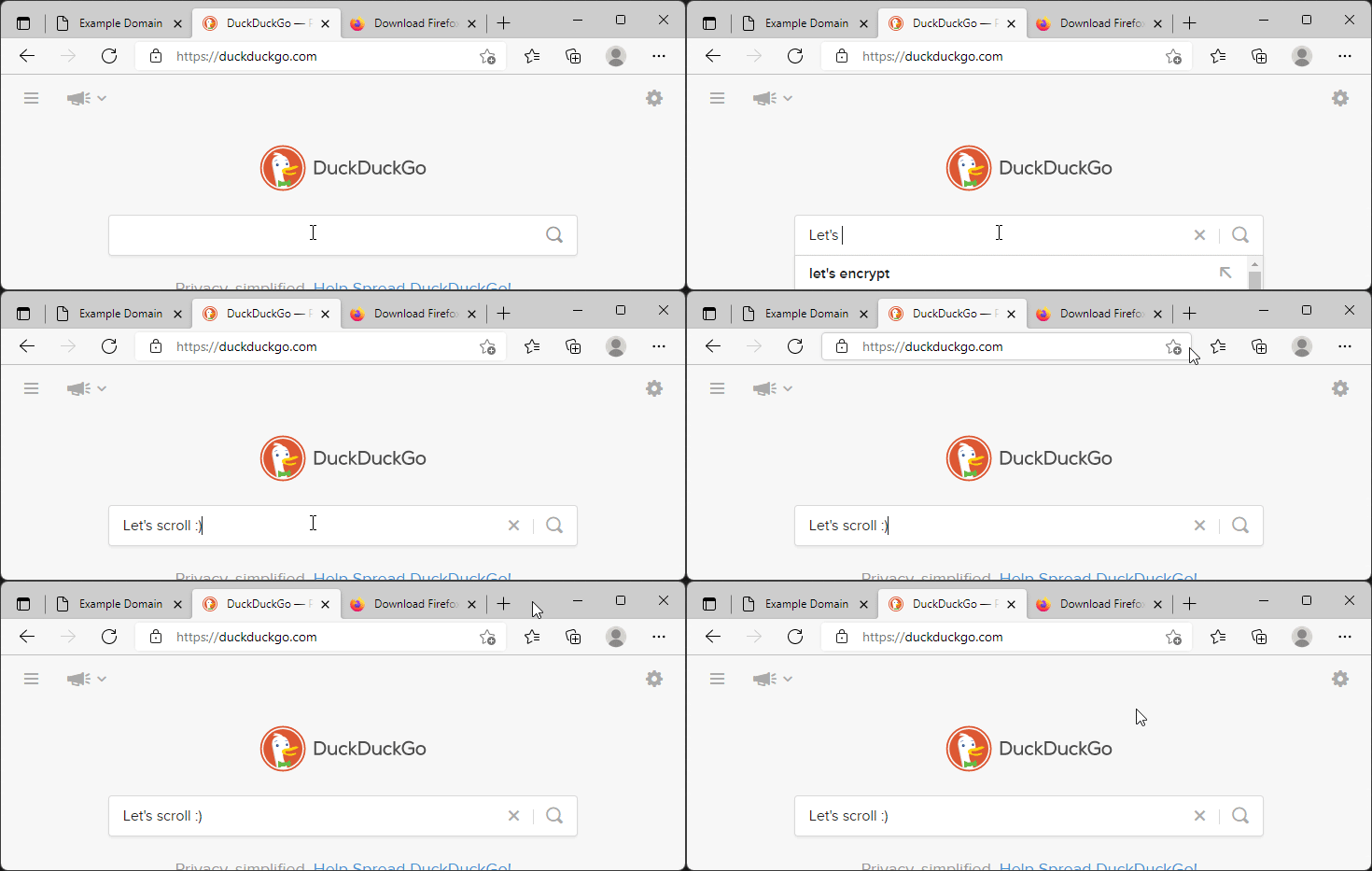
Mod Name: Chrome/Edge Scroll Tabs with Mouse Wheel
Why it’s great: Modern browsers like Chrome and Edge have built-in support for tab scrolling—but not with the mouse wheel natively, unless you jump through a few hoops with flags or extensions. This mod is the answer for easy horizontal tab scrolling with your mouse wheel.
Features:
- Scroll the tab list with the mouse wheel.
- Works seamlessly with both Chrome and Edge
- No browser extensions needed
Ideal for: Power users, especially those with many tabs open who want to navigate faster.
4) Middle Click to Close on the Taskbar
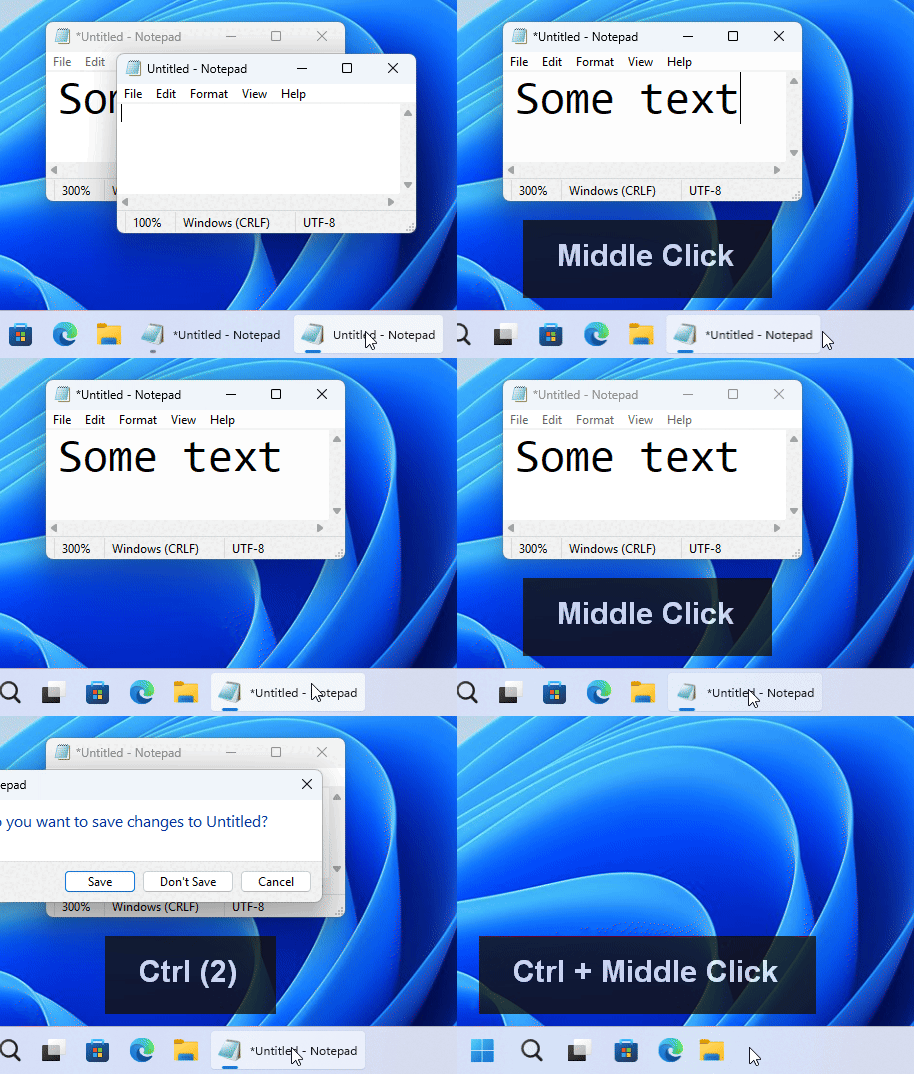
Mod Name: Middle Click to Close on the Taskbar
Why it’s great: Re-enabling a little but powerful thing—this mod lets you middle-click the Taskbar to close any open app window. Fast, clean, and just how I remember it.
Features:
- Middle-click on open apps to close them immediately
- For grouped as well as ungrouped taskbar buttons
- Optionally disable for specific apps
Ideal for: Those users who prioritize speed and ease in window management.
5) Taskbar Volume Control
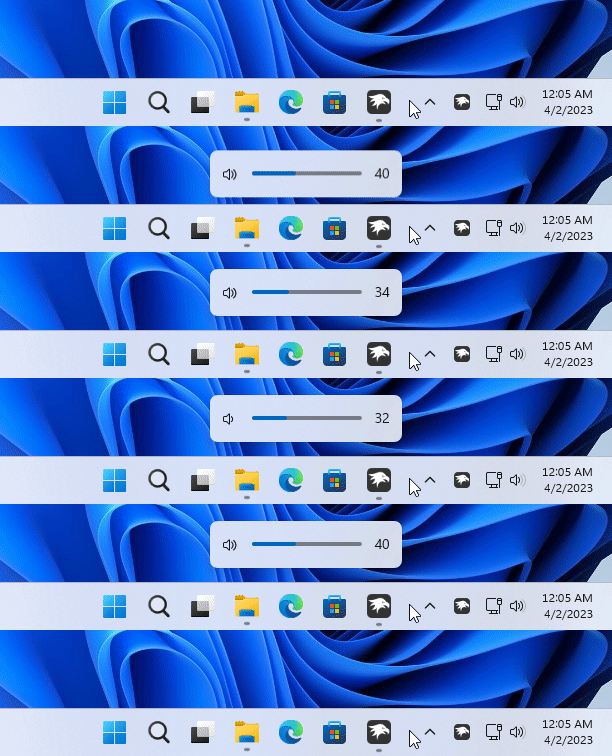
Mod Name: Taskbar Volume Control
Why it’s great: Now, you will forget all the above-mentioned because they have a mod built into them that allows you to change system volume by scrolling on the Taskbar or the volume icon. Subtle but game-changing.
Features:
- Scroll over the Taskbar to adjust volume
- Set scroll sensitivity
- Optional on-screen volume indicator
Ideal for: Users looking for quick and frictionless volume control without opening additional UI.
Why Windhawk is a Game-Changer
Windhawk is addressing a long-time pain point for Windows users -lack of granular UI/UX customization. Before Windhawk, customizing Windows required:
- Registry edits
- Group policy hacks
- Third-party software (often bloated or unsafe)
- Manual DLL injections
Now, with Windhawk:
- Mods are safe, transparent, and easy to manage
- You have full control over your environment
- Updates are fast and non-intrusive
- Developers can integrate mods without having to rewrite entire apps
It is essentially “Visual Studio for your Windows experience.”
Is Windhawk Safe to Use?
Yes. Windhawk is open-source, and thus its codebase is open to the public and reviewed by the developers. Mods are sandboxed and do not change core system files.
Security tips:
- Always install mods from the official Windhawk repository
- Read reviews and author info before you install some new mods
- Use the “Disable All Mods” option because it saves it in case of any instability.
Final Thoughts
Whether you just want to turn back the clock or need to fiddle with features that don’t exist in Windows, Windhawk is the customization tool for your PC.
Its lightweight design, powerful mods, and intuitive interface make it a must-have in any productivity toolkit.
If you’re the type of user who likes to have everything the way they want it, Windhawk is the game-changer that you have been waiting for.
Enjoyed this article?
If TechLatest has helped you, consider supporting us with a one-time tip on Ko-fi. Every contribution keeps our work free and independent.
