Highlights
- The Windows 11 start menu gets a full rebuild focused on better control and a cleaner design.
- Update KB5067036 adds new All Apps views and small Taskbar improvements.
- The update is rolling out gradually for Windows 11 versions 24H2 and 25H2.
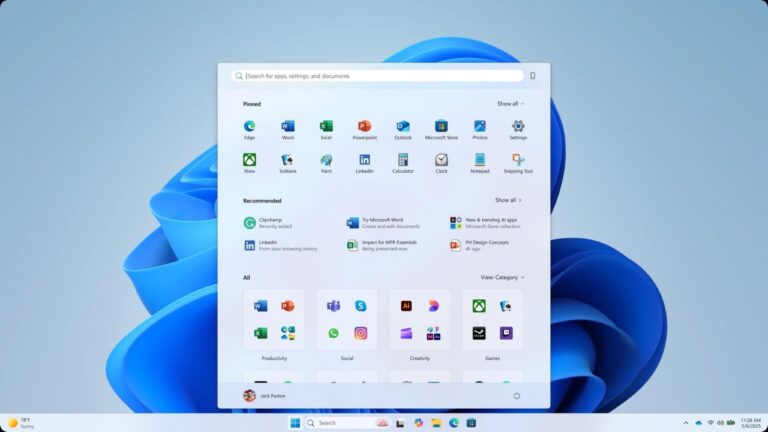
Microsoft has released an optional preview that changes the Windows 11 start menu . This is not a small tweak. It is a rebuilt menu focused on customization and usability. The preview comes as update KB5067036 for Windows 11 24H2 and 25H2.
What changed in the Start menu?
The update lets you hide parts of the Start menu you do not use. You can switch off sections like Pinned or Recommended apps and files. That helps keep the menu cleaner and less distracting.
Don’t want to miss the best from TechLatest ? Set us as a preferred source in Google Search and make sure you never miss our latest.
The All Apps list is now more prominent. It offers two views: a familiar grid list and a new Category View . Category View groups apps automatically into logical buckets, similar to app folders on a phone. This makes it easier when you have lots of apps.
The menu also adapts to screen size. On larger displays it shows more pinned items so you can get to apps faster. Overall the layout feels lighter and more useful, not cluttered.
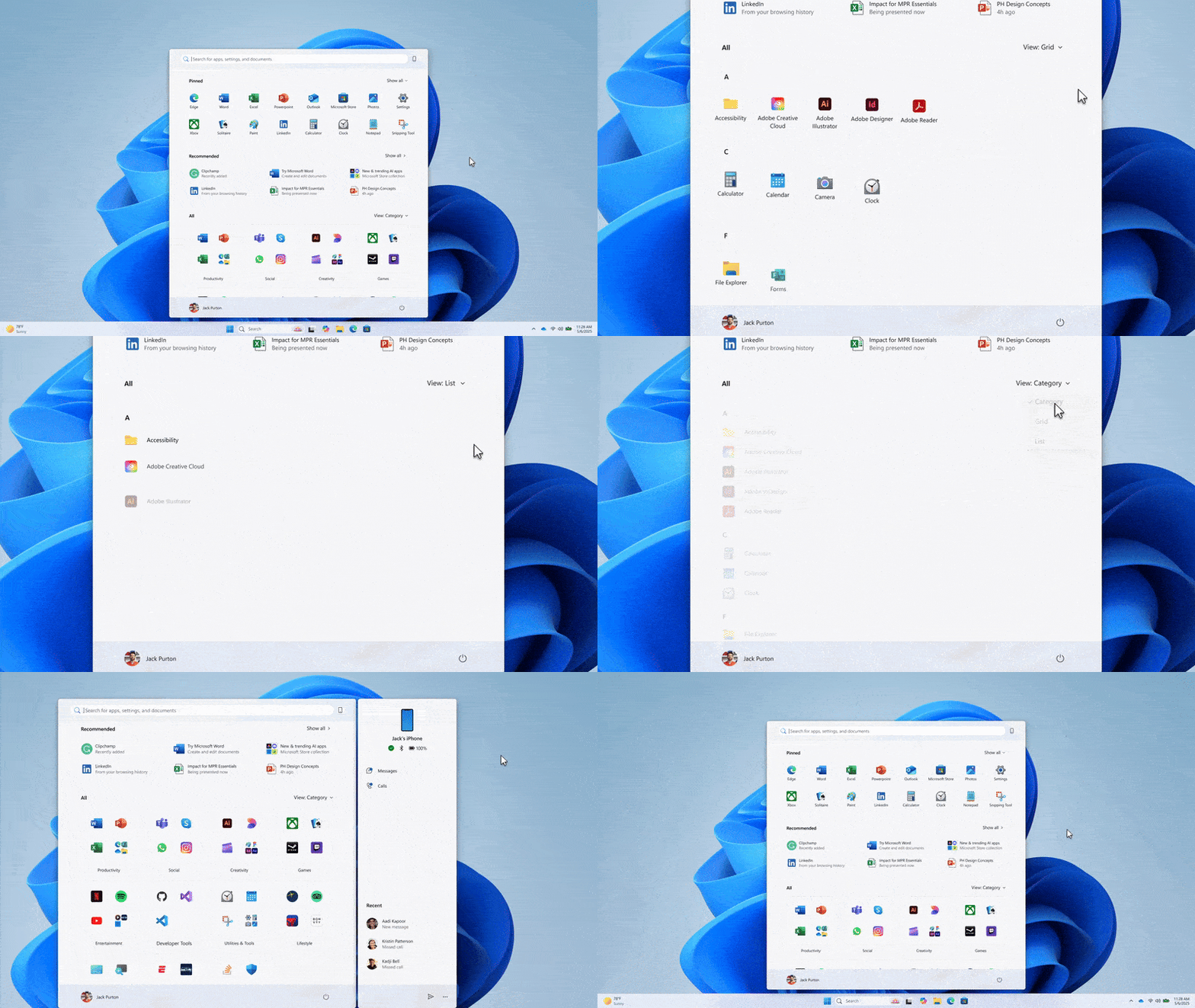
New Windows 11 Start Menu
Taskbar and small fixes
Along with the Start menu, the update improves the Taskbar. Hover animations for open app thumbnails are smoother. There is now a Taskbar battery icon that can show battery percentage . Small but useful.
How to get it now?
This is an optional non-security preview, named KB5067036 . To try it early, go to Settings > Windows Update and turn on “Get the latest updates as soon as they’re available,” then check for updates.
Microsoft is rolling the feature out in stages, so even after installing the update, you might not see the new Start menu right away.
Further Reading:
- I Tested the Native Windows 11 Live Wallpaper Feature
- How to Move the Taskbar in Windows 11; Latest Working Methods [2025 Update]
- What’s New in Windows 11 Insider Build 26220.6772: OOBE Changes, Hello Security, and More
If you skip this preview, the redesigned Windows 11 start menu will be included in the wider Patch Tuesday release next month.
Overall, this update is practical. It gives you control of the Start menu and cleans up the desktop experience. Not flashy, but it fixes real annoyances and adds useful options. Worth trying if you like a tidier PC.
Enjoyed this article?
If TechLatest has helped you, consider supporting us with a one-time tip on Ko-fi. Every contribution keeps our work free and independent.
