Highlights
- Google will soon let you change your @gmail.com username without creating a new account.
- You will not lose your emails, Drive files, or purchases, and your old Gmail ID will work as an alias.
- The feature is slowly rolling out, and India could be the first market to get the feature.
Google has a holiday present for Gmail users around the world. You can finally change your Gmail address’s username (the first part before @gmail.com), initially spotted by the Google Pixel Hub Telegram group.
Google is testing a long‑awaited Gmail feature that users have wanted for years. If you are from the early email era like me, you might have chosen a weird, sometimes embarrassing, or typo username for your Gmail address and been forced to stick with it.
Don’t want to miss the best from TechLatest ? Set us as a preferred source in Google Search and make sure you never miss our latest.
You will soon be able to change or adjust your Gmail address, and the good thing is you will not lose your current address. Both the current and new addresses will be active in the same Gmail/Google account.
Read : Google Addresses Rising Concerns Over How Gmail Data is Used for AI Training
How does the feature work? The feature is simple yet fixes one of Gmail’s biggest pain points. As briefly mentioned earlier, you can change the first part (the username) of your Gmail address.
Let’s take an example of how the feature will work. Suppose you currently have the rahuliscool@gmail.com (hypothetical) Gmail address; with the new feature, you can change it to rahulmehta@gmail.com .
You might be thinking, “What will happen to my current email address?” Since it is the same Gmail account, you will not lose anything, including your emails, Drive data, or purchases, and the current email address will work as an alias.
So it is a win-win situation for you as a Gmail user. You can use both the old and new Gmail addresses simultaneously, unless you decide to delete the old one later.
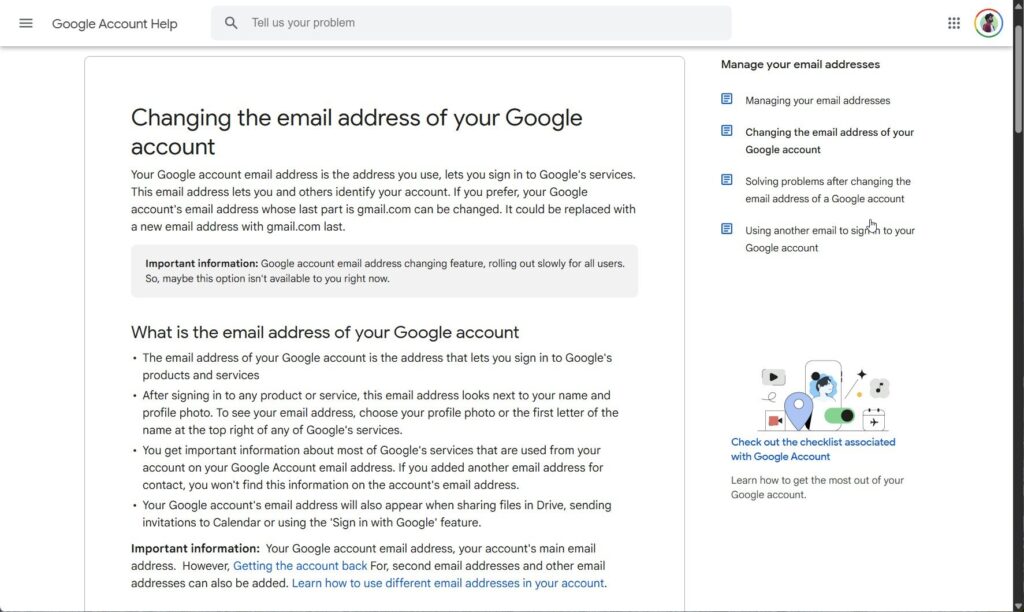
Google Support Document
When is it rolling out? There is no official announcement regarding this from Google yet. As mentioned earlier, a Telegram group named Google Pixel Hub noticed a support document regarding this new feature.
One thing to notice is that, at the time of writing, the support document is in the Hindi language, which hints at India as the company’s test market.
The document clearly says that the Google account email address changing feature is rolling out slowly for all users. So, it might not be available to all the users at this moment.
What are the rules and limitations? Fortunately, the document is fairly detailed and points out all the necessary information you need to have before using the feature.
- The feature is limited to use once per year, meaning after changing the username, you will have to wait for another 12 months to change it again.
- You can use this feature 3 times only, meaning you can change the address three times for a total of four addresses per account.
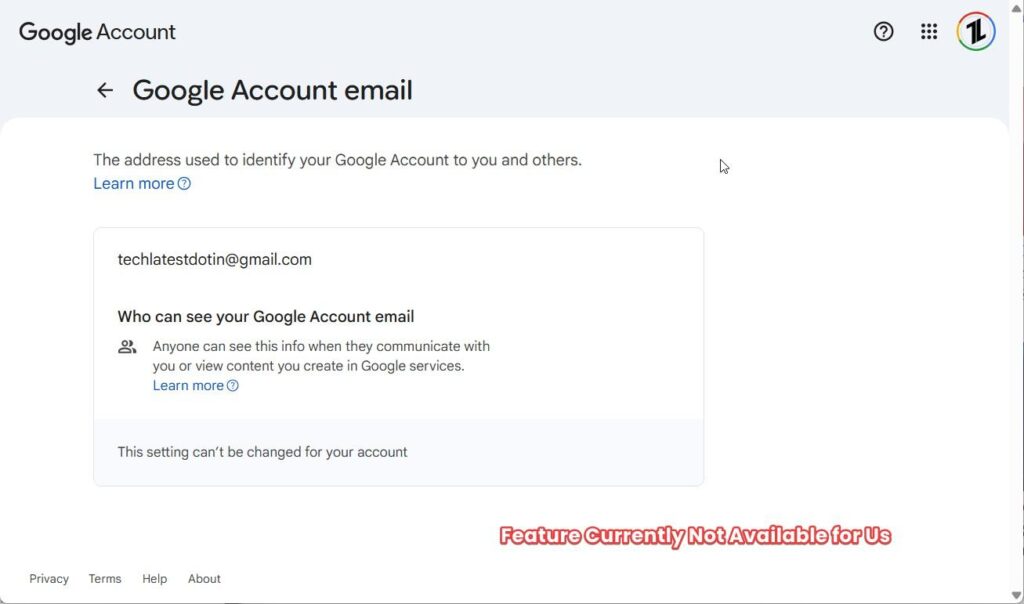
Google Account Email Page
Read : How to Unsend Email in Outlook and Gmail?
Is the feature available in your Google account? If you want to check whether the feature is available and change your Gmail address, follow the steps mentioned in the support document.
- Open a browser on your PC and navigate to myaccount.google.com/google-account-email .
- You will be asked to sign in to your account if not already or to enter your password again if already signed in.
- Once done, you will land on the Google Account email page. If not, then navigate to Personal Information -> Email -> Google Account Email .
- If the feature is available on your account, you will see a button labeled “ Change the email address of a Google account .”
If the button is available on your account, you can change your Gmail address to the new address instantly, or you will have to wait for the rollout.
Once done, you will see both the old and the new Gmail addresses in your account under Contact info.
If you are from the India region and got the feature already, do let me know about it on X by tagging me( @imsvaidya ).
Enjoyed this article?
If TechLatest has helped you, consider supporting us with a one-time tip on Ko-fi. Every contribution keeps our work free and independent.
