Highlights
- The Pixel Phone’s out-of-the-box webcam functionality was available for most of the Nintendo consoles but NOT on the Switch 2.
- The Switch 2 users were struggling to use the GameChat’s video call features after the June 2025 launch.
- The issue has finally been resolved by Google; you can now finally use your Pixel Phone as a webcam on Switch 2
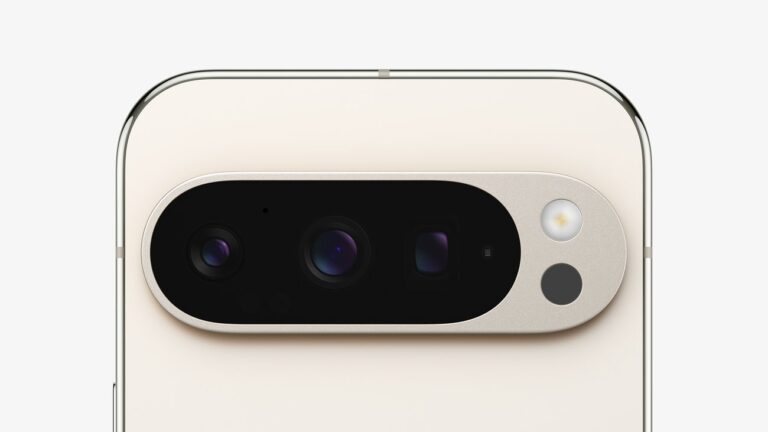
Switch 2 users have been in a struggle since its launch to make use of the GameChat properly. With Google’s latest Pixel update, you can now finally use your Pixel phone as a Switch 2 webcam.
This is not a new thing for Google Pixel; it’s been there since late 2023 (Android 14 QPR1 update). You could use your Pixel phone as a webcam on most of the Nintendo consoles, but not the Switch 2. The feature was absolute after the November 2024 Pixel update.
Don’t want to miss the best from TechLatest ? Set us as a preferred source in Google Search and make sure you never miss our latest.
With the new simple software update, you can use Pixel phones as webcams on the new Nintendo Switch 2 without any additional hardware requirements; you just need to plug in the Pixel to the Switch 2 using a USB cable.
Many different publications previously covered it as a handshake issue between the two devices and the devices identifying themselves as a webcam , but without disclosing the exact issue, Google pushed an OTA update to make it work.
The update was first reported by an X (formerly Twitter) user that the feature is finally working out of the box. You can use the Pixel phone’s live camera feed for GameChat by connecting the phone to the console by using a USB-C cable.
After this, The Verge also confirmed by using a Pixel 9 Pro to connect it to the Switch 2 using a USB-C cable, and it worked flawlessly as a webcam for GameChat.
Why Only Pixel Phones? The feature otherwise known as USB Video Class (UVC) was implemented by Google to Android and pushed to the public via the Android 14 QPR1 update.
This is a system-level modification done to the Android system that is available to all the Android builds. It allows you to switch the device’s USB mode to match the standard used by dedicated webcams.
Now here comes the technical gap between Google’s Pixel phones and other OEMs like Samsung, OnePlus, etc. that work on Android. As per Android Authority’s report, the manufacturer needs to explicitly configure the UVC support at the hardware level, which obviously needs more budget and workforce.
So at the time of writing this news report, Google remains the only manufacturer to enable the feature by default. Other manufacturers like Samsung and OnePlus already have a USB webcam as an accessory to buy, and making the UVC feature work in the smartphone will disrupt the product line.
Read : How to Transfer Data from Nintendo Switch to Switch 2
How to set up the Pixel to work as a webcam? The setup is simple and straightforward; you need your Pixel device with at least the Android 14 QPR1 update, a USB-C cable, and the Switch 2 console.
Once you have all these, connect the Pixel Phone to the Switch 2 console using a USB-C to USB-C cable and keep an eye on the Pixel phone for the USB preferences prompt.
As soon as you get the prompt, open it, or if you miss the prompt, the USB preferences is available in the notifications center. Open the USB preferences menu and select Webcam, and you are good to go.
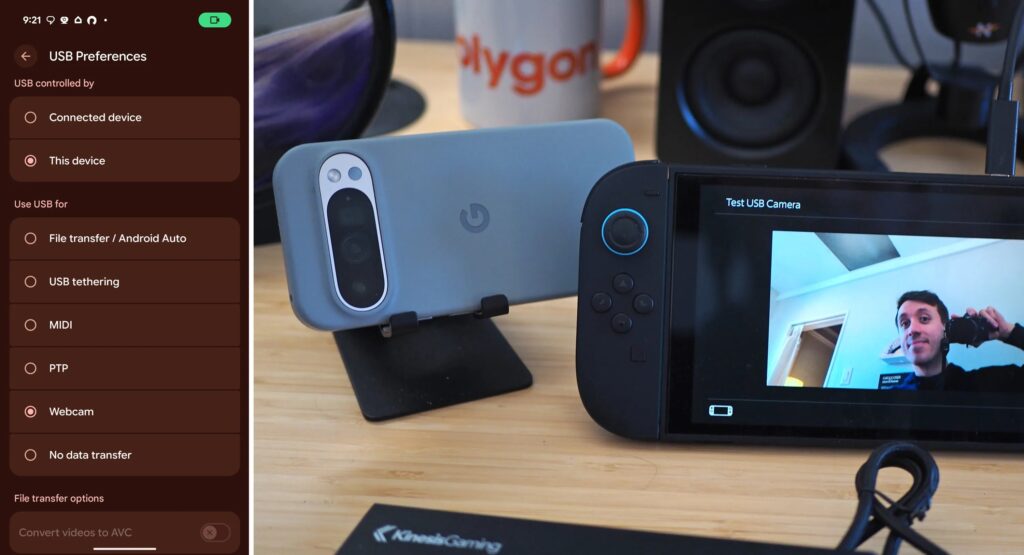
Switch 2 and Pixel Compatibility (Credits: Cameron Faulkner/The Verge)
Read : Nintendo Switch 2 Screen Film: Why You Shouldn’t Remove It
The sudden fix of the compatibility is announced either by Google or Nintendo, but it is a win-win situation for all the Switch 2 users who already have a Pixel phone with them.
As per FindArticles’ findings, the feature works flawlessly with all the recent Pixel models along with older models like the Pixel 8 lineup, Pixel 7 series, and Pixel 6 series.
Enjoyed this article?
If TechLatest has helped you, consider supporting us with a one-time tip on Ko-fi. Every contribution keeps our work free and independent.
